





Question: Please do in EXCEL!! there is no other instructions.... 1997 58.857 1998 59.314 1999 57.614 2000 57.366 2001 58.541 2002 56.834 2003 Apply the Forecast
Please do in EXCEL!! there is no other

Please do in EXCEL!! there is no other

Please do in EXCEL!! there is no other instructions....

1997 58.857
1998 59.314
1999 57.614
2000 57.366
2001 58.541
2002 56.834
2003
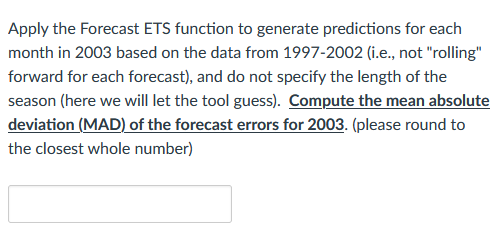
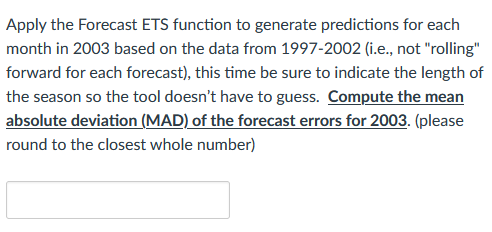
Apply the Forecast ETS function to generate predictions for each month in 2003 based on the data from 1997-2002 (i.e., not "rolling" forward for each forecast), and do not specify the length of the season (here we will let the tool guess). Compute the mean absolute deviation (MAD) of the forecast errors for 2003. (please round to the closest whole number) Apply the Forecast ETS function to generate predictions for each month in 2003 based on the data from 1997-2002 (i.e., not "rolling" forward for each forecast), this time be sure to indicate the length of the season so the tool doesn't have to guess. Compute the mean absolute deviation (MAD) of the forecast errors for 2003. (please round to the closest whole number)

Step by Step Solution

There are 3 Steps involved in it

1 Expert Approved Answer
Step: 1 Unlock blur-text-image

Question Has Been Solved by an Expert!

Get step-by-step solutions from verified subject matter experts

Step: 2 Unlock
Step: 3 Unlock

Students Have Also Explored These Related General Management Questions!