







Question: please do question 2. show me the screenshots and then write command too. please indicate what should be written on which window too so that
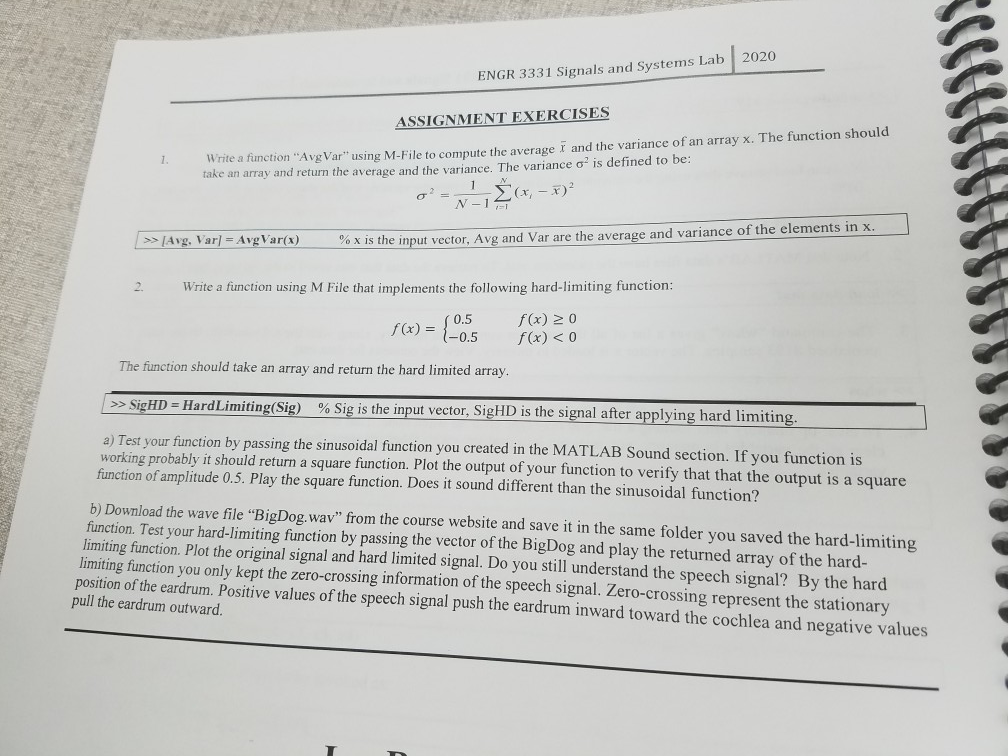
please do question 2. show me the screenshots and then write command too. please indicate what should be written on which window too so that I can understand
ENGR 3331 Signals and Systems Lab 2020 ASSIGNMENT EXERCISES Write a function "Avg Var" using M-File to compute the average r and the variance of an array x. The function should take an array and return the average and the variance. The variance ois defined to be: OP- 1 (x - x)? >> Avg. Var = Avg Var(x) % x is the input vector. Ayg and Var are the average and variance of the elements in x Write a function using M File that implements the following hard-limiting function: _ 0.5 f(x) = } 1-0.5 f(x) > 0 f(x) > SigHD = Hard Limiting(Sig) % Sig is the input vector, SigHD is the signal after applying hard limiting. a) Test your function by passing the sinusoidal function you created in the MATLAB Sound section. If you function is working probably it should return a square function. Plot the output of your function to verify that that the output is a square function of amplitude 0.5. Play the square function. Does it sound different than the sinusoidal function? b) Download the wave file "BigDog.wav" from the course website and save it in the same folder you saved the hard-limiting function. Test your hard-limiting function by passing the vector of the BigDog and play the returned array of the hard- limiting function. Plot the original signal and hard limited signal. Do you still understand the speech signal? By the hard limiting function you only kept the zero-crossing information of the speech signal. Zero-crossing represent the stationary position of the eardrum. Positive values of the speech signal push the eardrum inward toward the cochlea and negative values pull the eardrum outward
Step by Step Solution
There are 3 Steps involved in it

Get step-by-step solutions from verified subject matter experts
 Study Help