







Question: Please do the extra credit one Lab C++ coding: In this lab, you start creating your own data types. Then create variables of these types,
Please do the extra credit one
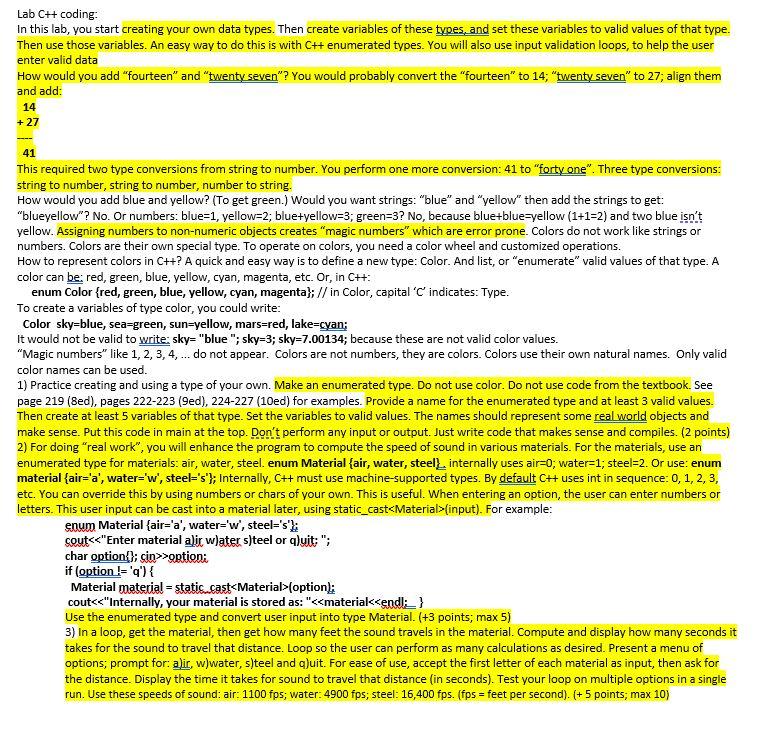
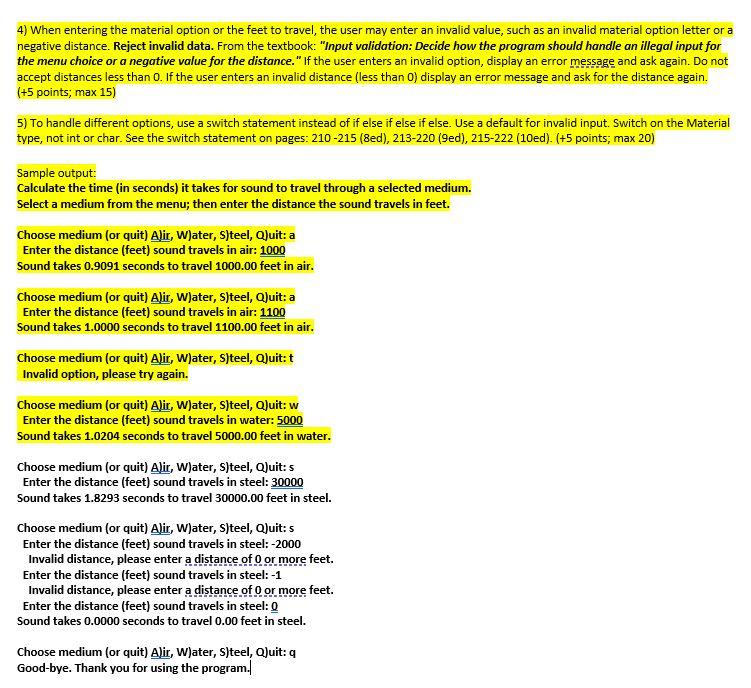
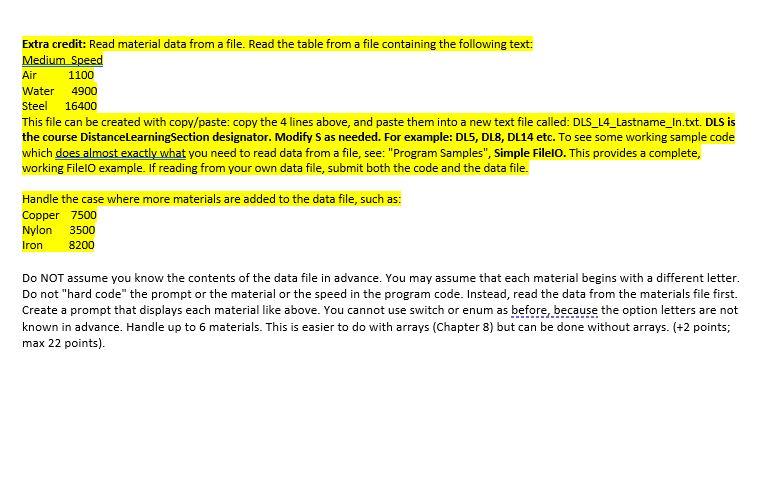
Lab C++ coding: In this lab, you start creating your own data types. Then create variables of these types, and set these variables to valid values of that type. Then use those variables. An easy way to do this is with C++ enumerated types. You will also use input validation loops, to help the user enter valid data How would you add "fourteen" and "twenty seven"? You would probably convert the "fourteen" to 14; "twenty seven" to 27; align them and add: 14 +27 41 This required two type conversions from string to number. You perform one more conversion: 41 to "forty one". Three type conversions: string to number, string to number, number to string. How would you add blue and yellow? (To get green.) Would you want strings: "blue" and "yellow" then add the strings to get: "blueyellow"? No. Or numbers: blue=1, yellow=2; blue+yellow=3; green=3? No, because blue+blue-yellow (1+1=2) and two blue isn't yellow. Assigning numbers to non-numeric objects creates "magic numbers" which are error prone. Colors do not work like strings or numbers. Colors are their own special type. To operate on colors, you need a color wheel and customized operations. How to represent colors in C++? A quick and easy way is to define a new type: Color. And list, or "enumerate" valid values of that type. A color can be: red, green, blue, yellow, cyan, magenta, etc. Or, in C++: enum Color {red, green, blue, yellow, cyan, magenta}; // in Color, capital 'C' indicates: Type. To create a variables of type color, you could write: Color sky-blue, sea=green, sun=yellow, mars=red, lake=cyan; It would not be valid to write sky="blue"; sky=3; sky=7.00134; because these are not valid color values. "Magic numbers" like 1, 2, 3, 4,... do not appear. Colors are not numbers, they are colors. Colors use their own natural names. Only valid color names can be used. 1) Practice creating and using a type of your own. Make an enumerated type. Do not use color. Do not use code from the textbook. See page 219 (8ed), pages 222-223 (9ed), 224-227 (10ed) for examples. Provide a name for the enumerated type and at least 3 valid values. Then create at least 5 variables of that type. Set the variables to valid values. The names should represent some real world objects and make sense. Put this code in main at the top. Don't perform any input or output. Just write code that makes sense and compiles. (2 points) 2) For doing "real work", you will enhance the program to compute the speed of sound in various materials. For the materials, use an enumerated type for materials: air, water, steel. enum Material {air, water, steel L. internally uses air=0; water=1; steel-2. Or use: enum material {air='a', water='w', steel="s'}; Internally, C++ must use machine-supported types. By default CH uses int in sequence: 0, 1, 2, 3, etc. You can override this by using numbers or chars of your own. This is useful. When entering an option, the user can enter numbers or letters. This user input can be cast into a material later, using static_cast
Step by Step Solution
There are 3 Steps involved in it

Get step-by-step solutions from verified subject matter experts
 Study Help