







Question: Please do the whole program in x 8 6 MASM assembly with the Irvine library. You don't need to do the extra credit Summary: Create
Please do the whole program in x MASM assembly with the Irvine library. You don't need to do the extra credit
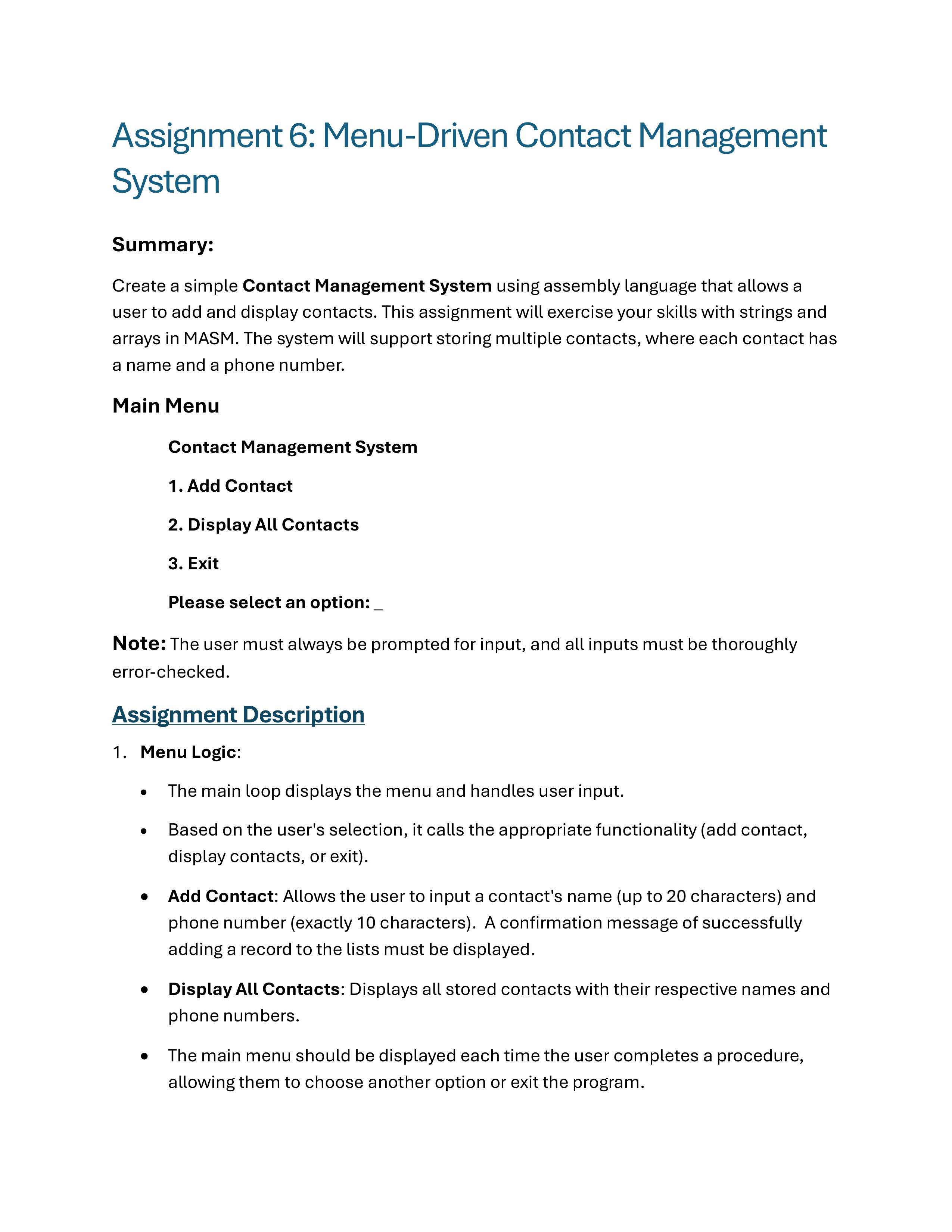
Summary:
Create a simple Contact Management System using assembly language that allows a
user to add and display contacts. This assignment will exercise your skills with strings and
arrays in MASM. The system will support storing multiple contacts, where each contact has
a name and a phone number.
Main Menu
Contact Management System
Add Contact
Display All Contacts
Exit
Please select an option:
Note: The user must always be prompted for input, and all inputs must be thoroughly
errorchecked.
Assignment Description
Menu Logic:
The main loop displays the menu and handles user input.
Based on the user's selection, it calls the appropriate functionality add contact,
display contacts, or exit
Add Contact: Allows the user to input a contact's name up to characters and
phone number exactly characters A confirmation message of successfully
adding a record to the lists must be displayed.
Display All Contacts: Displays all stored contacts with their respective names and
phone numbers.
The main menu should be displayed each time the user completes a procedure,
allowing them to choose another option or exit the program.
Data Storage:
Contacts will be stored in an array of structures. Each structure contains:
Name: A string of up to characters plus a null terminator.
Phone Number: A string of characters assumed to be digits without
formatting
Program Flow:
The program will present a menu with options to add a contact or display all
contacts.
The user can input up to contacts for simplicity.
Input validation: All inputs must be errorchecked.
Ensure names are not longer than characters and phone numbers are
exactly characters without null terminator
Handle invalid menu inputs.
Prevent adding more than contacts.
Procedures and Stack Frame Usage:
Create at least two procedures that add contacts and display the contact list
For two procedures mentioned above, pass the parameters using the STACK. Ensure
the parameters are placed on the stack before calling a procedure.
You are not allowed to use 'Enter' and 'Leave' instructions, or LOCAL
directive.
You must access those parameters via EBP in each stack frame
Correctly setting up stack frame is the most important part of this assignment
Make thoughtful decisions on passbyvalue vs passbyreference parameters.
Uses offsets and multipliers to correctly access the array elements for each
contact.
Contacts List:
O John Doe
Bob Smith
Sung Nam
Sample Output without invalid cases here but your output must show ALL of
invalid test cases
Contact Management System
Add Contact
Display All Contacts
Exit
Please select an option:
Add a contact:
Enter Name max chars: John Doe
Enter Phone Number digits:
Contact added successfully.
Contact Management System
Add Contact
Display All Contacts
Exit
Please select an option:
Add a contact:
Enter Name max chars: Kip Irvine
Enter Phone Number digits:
Contact added successfully.
Contact Management System
Add Contact
Display All Contacts
Exit
Please select an option:
Add a contact:
Enter Name max chars: Sung Nam
Enter Phone Number digits:
Contact added successfully.
Contact Management System
Add Contact
Display All Contacts
Error checking and exception handling with proper messages:
Minimally, following two user input errors must be handled:
Menu option
The length of the phone number must be exactly digits, and it should
contain digits only, The length can't be smaller than
Programming Style:
Style is a critical component of your grade. Include descriptive comment blocks
for all procedures, including main.
Capture the algorithm or program flow in the header of each function
Prohibited Constructs:
Do not use any directives to assist with program flow, such as ifwhile, else,
etc.
The USES directive is also prohibited.
Testing
At least records must be added.
Displaying the list after adding rd th and th records showing the current
records at each display point
All exception cases must be tested and the exception must be handled
graciously. The results of invalid input cases must be included in output file for
full credit consideration.
See above for the minimal error checking cases.
You may record the result of all possible test cases in one shot of testing upon
completing each unit test first.
Example Interaction:
Add Contact:
Enter Name max chars: John Doe
Enter Phone Number digits:
Contact added successfully.
Display All Contacts:
Exit
Please select an option:
Contacts List:
John Doe
Kip Irvine Sung Nam
Deliverables for both regular one and Extra Credit one:
Source code in asm and txt files Output document in txt or
Step by Step Solution
There are 3 Steps involved in it
1 Expert Approved Answer
Step: 1 Unlock

Question Has Been Solved by an Expert!
Get step-by-step solutions from verified subject matter experts
Step: 2 Unlock
Step: 3 Unlock
 Study Help