







Question: please do this on oracle live sql and show how to do it with final andwers. thank you Solmaris Condominium Group Use SQL to complete
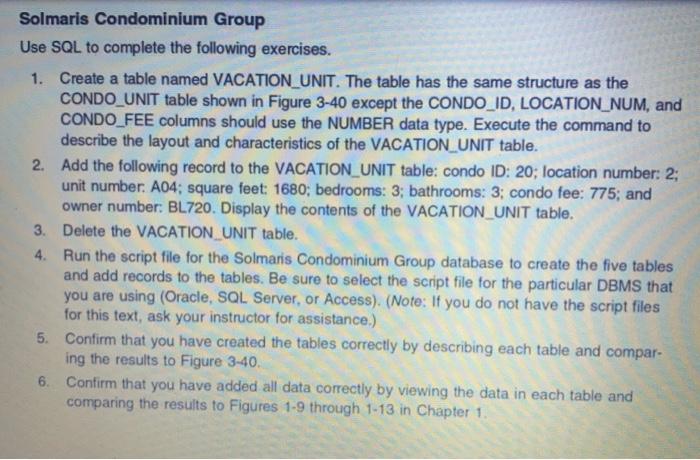
Solmaris Condominium Group Use SQL to complete the following exercises. 1. Create a table named VACATION_UNIT. The table has the same structure as the CONDO_UNIT table shown in Figure 3-40 except the CONDO_ID, LOCATION_NUM, and CONDO_FEE columns should use the NUMBER data type. Execute the command to describe the layout and characteristics of the VACATION_UNIT table. 2. Add the following record to the VACATION_UNIT table: condo ID: 20; location number: 2; unit number. A04; square feet: 1680; bedrooms: 3; bathrooms: 3; condo fee: 775; and owner number: BL720. Display the contents of the VACATION_UNIT table. 3. Delete the VACATION UNIT table. 4. Run the script file for the Solmaris Condominium Group database to create the five tables and add records to the tables. Be sure to select the script file for the particular DBMS that you are using (Oracle, SQL Server, or Access). (Note: If you do not have the script files for this text, ask your instructor for assistance.) 5. Confirm that you have created the tables correctly by describing each table and compar- ing the results to Figure 3-40. 6. Confirm that you have added all data correctly by viewing the data in each table and comparing the results to Figures 1-9 through 1-13 in Chapter 1 Solmaris Condominium Group Use SQL to complete the following exercises. 1. Create a table named VACATION_UNIT. The table has the same structure as the CONDO_UNIT table shown in Figure 3-40 except the CONDO_ID, LOCATION_NUM, and CONDO_FEE columns should use the NUMBER data type. Execute the command to describe the layout and characteristics of the VACATION_UNIT table. 2. Add the following record to the VACATION_UNIT table: condo ID: 20; location number: 2; unit number. A04; square feet: 1680; bedrooms: 3; bathrooms: 3; condo fee: 775; and owner number: BL720. Display the contents of the VACATION_UNIT table. 3. Delete the VACATION UNIT table. 4. Run the script file for the Solmaris Condominium Group database to create the five tables and add records to the tables. Be sure to select the script file for the particular DBMS that you are using (Oracle, SQL Server, or Access). (Note: If you do not have the script files for this text, ask your instructor for assistance.) 5. Confirm that you have created the tables correctly by describing each table and compar- ing the results to Figure 3-40. 6. Confirm that you have added all data correctly by viewing the data in each table and comparing the results to Figures 1-9 through 1-13 in Chapter 1
Step by Step Solution
There are 3 Steps involved in it

Get step-by-step solutions from verified subject matter experts
 Study Help