







Question: Please explain how to do A II and B on excel. If possible including an excel file with the proper andwer would be good too.
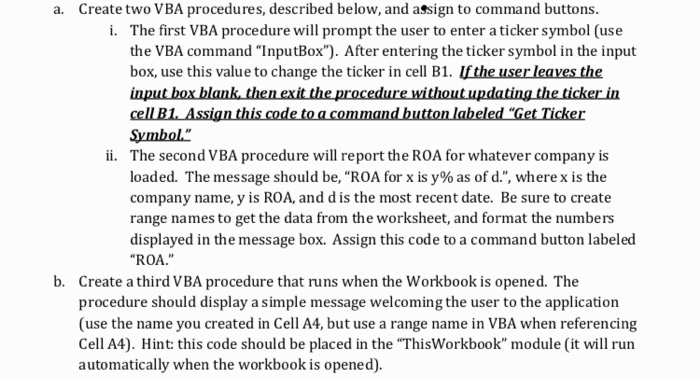
a. Create two VBA procedures, described below, and assign to command buttons. The first VBA procedure will prompt the user to enter a ticker symbol (use the VBA command "InputBox"). After entering the ticker symbol in the input box, use this value to change the ticker in cell B1. Ifthe user leaves the i. Symbol" The second VBA procedure will report the ROA for whatever company is loaded. The message should be, "ROA for x is y% as of d.", where x is the company name, y is ROA, and d is the most recent date. Be sure to create range names to get the data from the worksheet, and format the numbers ii. l e ssi scoe teled ROA." b. Create a third VBA procedure that runs when the Workbook is opened. The procedure should display a simple message welcoming the user to the application (use the name you created in Cell A4, but use a range name in VBA when referencing Cell A4). Hint: this code should be placed in the "ThisWorkbook" module (it will run automatically when the workbook is opened)
Step by Step Solution
There are 3 Steps involved in it

Get step-by-step solutions from verified subject matter experts
 Study Help