







Question: please explain this question to me ..I don't understand how the example is using the elements of args[] array without showing us that they passed
![example is using the elements of args[] array without showing us that](https://dsd5zvtm8ll6.cloudfront.net/si.experts.images/questions/2024/09/66f39f6201b43_08166f39f617b0af.jpg)
please explain this question to me ..I don't understand how the example is using the elements of args[] array without showing us that they passed anything to the command, and sadly I am not sure what even should be passed to the command? also, what are the number inside the system. exit()?
I will be grateful if you add more information that you think that I should know , but I didn't ask about
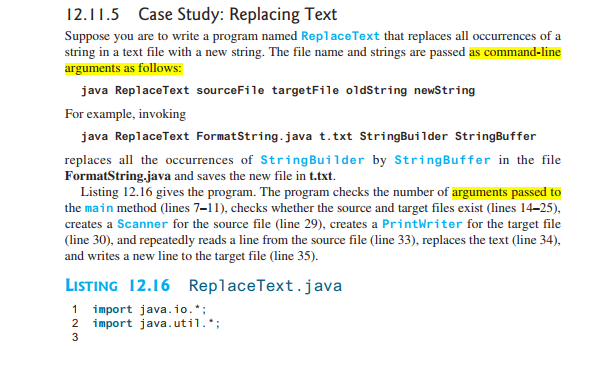
12.11.5 Case Study: Replacing Text Suppose you are to write a program named ReplaceText that replaces all occurrences of a string in a text file with a new string. The file name and strings are passed as command-line arguments as follows: java ReplaceText sourceFile targetFile oldString newString For example, invoking java ReplaceText FormatString java t.txt StringBuilder StringBuffer replaces all the occurrences of StringBuilder by StringBuffer in the file FormatString.java and saves the new file in t.txt. Listing 12.16 gives the program. The program checks the number of arguments passed to the main method (lines 7-11), checks whether the source and target files exist (lines 1425), creates a Scanner for the source file (line 29), creates a PrintWriter for the target file (line 30), and repeatedly reads a line from the source file (line 33), replaces the text (line 34), and writes a new line to the target file (line 35). LISTING 12.16 ReplaceText.java 1 import java.io.*;. 2 import java.util.; 3 oo oo No c 5 6 7 check command usage 15 source file exists? 16 17 18 4 public class ReplaceText { public static void main(String[] args) throws Exception { 1/ Check command line parameter usage if (args. length != 4) { 8 System.out.println 9 "Usage: java ReplaceText sourceFile targetFile oldstr newStr"); 10 System.exit(1); 11 } 12 13 // Check if source file exists 14 File sourceFile = new File(args[0]); if (!sourceFile.exists()) { System.out.println("Source file " + args[0] + " does not exist"); System.exit(); } 19 20 1/ Check if target file exists 21 File targetFile = new File(args[1]); 22 if (targetFile.exists()) { 23 System.out.println("Target file " args[1] + " already exists"); 24 System.exit(); 25 } 26 try ( 28 // Create input and output files 29 Scanner input = new Scanner (sourceFile); 30 PrintWriter output = new PrintWriter(targetFile); 31 ) { 32 while (input. hasNext()) { 33 String s1 = input.nextLine(); String s2 = s1.replaceA11(args[2], args[3]); output.println(s2): } target file exists? 27 try-with-resources create a Scanner create a PrintWriter has next? read a line 34 35 36 37 38 } 39]
Step by Step Solution
There are 3 Steps involved in it

Get step-by-step solutions from verified subject matter experts
 Study Help