



Question: please fill in blanks for this one b) Use the copy operations to make two additional copies of the heading comment block placed at the
please fill in blanks for this one
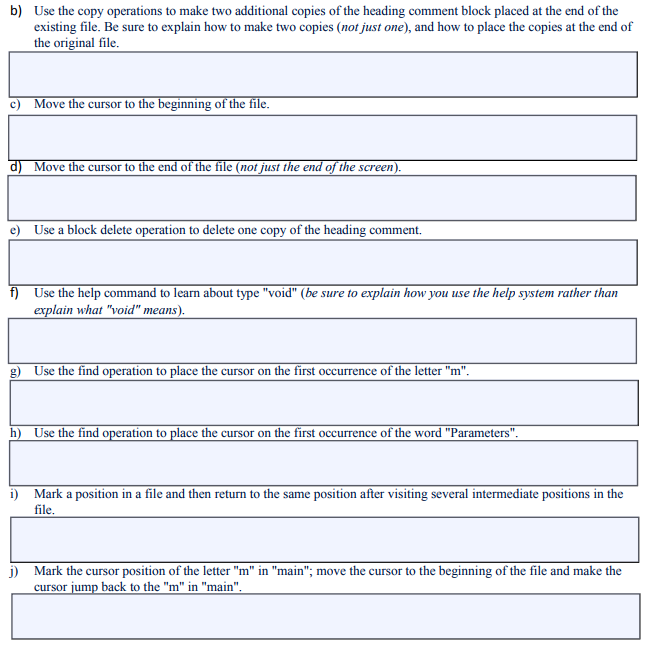
b) Use the copy operations to make two additional copies of the heading comment block placed at the end of the existing file. Be sure to explain how to make two copies (not just one), and how to place the copies at the end of the original file c) Move the cursor to the beginning of the file. d) Move the cursor to the end of the file (not just the end of the screen e) Use a block delete operation to delete one copy of the heading comment. f) Use the help command to learn about type "void" (be sure to explain how you use the help system rather than explain what "void" means) g) Use the find operation to place the cursor on the first occurrence of the letter "m". b) Use the find operation to place the cursor on the first occurrence of the word "Parameters". i) Mark a position in a file and then return to the same position after visiting several intermediate positions in the file j) Mark the cursor position of the letter "m" in "main", move the cursor to the beginning of the file and make the cursor jump back to the "m" in "main". b) Use the copy operations to make two additional copies of the heading comment block placed at the end of the existing file. Be sure to explain how to make two copies (not just one), and how to place the copies at the end of the original file c) Move the cursor to the beginning of the file. d) Move the cursor to the end of the file (not just the end of the screen e) Use a block delete operation to delete one copy of the heading comment. f) Use the help command to learn about type "void" (be sure to explain how you use the help system rather than explain what "void" means) g) Use the find operation to place the cursor on the first occurrence of the letter "m". b) Use the find operation to place the cursor on the first occurrence of the word "Parameters". i) Mark a position in a file and then return to the same position after visiting several intermediate positions in the file j) Mark the cursor position of the letter "m" in "main", move the cursor to the beginning of the file and make the cursor jump back to the "m" in "main
Step by Step Solution
There are 3 Steps involved in it

Get step-by-step solutions from verified subject matter experts