







Question: please fill in the box for 1002 blade INSTRUCTIONS - All 3 of the following must be done for each part in the Lawnmower Model
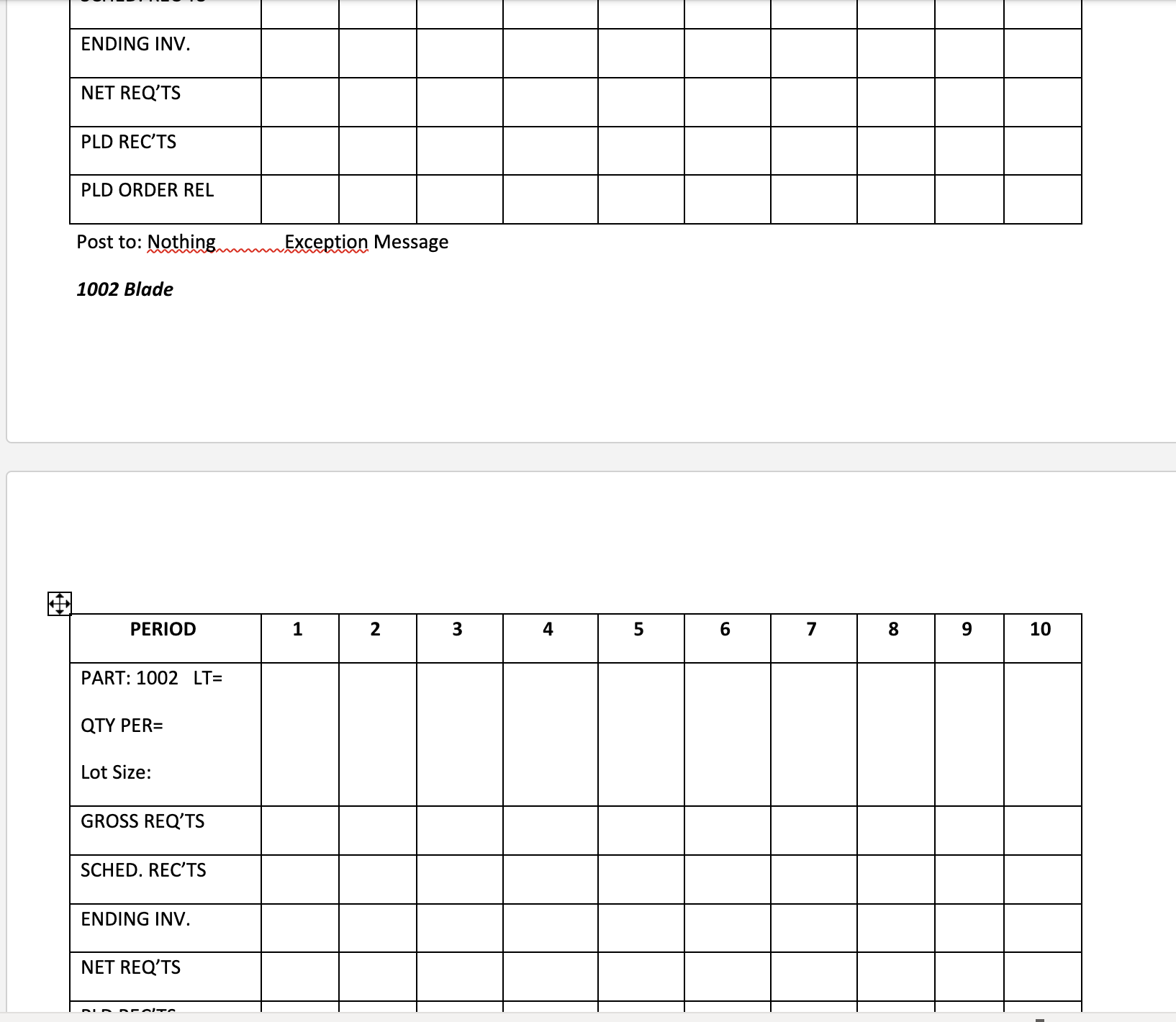
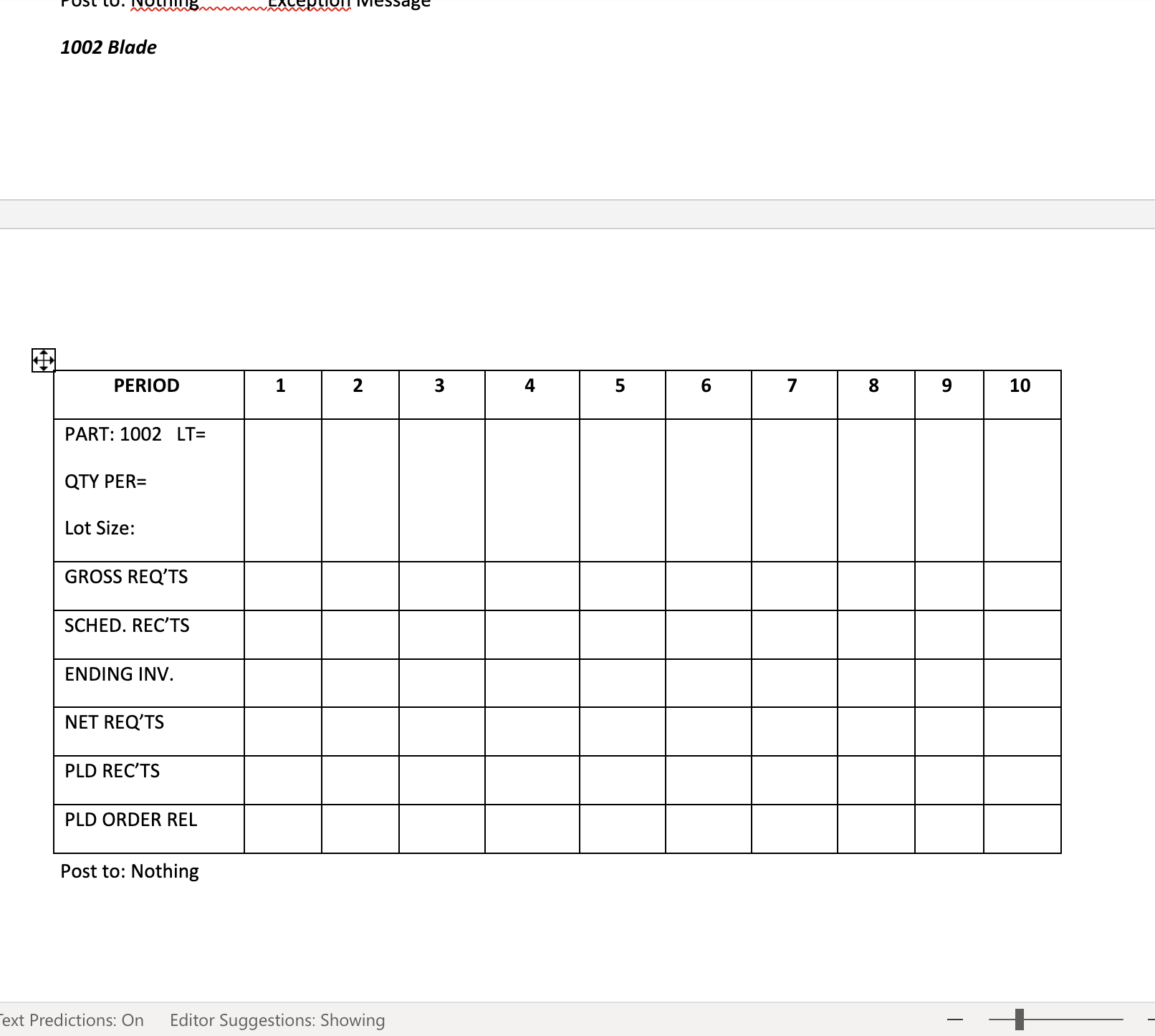
please fill in the box for 1002 blade
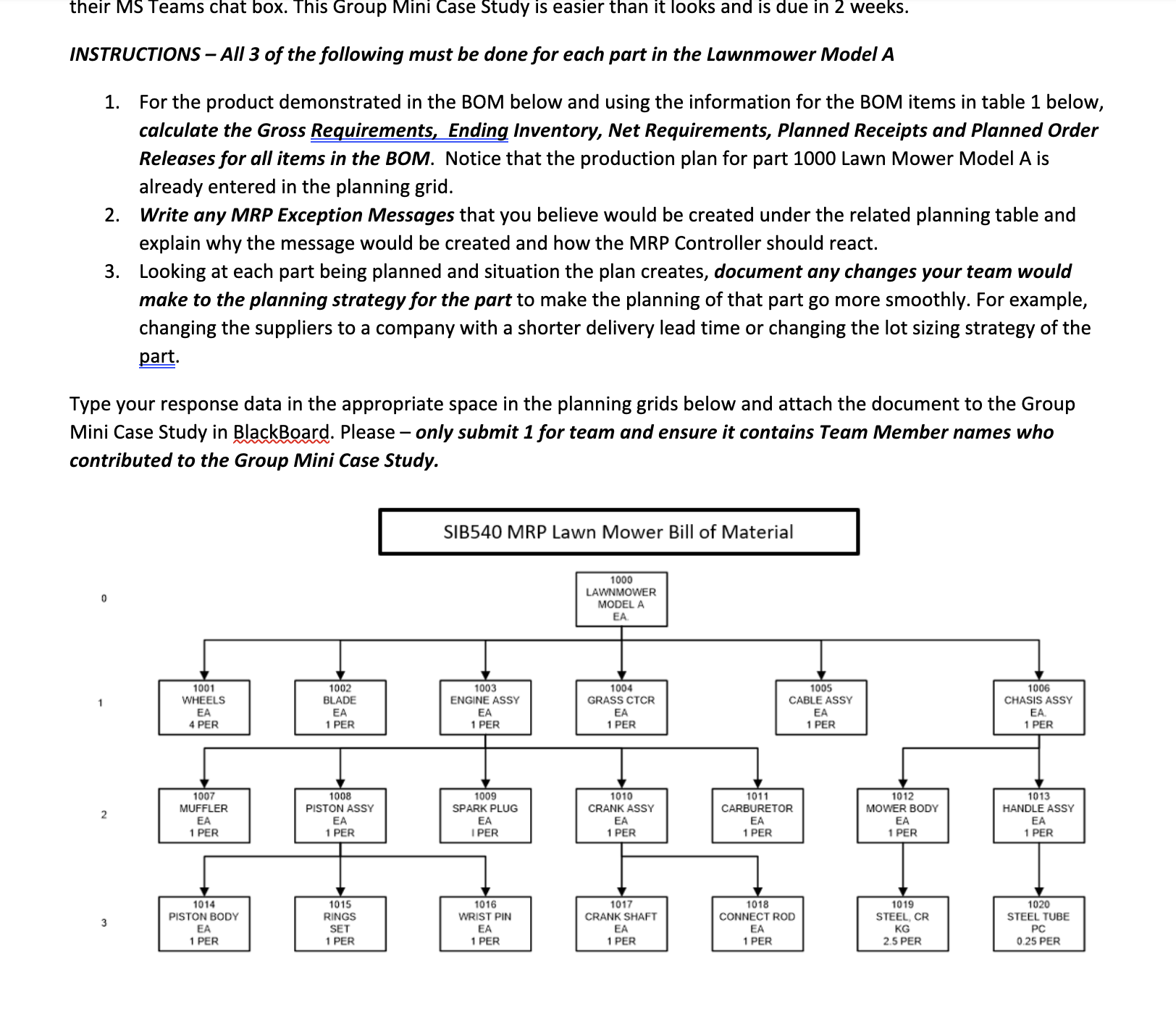
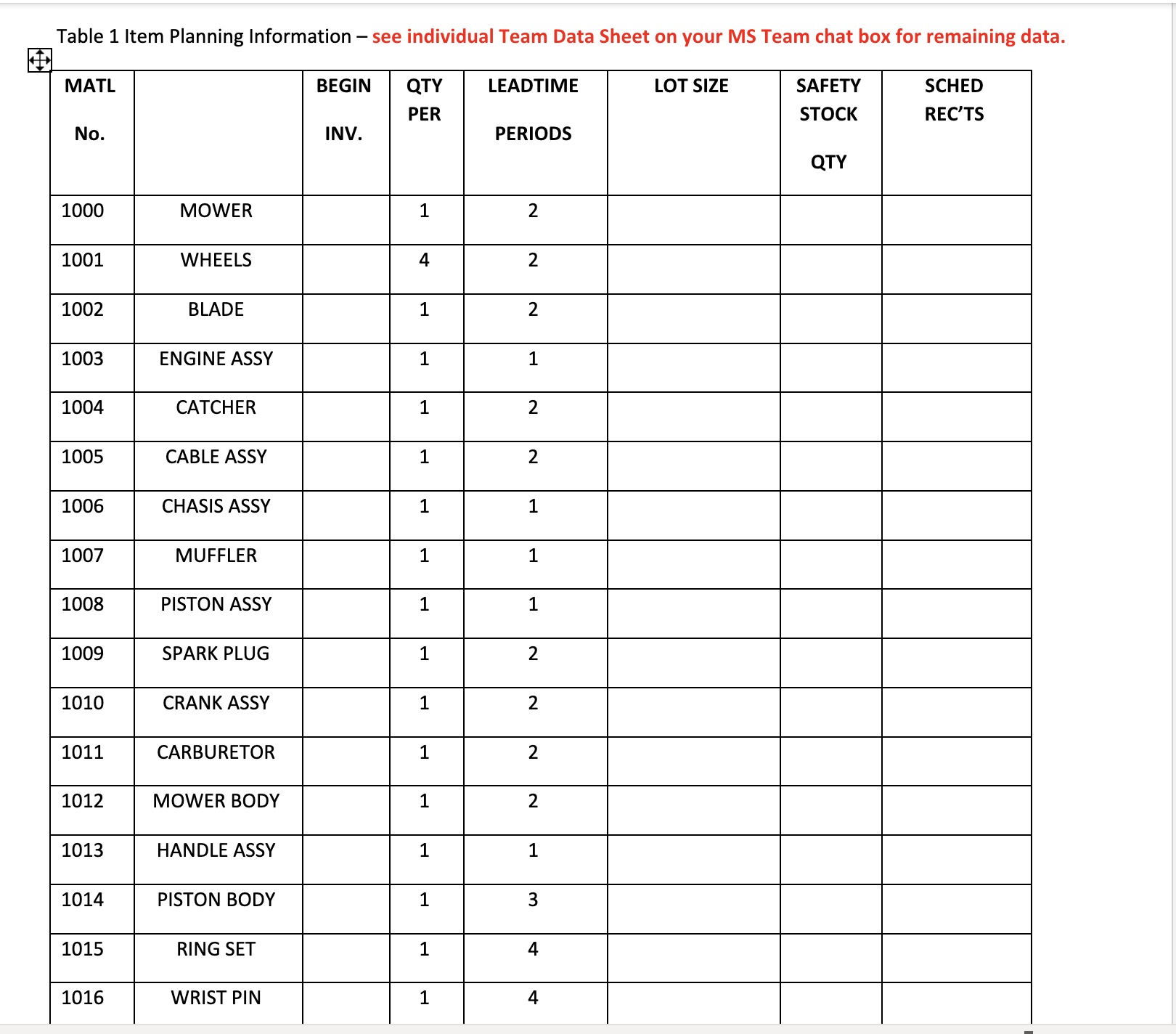
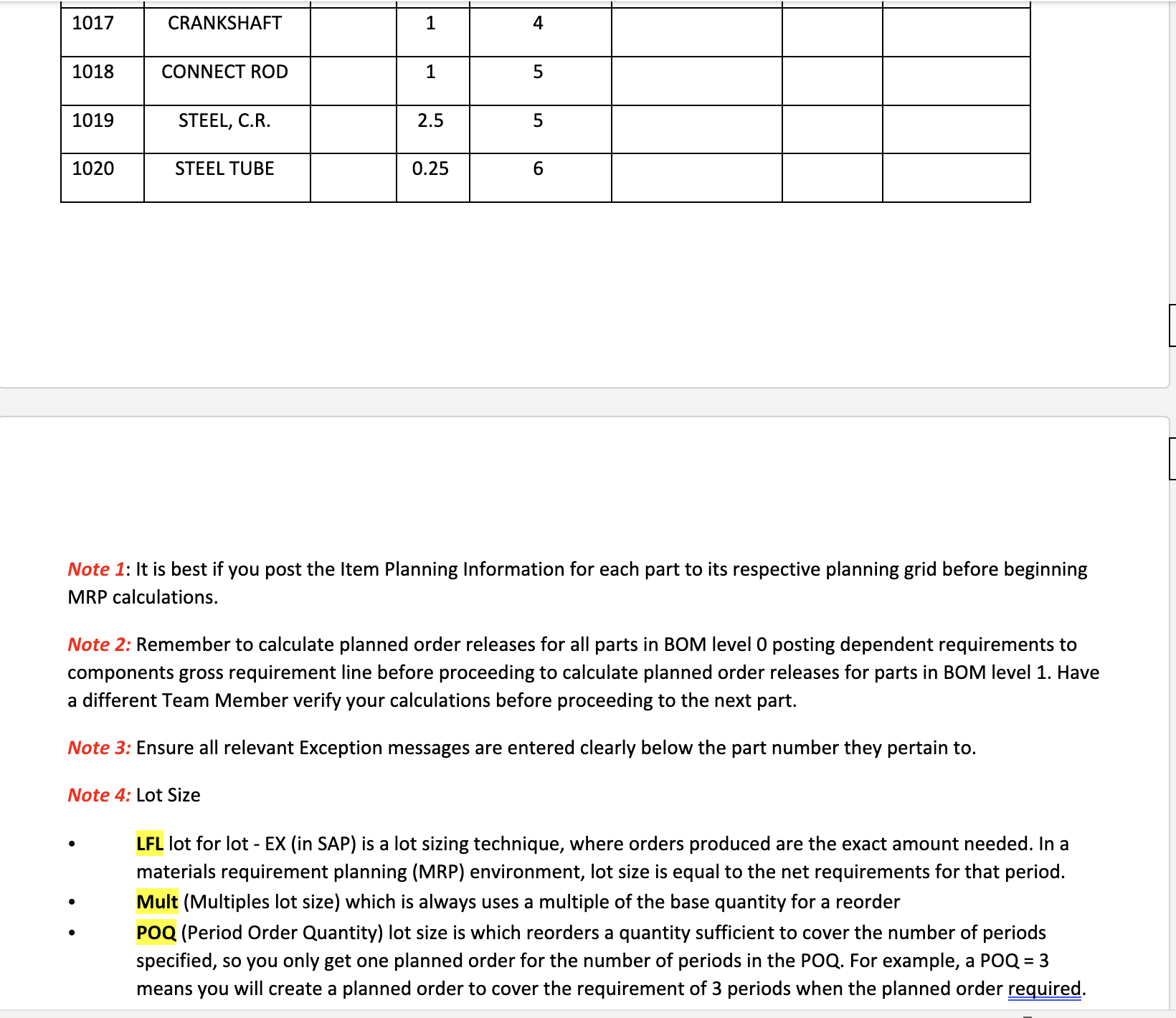
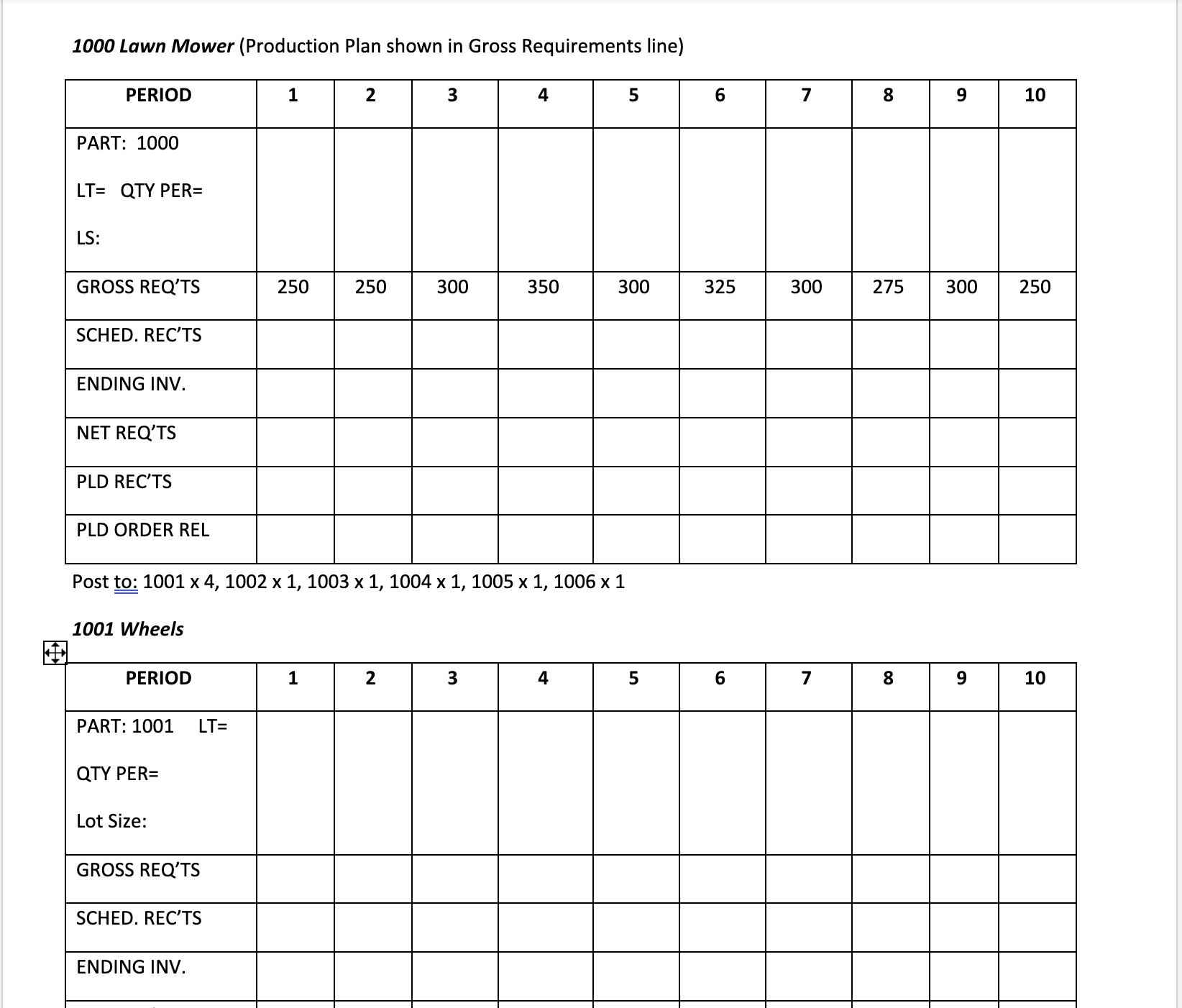
INSTRUCTIONS - All 3 of the following must be done for each part in the Lawnmower Model A 1. For the product demonstrated in the BOM below and using the information for the BOM items in table 1 below, calculate the Gross Requirements, Ending Inventory, Net Requirements, Planned Receipts and Planned Order Releases for all items in the BOM. Notice that the production plan for part 1000 Lawn Mower Model A is already entered in the planning grid. 2. Write any MRP Exception Messages that you believe would be created under the related planning table and explain why the message would be created and how the MRP Controller should react. 3. Looking at each part being planned and situation the plan creates, document any changes your team would make to the planning strategy for the part to make the planning of that part go more smoothly. For example, changing the suppliers to a company with a shorter delivery lead time or changing the lot sizing strategy of the part. Type your response data in the appropriate space in the planning grids below and attach the document to the Group Mini Case Study in BlackBoard. Please - only submit 1 for team and ensure it contains Team Member names who contributed to the Group Mini Case Study. Table 1 Item Planning Information - see individual Team Data Sheet on your MS Team chat box for remaining data. \begin{tabular}{|c|c|c|c|c|c|c|c|} \hline \begin{tabular}{l} MATL \\ No. \end{tabular} & & \begin{tabular}{c} BEGIN \\ INV. \end{tabular} & \begin{tabular}{l} QTY \\ PER \end{tabular} & \begin{tabular}{l} LEADTIME \\ PERIODS \end{tabular} & LOT SIZE & \begin{tabular}{c} SAFETY \\ STOCK \\ QTY \end{tabular} & \begin{tabular}{l} SCHED \\ REC'TS \end{tabular} \\ \hline 1000 & MOWER & & 1 & 2 & & & \\ \hline 1001 & WHEELS & & 4 & 2 & & & \\ \hline 1002 & BLADE & & 1 & 2 & & & \\ \hline 1003 & ENGINE ASSY & & 1 & 1 & & & \\ \hline 1004 & CATCHER & & 1 & 2 & & & \\ \hline 1005 & CABLE ASSY & & 1 & 2 & & & \\ \hline 1006 & CHASIS ASSY & & 1 & 1 & & & \\ \hline 1007 & MUFFLER & & 1 & 1 & & & \\ \hline 1008 & PISTON ASSY & & 1 & 1 & & & \\ \hline 1009 & SPARK PLUG & & 1 & 2 & & & \\ \hline 1010 & CRANK ASSY & & 1 & 2 & & & \\ \hline 1011 & CARBURETOR & & 1 & 2 & & & \\ \hline 1012 & MOWER BODY & & 1 & 2 & & & \\ \hline 1013 & HANDLE ASSY & & 1 & 1 & & & \\ \hline 1014 & PISTON BODY & & 1 & 3 & & & \\ \hline 1015 & RING SET & & 1 & 4 & & & \\ \hline 1016 & WRIST PIN & & 1 & 4 & & & \\ \hline \end{tabular} Note 1: It is best if you post the Item Planning Information for each part to its respective planning grid before beginning MRP calculations. Note 2: Remember to calculate planned order releases for all parts in BOM level 0 posting dependent requirements to components gross requirement line before proceeding to calculate planned order releases for parts in BOM level 1. Have a different Team Member verify your calculations before proceeding to the next part. Note 3: Ensure all relevant Exception messages are entered clearly below the part number they pertain to. Note 4: Lot Size - LFL lot for lot - EX (in SAP) is a lot sizing technique, where orders produced are the exact amount needed. In a materials requirement planning (MRP) environment, lot size is equal to the net requirements for that period. - Mult (Multiples lot size) which is always uses a multiple of the base quantity for a reorder - POQ (Period Order Quantity) lot size is which reorders a quantity sufficient to cover the number of periods specified, so you only get one planned order for the number of periods in the POQ. For example, a POQ = 3 means you will create a planned order to cover the requirement of 3 periods when the planned order required. 1000 Lawn Mower (Production Plan shown in Gross Requirements line) 1001 Wheels Post to: Nothing Exception Message 1002 Blade Post to: Nothing Editor Suggestions: Showing
Step by Step Solution
There are 3 Steps involved in it

Get step-by-step solutions from verified subject matter experts
 Study Help