







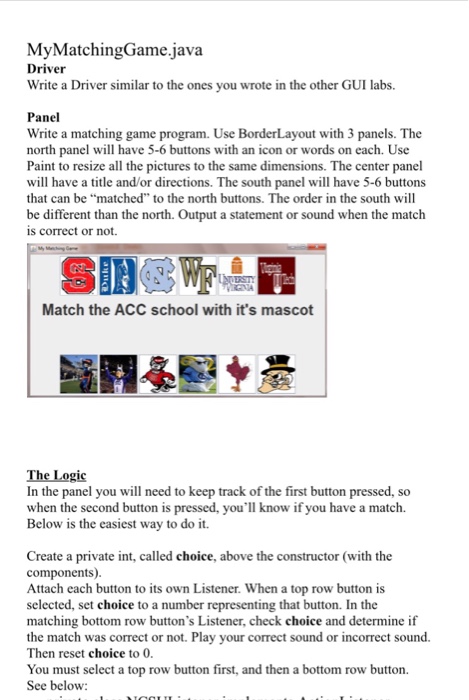
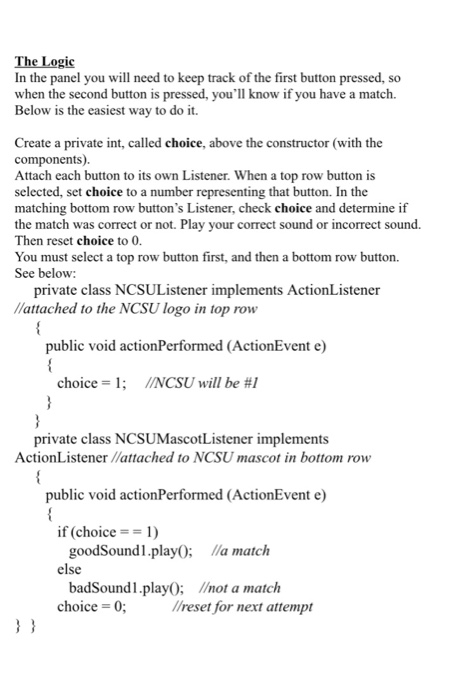
Question: Please finish the code: the images and the sound does not work, the code doesn't complie and I have no idea on what to do,
Please finish the code: the images and the sound does not work, the code doesn't complie and I have no idea on what to do, please correct it and finish it in JAVA jGrasp
Also can you give me the link to where you got the sound from? Thanks
import javax.swing.*;
import java.awt.event.*;
import java.awt.*;
import javax.swing.JFrame;
import javax.swing.JPanel;
import javax.swing.JButton;
import javax.swing.ImageIcon;
import java.awt.Image;
public class MatchingGame extends JPanel
{
// creates 12 buttons
private JButton LostMovie;
private JButton LostEvangeline;
private JButton SecretWindowMovie;
private JButton SecretWindowDepp;
private JButton TheLegendOfZorroMovie;
private JButton TLoZElena;
private JButton TheHobbitMovie;
private JButton Thranduil;
private JButton MagnificentCenturyMovie;
private JButton Hurrem;
private JButton PiratesOfTheCarribeanMovie;
private JButton Pirate;
public MatchingGame()
{
Icon a = new ImageIcon(getClass().getResource("LostMovie.jpg"));
LostMovie=new JButton(a);
LostMovie.addActionListener(new NorthButtonHandler());
Icon b = new ImageIcon(getClass().getResource("LostEvangeline.jpg"));
LostEvangeline=new JButton(b);
Icon c = new ImageIcon(getClass().getResource("SecretWindowM.jpg"));
SecretWindowMovie=new JButton(c);
SecretWindowMovie.addActionListener(new NorthButtonHandler());
Icon d = new ImageIcon(getClass().getResource("SecretWindowDepp.jpg"));
SecretWindowDepp=new JButton(d);
SecretWindowDepp.addActionListener(new SouthButtonHandler());
Icon e = new ImageIcon(getClass().getResource("MagnificentCentury.jpg"));
MagnificentCenturyMovie=new JButton(e);
MagnificentCentury.addActionListener(new NorthButtonHandler());
Icon f = new ImageIcon(getClass().getResource("Hurrem.jpg"));
Hurrem=new JButton(f);
Hurrem.addActionListener(new SouthButtonHandler());
Icon g = new ImageIcon(getClass().getResource("TheLegendOfZorroMovie.jpg"));
TheLegendOfZorroMovie=new JButton(g);
TheLegendOfZorroMovie.addActionListener(new NorthButtonHandler());
Icon h = new ImageIcon(getClass().getResource("Elena.jpg"));
SecretWindowMovie=new JButton(h);
SecretWindowMovie.addActionListener(new NorthButtonHandler());
Icon i = new ImageIcon(getClass().getResource("PiratesOfTheCarribean.jpg"));
SecretWindowDepp=new JButton(i);
SecretWindowDepp.addActionListener(new SouthButtonHandler());
Icon j = new ImageIcon(getClass().getResource("Pirate.jpg"));
MagnificentCenturyMovie=new JButton(j);
LostMovie.addActionListener(new NorthButtonHandler());
//change layout manager
setLayout(new BorderLayout());
// add components to container (add method is overloaded)
p = new JPanel(new BoarderLayout());
p.add(LostMovie);
p.add(SecretWindowMovie);
p.add(MagnificentCenturyMovie);
p.add(PiratesOfTheCarribean);
p.add(TheLegendOfZorro);
m = new JPanel (new BorderLayout());
m.add(LostEvangeline);
m.add(SecretWindowDepp);
m.add(Hurrem);
}
private class NorthButtonHandler implements ActionListener
{
public void actionPerformed(ActionEvent e)
{
try{
sound1= Applet.newAudioClip(new URL("file:love.wav")));
}
catch(MalformedURLException e){
System.out.println(e.getMessage());
}
}
}
private class SouthButtonHandler implements ActionListener
{
public void actionPerformed(ActionEvent e)
{
}
}
}
----------------------------------------------------------------------
import javax.swing.*;
public class MatchingTest
{
public static void main(String[] args)
{
JFrame myFrame = new JFrame("Match the characters to the movie");
/* (0,0) is on the top left hand corner
y direction brings it down */
myFrame.setLocation(500,500);
myFrame.setSize(500,500);
// close program
myFrame.setDefaultCloseOperation(JFrame.EXIT_ON_CLOSE);
// DEPENDING ON CLASS
myFrame.setContentPane(new MatchingGame());
// makes frame visible so it can be seen
myFrame.setVisible(true);
}
}
-----------------------------------------------------------------------
example I want the movie to be matched with the character in the movie


Step by Step Solution
There are 3 Steps involved in it

Get step-by-step solutions from verified subject matter experts
 Study Help