







Question: Please follow the instruction, do not copy the code from other answers! Java please, thank you. Concept Summary: 1. Class design 2. Encapsulation, modularity and
Please follow the instruction, do not copy the code from other answers!
Java please, thank you.
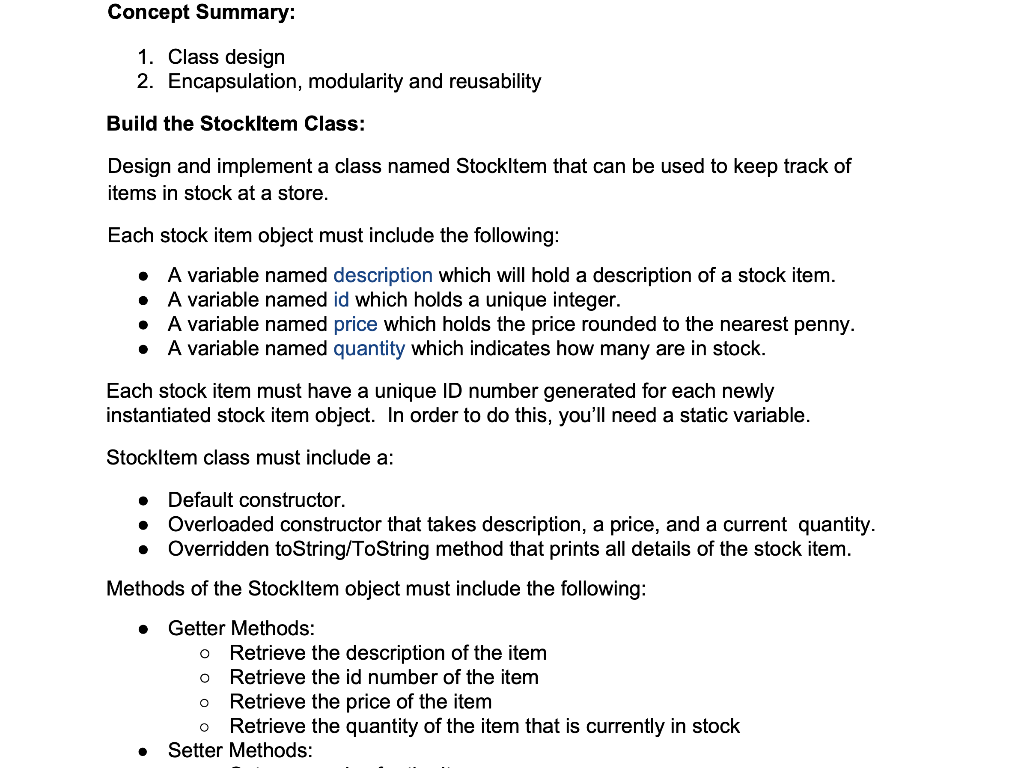
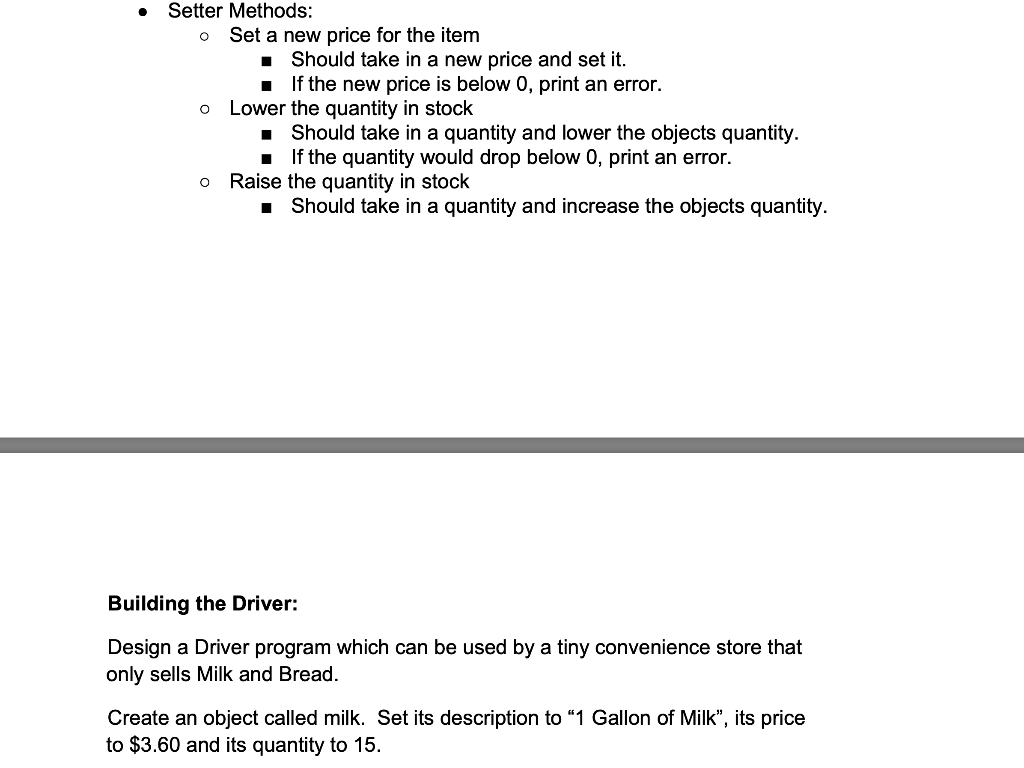
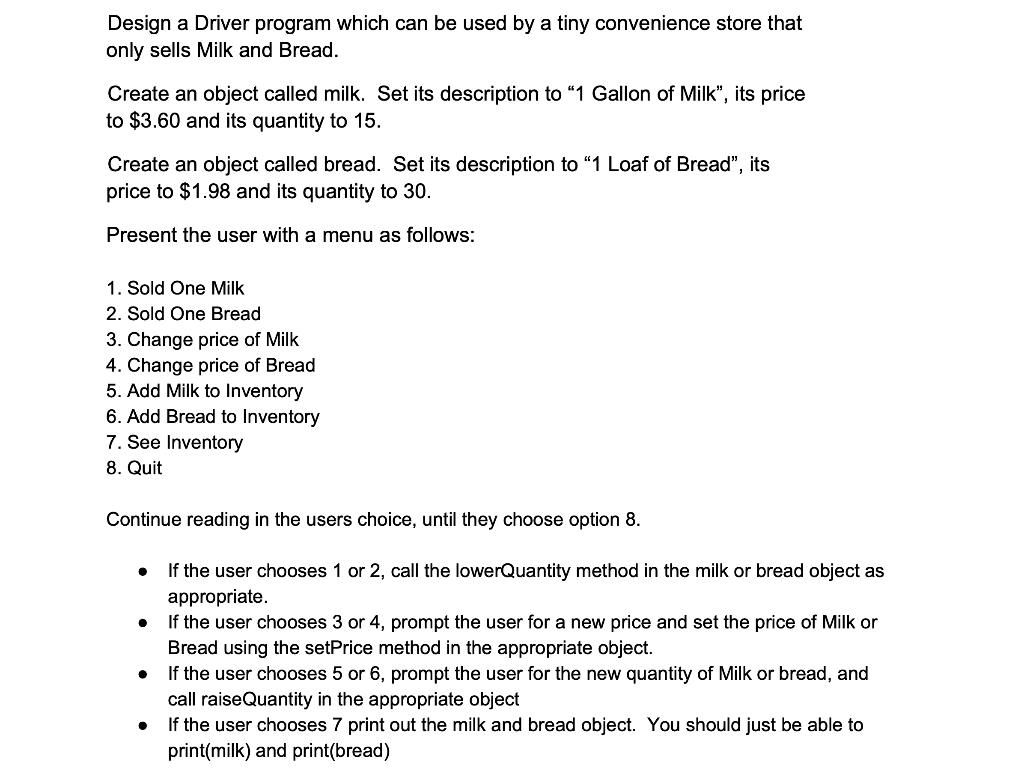
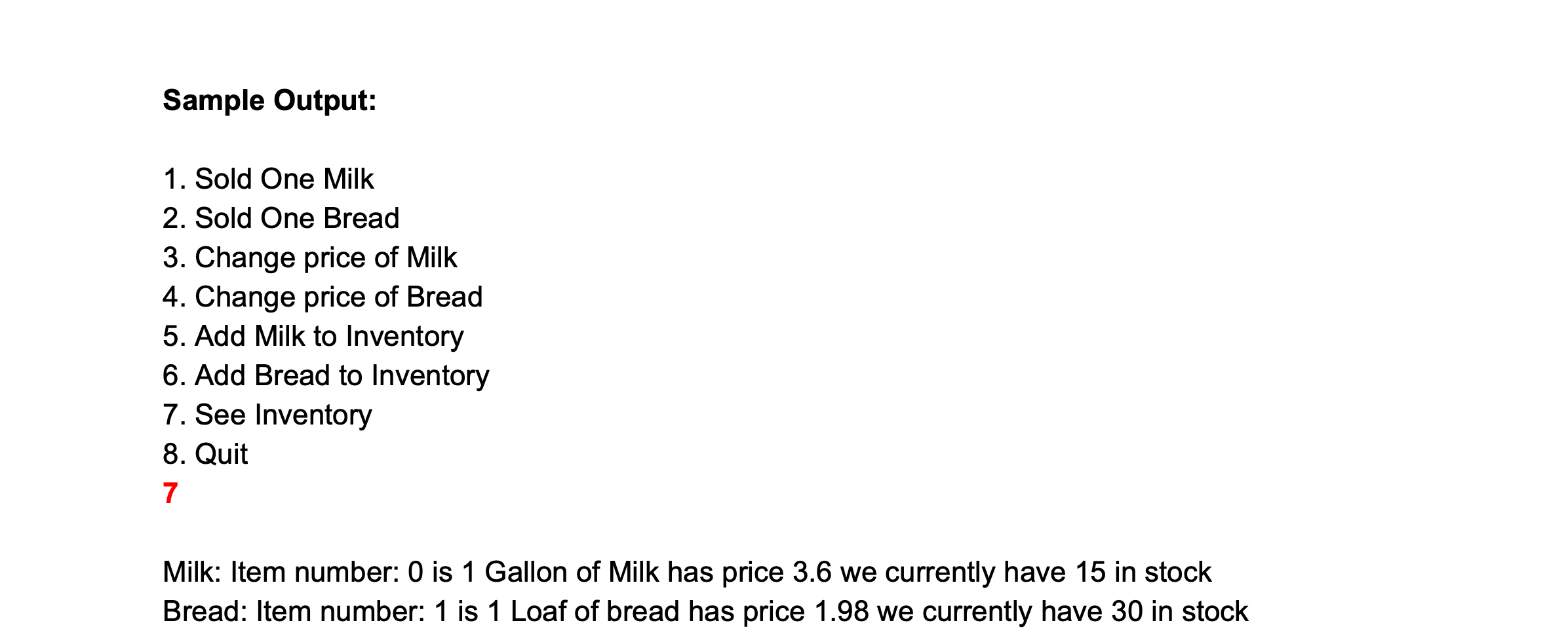
Concept Summary: 1. Class design 2. Encapsulation, modularity and reusability Build the StockItem Class: Design and implement a class named StockItem that can be used to keep track of items in stock at a store. . Each stock item object must include the following: A variable named description which will hold a description of a stock item. A variable named id which holds a unique integer. A variable named price which holds the price rounded to the nearest penny. A variable named quantity which indicates how many are in stock. Each stock item must have a unique ID number generated for each newly instantiated stock item object. In order to do this, you'll need a static variable. c StockItem class must include a: . . Default constructor. Overloaded constructor that takes description, a price, and a current quantity. Overridden to String/ToString method that prints all details of the stock item. Methods of the StockItem object must include the following: Getter Methods: o Retrieve the description of the item Retrieve the id number of the item Retrieve the price of the item Retrieve the quantity of the item that is currently in stock Setter Methods: . Setter Methods: Set a new price for the item Should take in a new price and set it. If the new price is below 0, print an error. Lower the quantity in stock Should take in a quantity and lower the objects quantity. If the quantity would drop below 0, print an error. Raise the quantity in stock I Should take in a quantity and increase the objects quantity. o O Building the Driver: Design a Driver program which can be used by a tiny convenience store that only sells Milk and Bread. Create an object called milk. Set its description to 1 Gallon of Milk, its price to $3.60 and its quantity to 15. Design a Driver program which can be used by a tiny convenience store that only sells Milk and Bread. Create an object called milk. Set its description to 1 Gallon of Milk", its price to $3.60 and its quantity to 15. Create an object called bread. Set its description to 1 Loaf of Bread", its price to $1.98 and its quantity to 30. Present the user with a menu as follows: 1. Sold One Milk 2. Sold One Bread 3. Change price of Milk 4. Change price of Bread 5. Add Milk to Inventory 6. Add Bread to Inventory 7. See Inventory 8. Quit Continue reading in the users choice, until they choose option 8. If the user chooses 1 or 2, call the lowerQuantity method in the milk or bread object as appropriate. If the user chooses 3 or 4, prompt the user for a new price and set the price of Milk or Bread using the setPrice method in the appropriate object. If the user chooses 5 or 6, prompt the user for the new quantity of Milk or bread, and call raise Quantity in the appropriate object If the user chooses 7 print out the milk and bread object. You should just be able to print(milk) and print(bread) . . Sample Output: 1. Sold One Milk 2. Sold One Bread 3. Change price of Milk 4. Change price of Bread 5. Add Milk to Inventory 6. Add Bread to Inventory 7. See Inventory 8. Quit 7 Milk: Item number: 0 is 1 Gallon of Milk has price 3.6 we currently have 15 in stock Bread: Item number: 1 is 1 Loaf of bread has price 1.98 we currently have 30 in stock
Step by Step Solution
There are 3 Steps involved in it

Get step-by-step solutions from verified subject matter experts
 Study Help