







Question: Please follow the instructions below: This is the c code i was given int binary_search(int a[], int n, int v) { int rv; if (n
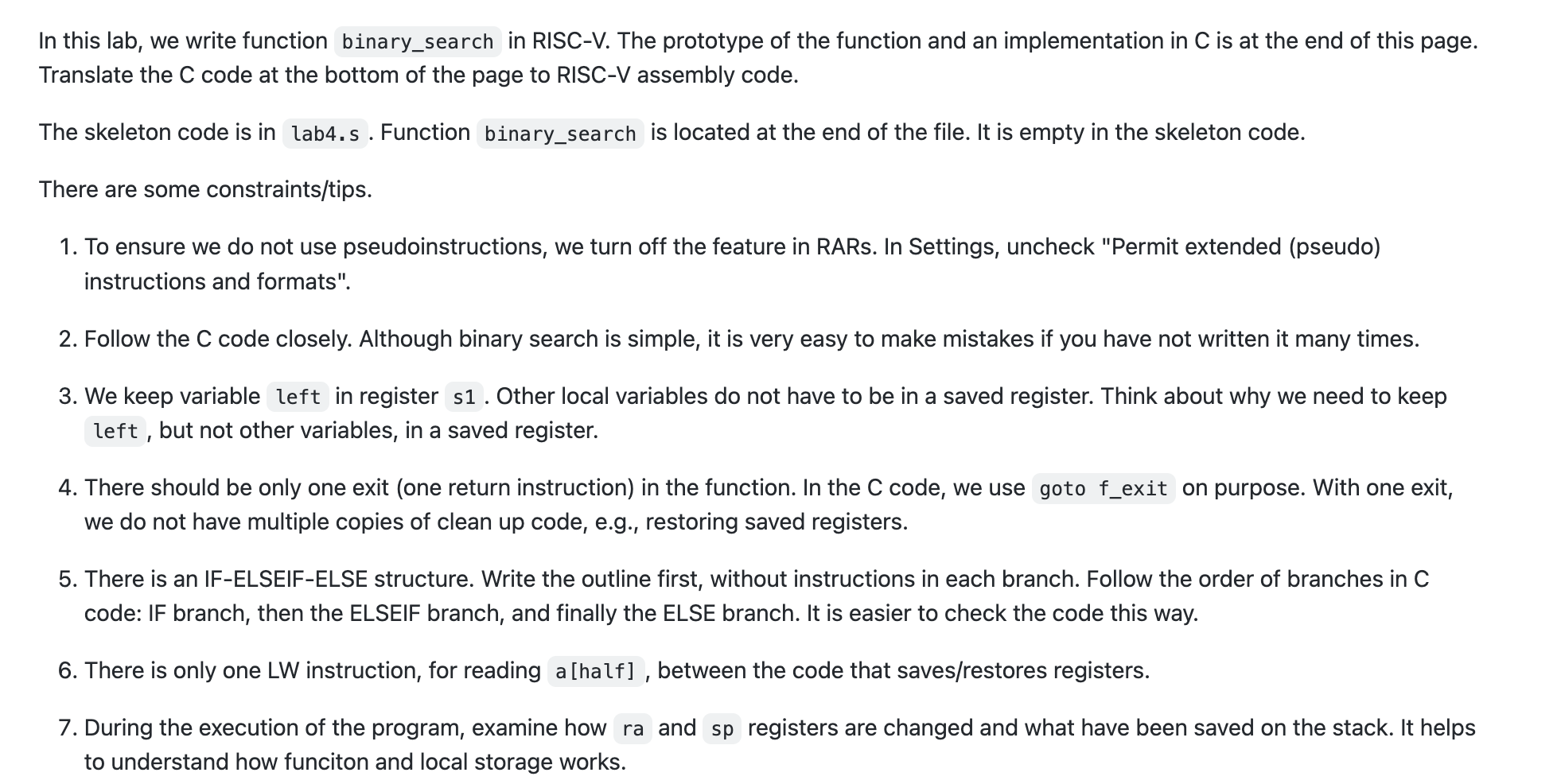
Please follow the instructions below:
This is the c code i was given
int binary_search(int a[], int n, int v)
{
int rv;
if (n == 0) { // nothing in the array
rv = -1;
goto f_exit; // return -1
}
int half = n / 2; // integer division
int half_v = a[half];
if (half_v == v) {
rv = half;
}
else if (v
// search the first half, excluding a[half]
rv = binary_search(a, half, v);
}
else { // v > half_v
// search the second half, excluding a[half]
int left = half + 1;
// &a[left] means the address of a[left]
rv = binary_search(&a[left], n - left, v);
if (rv >= 0) {
rv += left;
}
}
f_exit:
return rv;
}
This is the sample code for the RISC-V that I want to be solved:
| .data | |
| .align 2 | |
| word_array: .word | |
| 0, 10, 20, 30, 40, 50, 60, 70, 80, 90, | |
| 100, 110, 120, 130, 140, 150, 160, 170, 180, 190, | |
| 200, 210, 220, 230, 240, 250, 260, 270, 280, 290, | |
| 300, 310, 320, 330, 340, 350, 360, 370, 380, 390, | |
| 400, 410, 420, 430, 440, 450, 460, 470, 480, 490, | |
| 500, 510, 520, 530, 540, 550, 560, 570, 580, 590, | |
| 600, 610, 620, 630, 640, 650, 660, 670, 680, 690, | |
| 700, 710, 720, 730, 740, 750, 760, 770, 780, 790, | |
| 800, 810, 820, 830, 840, 850, 860, 870, 880, 890, | |
| 900, 910, 920, 930, 940, 950, 960, 970, 980, 990 | |
| # code | |
| .text | |
| .globl main | |
| main: | |
| addi s0, x0, -1 | |
| addi s1, x0, -1 | |
| addi s2, x0, -1 | |
| addi s3, x0, -1 | |
| addi s4, x0, -1 | |
| addi s5, x0, -1 | |
| # help to check if any saved registers are changed during the function call | |
| # could add more... | |
| # la s1, word_array | |
| lui s1, 0x10010 # starting addr of word_array in standard memory config | |
| addi s2, x0, 100 # 100 elements in the array | |
| # read an integer from the console | |
| addi a7, x0, 5 | |
| ecall | |
| addi s3, a0, 0 # keep a copy of v in s3 | |
| # call binary search | |
| addi a0, s1, 0 | |
| addi a1, s2, 0 | |
| addi a2, s3, 0 | |
| jal ra, binary_search | |
| # print the return value | |
| jal ra, print_int | |
| # set a breakpoint here and check if any saved register was changed | |
| # exit | |
| exit: addi a7, x0, 10 | |
| ecall | |
| # a function that prints an integer, followed by a newline | |
| print_int: | |
| addi a7, x0, 1 | |
| ecall | |
| # print newline | |
| addi a7, x0, 11 | |
| addi a0, x0, ' ' | |
| ecall | |
| jalr x0, ra, 0 | |
| #### Do not change lines above | |
| binary_search: | |
| # TODO |
In this lab, we write function binary_search in RISC-V. The prototype of the function and an implementation in C is at the end of this page. Translate the C code at the bottom of the page to RISC-V assembly code. The skeleton code is in lab4.s. Function binary_search is located at the end of the file. It is empty in the skeleton code. There are some constraints/tips. 1. To ensure we do not use pseudoinstructions, we turn off the feature in RARs. In Settings, uncheck "Permit extended (pseudo) instructions and formats". 2. Follow the C code closely. Although binary search is simple, it is very easy to make mistakes if you have not written it many times. 3. We keep variable in register s1. Other local variables do not have to be in a saved register. Think about why we need to keep but not other variables, in a saved register. 4. There should be only one exit (one return instruction) in the function. In the C code, we use on purpose. With one exit, we do not have multiple copies of clean up code, e.g., restoring saved registers. 5. There is an IF-ELSEIF-ELSE structure. Write the outline first, without instructions in each branch. Follow the order of branches in C code: IF branch, then the ELSEIF branch, and finally the ELSE branch. It is easier to check the code this way. 6. There is only one LW instruction, for reading , between the code that saves/restores registers. 7. During the execution of the program, examine how and registers are changed and what have been saved on the stack. It helps to understand how funciton and local storage works
Step by Step Solution
There are 3 Steps involved in it

Get step-by-step solutions from verified subject matter experts
 Study Help