



Question: Please give explanation about each line. Private Sub Add_Click() Adodc1.Recordset.AddNew End Sub Private Sub Delete_Click() Adodc 1. Recordset.Move First b = InputBox(empno, Search, enter empno)
Please give explanation about each line.
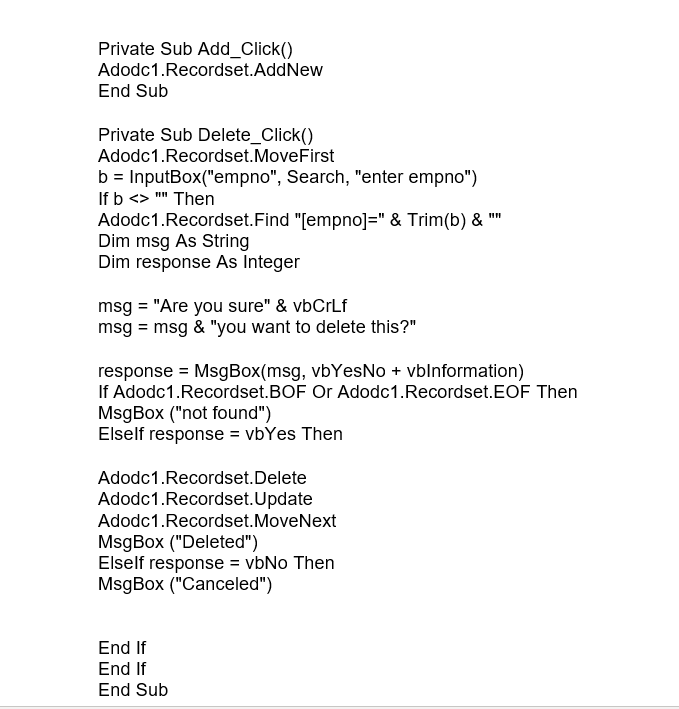
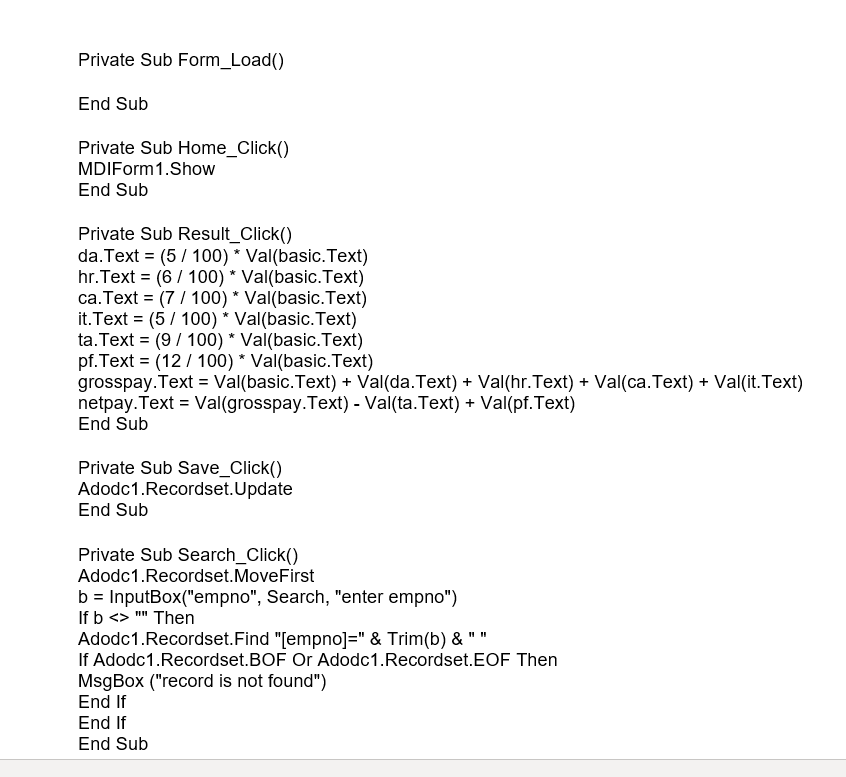
Private Sub Add_Click() Adodc1.Recordset.AddNew End Sub Private Sub Delete_Click() Adodc 1. Recordset.Move First b = InputBox("empno", Search, "enter empno") If b "" Then Adodc1.Recordset.Find "empno]=" & Trim(b) & Dim msg As String Dim response As Integer msg = "Are you sure" & vbCrlf msg = msg & "you want to delete this?" response = MsgBox(msg, vbYesNo + vblnformation) If Adodc1.Recordset.BOF Or Adodc 1. Recordset.EOF Then MsgBox ("not found") Elself response = vbYes Then Adodc 1. Recordset.Delete Adodc 1. Recordset.Update Adodc 1. Recordset. MoveNext MsgBox ("Deleted") Elself response = vbNo Then MsgBox ("Canceled") End If End If End Sub Private Sub Form_Load() End Sub Private Sub Home_Click() MDIForm 1. Show End Sub Private Sub Result_Click() da.Text = (5 / 100) * Val(basic.Text) hr.Text = (6 / 100) * Val(basic.Text) ca.Text = ( 7 / 100) * Val(basic.Text) it.Text = (5 / 100) * Val(basic.Text) ta.Text = (9 / 100) * Val(basic.Text) pf.Text = (12 / 100) * Val(basic.Text) grosspay.Text = Val(basic.Text) + Val(da.Text) + Val(hr.Text) + Val(ca.Text) + Val(it.Text) netpay.Text = Val(grosspay.Text) - Val(ta.Text) + Val(pf.Text) End Sub Private Sub Save_Click() Adodc1.Recordset.Update End Sub Private Sub Search_Click() Adodc1.Recordset.Move First b = InputBox("empno", Search, "enter empno") If b " Then Adodc 1. Recordset.Find "[empno]=" & Trim(b) &"" If Adodc1. Recordset.BOF Or Adodc1.Recordset.EOF Then MsgBox ("record is not found") End If End If End Sub
Step by Step Solution
There are 3 Steps involved in it

Get step-by-step solutions from verified subject matter experts