







Question: Please give explanation for each line. Here is the interface so that you can get the idea about the program. I need explanation about each
Please give explanation for each line. Here is the interface so that you can get the idea about the program. I need explanation about each lines of the coding.
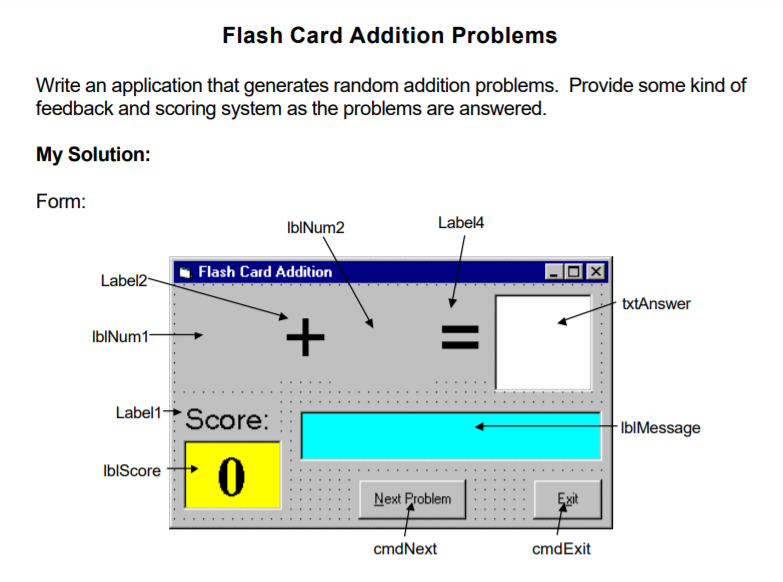
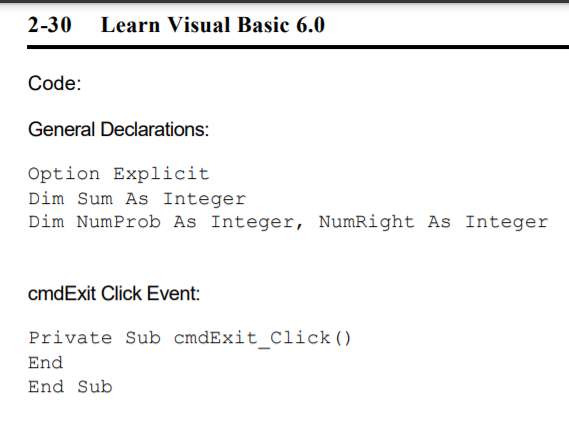
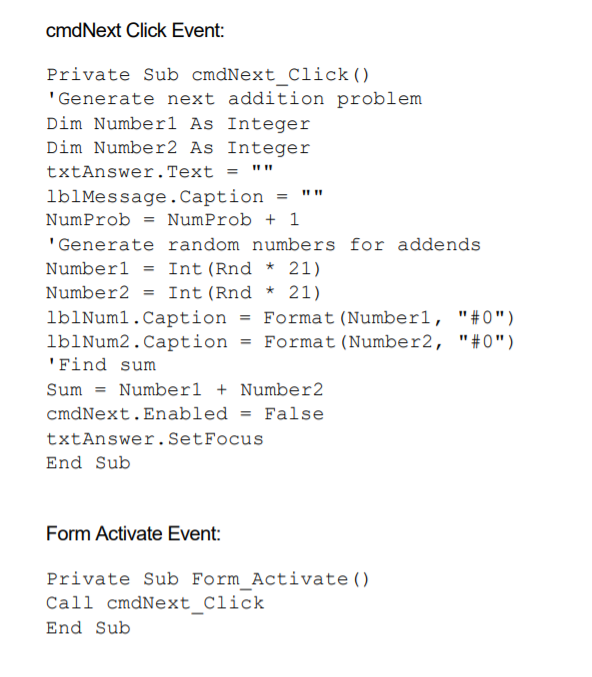
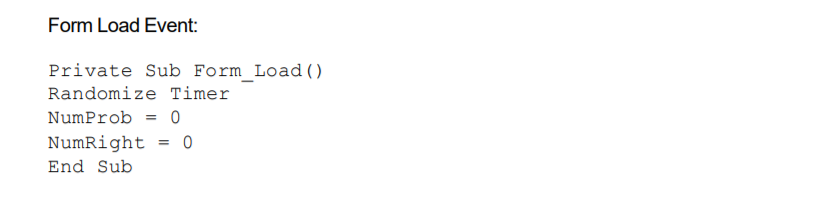
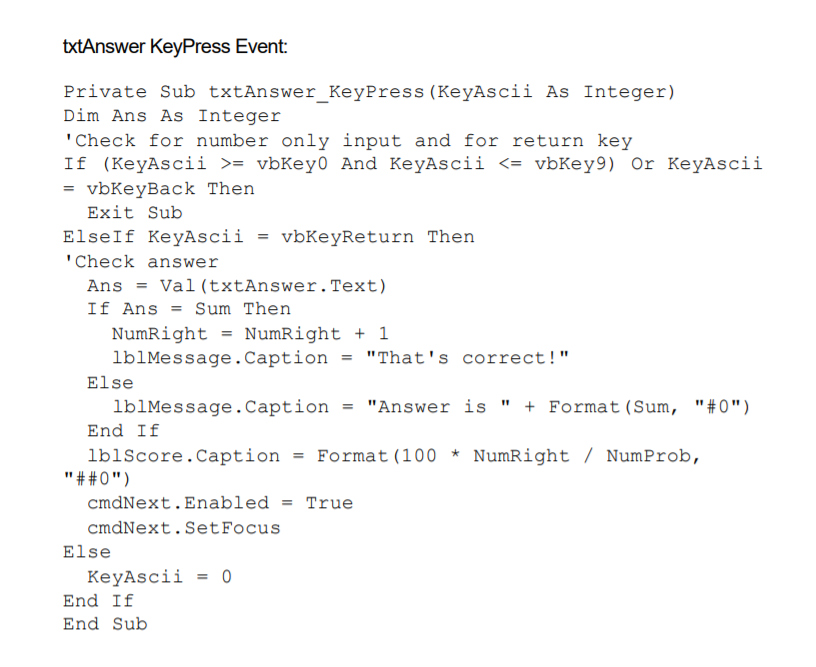
Flash Card Addition Problems Write an application that generates random addition problems. Provide some kind of feedback and scoring system as the problems are answered. My Solution: Form: lblNum2 Label4 Flash Card Addition Label2 txtAnswer IbINum1 + II Label1+Score: IblMessage IblScore fo Next Problem Exit cmdNext cmdExit 2-30 Learn Visual Basic 6.0 Code: General Declarations: Option Explicit Dim Sum As Integer Dim NumProb As Integer, NumRight As Integer cmdExit Click Event: Private Sub cmdExit_Click() End End Sub cmdNext Click Event: Private Sub cmdNext_Click() 'Generate next addition problem Dim Number1 As Integer Dim Number2 As Integer txtAnswer. Text lblMessage. Caption NumProb = NumProb + 1 'Generate random numbers for addends Numberi Int (Rnd 21) Number2 Int (Rnd * 21) lblNum1.Caption Format (Numberl, "#0") lblNum2. Caption = Format (Number2, "#0") 'Find sum Sum = Number1 + Number2 cmdNext.Enabled = False txtAnswer.Set Focus End Sub = = Form Activate Event: Private Sub Form_Activate() Call cmdNext_Click End Sub Form Load Event: Private Sub Form_Load() Randomize Timer NumProb = 0 NumRight 0 End Sub txtAnswer KeyPress Event: Private Sub txtAnswer_KeyPress (KeyAscii As Integer) Dim Ans As Integer 'Check for number only input and for return key If (KeyAscii >= vbKeyo And KeyAscii
Step by Step Solution
There are 3 Steps involved in it

Get step-by-step solutions from verified subject matter experts
 Study Help