



Question: please give me complete answerif you cannotjust don't answer it Lower of Cost or NRV-Allowance Method The records of Loren Movers Ltd, contained the following
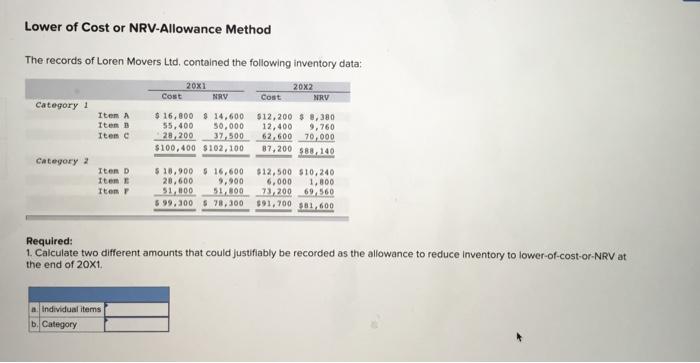
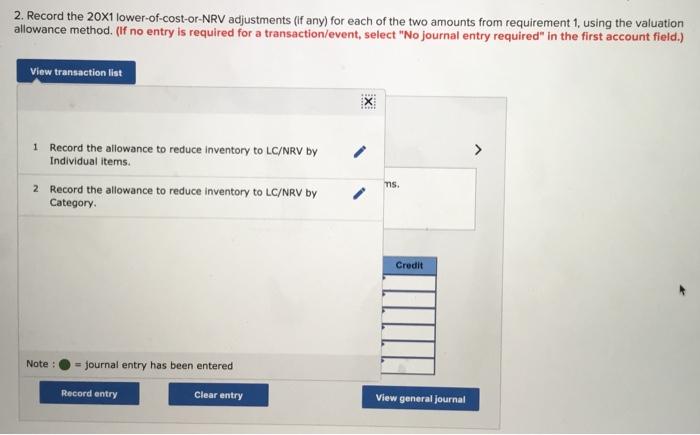
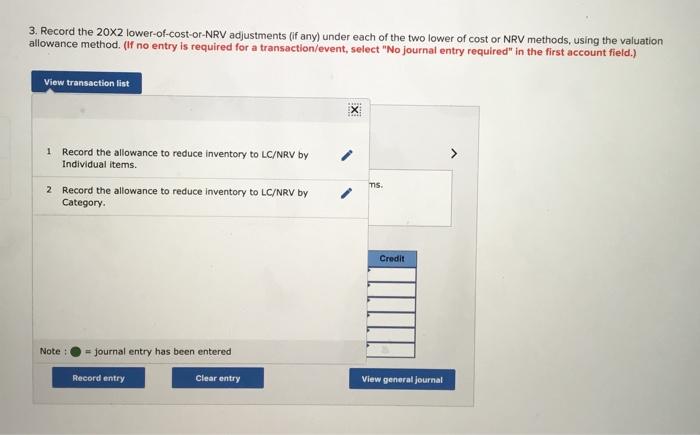
Lower of Cost or NRV-Allowance Method The records of Loren Movers Ltd, contained the following inventory data: 20X1 20x2 Cost NRV Cost NRV Category 1 Item A $ 16,800 $ 14,600 $12,200 $ 8,380 Items 55,400 50,000 12,400 9,760 Item 28,200 37.500 62,600 70,000 $100,400 $102,100 87,200 $83.140 Category 2 Item D $ 18,900 5 16,600 $12,500 $10,240 Item 20,600 9.900 6,000 1.800 Item 51.000 51,800 73,200 69,560 599,300 $ 78,300 $91,700 381,600 Required: 1. Calculate two different amounts that could justifiably be recorded as the allowance to reduce Inventory to lower-of-cost-or-NRV at the end of 20X1. m. Individual items b. Category 2. Record the 20x1 lower-of-cost-or-NRV adjustments (if any) for each of the two amounts from requirement 1, using the valuation allowance method. (If no entry is required for a transaction/event, select "No journal entry required" in the first account field.) View transaction list X 1 > Record the allowance to reduce inventory to LC/NRV by Individual items 2 Record the allowance to reduce Inventory to LC/NRV by Category ms. Credit Note: = journal entry has been entered Record entry Clear entry View general journal 3. Record the 20x2 lower-of-cost-or-NRV adjustments (if any) under each of the two lower of cost or NRV methods, using the valuation allowance method. (If no entry is required for a transaction/event, select "No journal entry required" in the first account field.) View transaction list EX 1 Record the allowance to reduce inventory to LC/NRV by Individual items. 2 Record the allowance to reduce inventory to LC/NRV by Category TS. Credit Note : = journal entry has been entered Record entry Clear entry View general journal
Step by Step Solution
There are 3 Steps involved in it

Get step-by-step solutions from verified subject matter experts