







Question: please give me full html/css words to co put and paste IT2040_LabBook_SS2023.docx (16.4 MB) | At Alternative formats Module 4: Green Pastures Case Study -
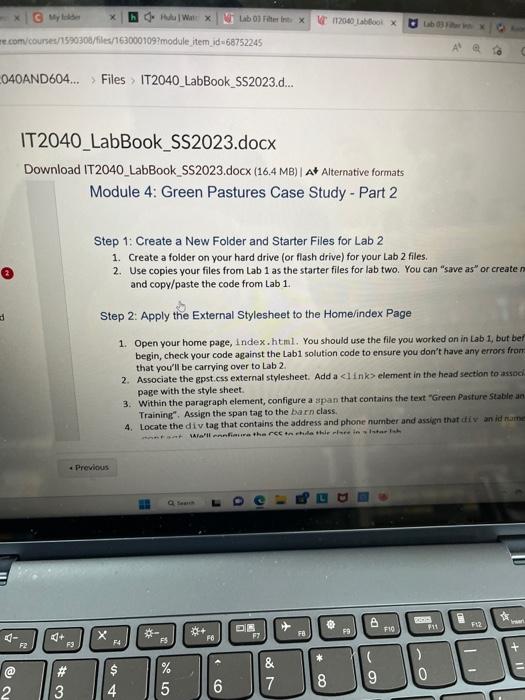
IT2040_LabBook_SS2023.docx (16.4 MB) | At Alternative formats Module 4: Green Pastures Case Study - Part 2 Step 1: Create a New Folder and Starter Files for Lab 2 1. Create a folder on your hard drive (or flash drive) for your Lab 2 files. 2. Use copies your files from Lab 1 as the starter files for lab two. You can "save as" or createn and copy/paste the code from Lab 1. Step 2: Apply the External Stylesheet to the Home/index Page 1. Open your home page, index.htm1. You should use the file you worked on in Lab 1 , but bet begin, check your code against the Lab1 solution code to ensure vou don't have any errors from. that you'l be carnying over to Lab 2. 2. Associate the gpst.css external stylesheet. Add a element in the head section to assoch page with the style sheet. 3. Within the paragraph element, configure a span that contains the text "Green Pasture stable un Training". Assign the span tag to the barn class. 4. Locate the div tag that contains the address and phone number and assign that div an id nume
Step by Step Solution
There are 3 Steps involved in it

Get step-by-step solutions from verified subject matter experts
 Study Help