







Question: Please have the MATLAB code in the answer. Thanks. : ENGR Matlab - Introduction to Engineering Matlab Homework 2 Distribution Date: Tuesday January 25, 2022
Please have the MATLAB code in the answer. Thanks.
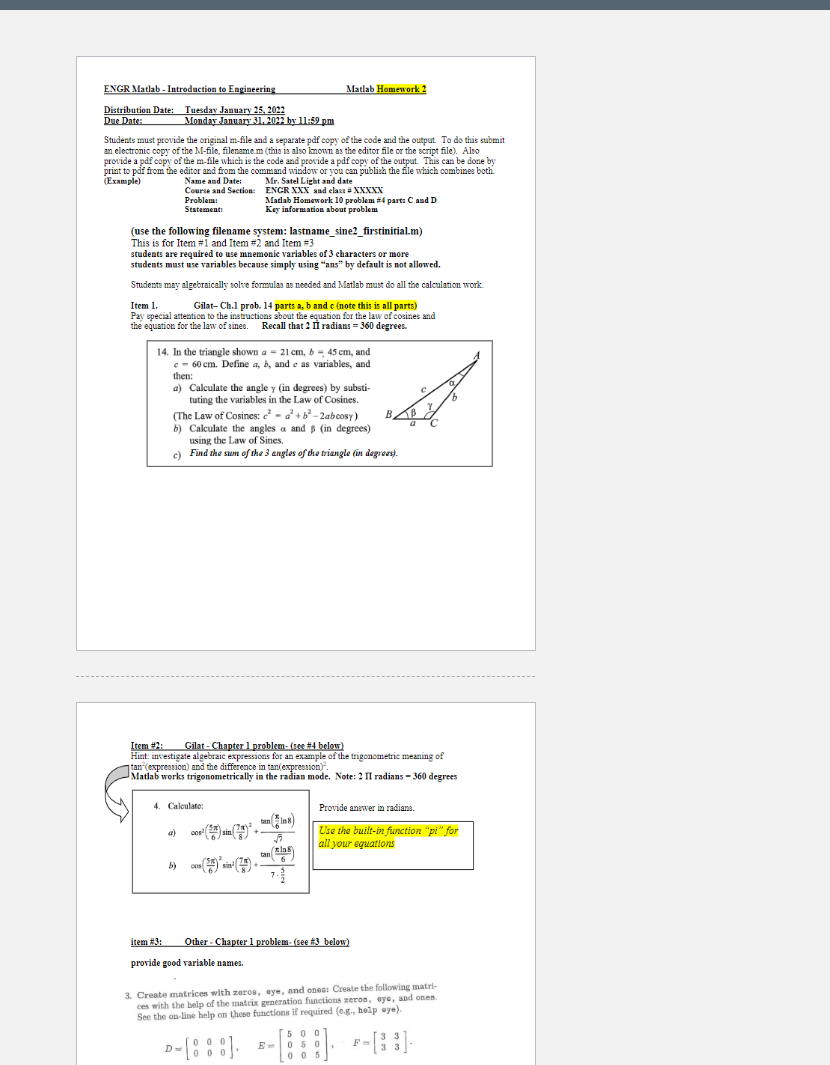
: ENGR Matlab - Introduction to Engineering Matlab Homework 2 Distribution Date: Tuesday January 25, 2022 Due Date: Monday January 31, 2022 by 11:59 pm Students must provide the original m-file and a separate pdf copy of the code and the output. To do this submit an electronic copy of the M-file, filenamem (this is also known as the editor file or the script file). Also provide a pdf copy of the m-file which is the code and provide a pdf copy of the output. This can be done by print to pdf from the editor and from the command window or you can publish the file wiich combines both (Example) Name and Date: Mr. Satel Light and date Course and Section: ENCR XXX and class XXXXX Problem: Matlab Homework 10 problem #4 part: C and D Statements Key information about problem (use the following filename system: lastname_sine2_firstinitial.m) This is for Item #1 and Item #2 and Item #3 students are required to use mnemonic variables of 3 characters or more students must use variables because simply using "ans" by default is not allowed. Students may algebraically solve formulas as needed and Matlab must do all the calculation work. Gilat- Ch.1 prob. 14 parts a, b and c (note this is all parts) Pay special attention to the instructions about the equation for the law of cosines and the equation for the law of times. Recall that 2 i radians = 360 degrees. . II 14. In the triangle shown a - 21 cm, 45 em, and c - 60 cm. Define a, b, and e as variables, and - , , e then: a) Calculate the angley (in degrees) by substi tuting the variables in the Law of Cosines. (The Law of Cosines: - +62-2abcosy) . B b) Calculate the anglesa and in degrees) using the Law of Sines. c) Find the sum of the 3 angles of the triangle (in degrees). Item 1. Item: Gilat - Chapter 1 problem-se #4 below) Hint: investigate algebraic expressions for an example of the trigonometric meaning of tan expression) and the difference in tan expression) Matlab works trigonometrically in the radian mode. Note: 2 II radians 360 degrees 4. Calculate Provide answer in radiane. an a) (18) 5 co sin Use the built-in function "pi" for all your equations tan ( bog b) 05 item #3: Other - Chapter 1 problem-(see #3 below) provide good variable names 3. Create matrices with zeros, eye, and ones: Create the following matri- ces with the help of the matrix generation functions zeron, eye, and one See the online help on these functions if required (c., help aye). [5 500 0 0 0 005 D-[8:8). --:::] --[::]
Step by Step Solution
There are 3 Steps involved in it

Get step-by-step solutions from verified subject matter experts
 Study Help