







Question: please help Data Sheet for Density Lab Virtual 21 Home Insert Draw Design Layout References glassware Mailings Review View Help Davis, Emily DE 21. Record
please help
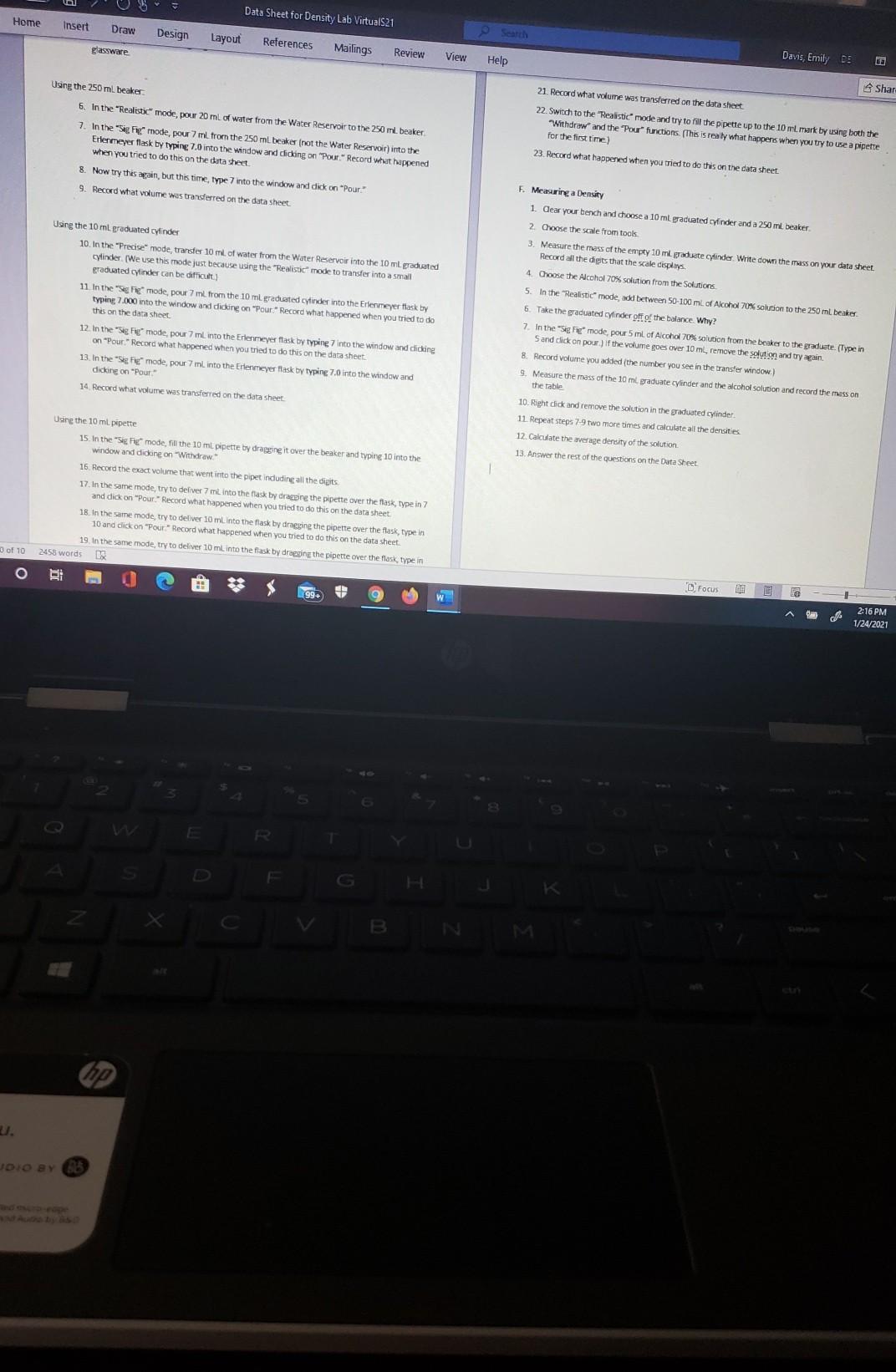
Data Sheet for Density Lab Virtual 21 Home Insert Draw Design Layout References glassware Mailings Review View Help Davis, Emily DE 21. Record what volume was transferred on the data sheet Shar Using the 250 ml, beaker 6. In the "Realistic mode, pour 20 ml of water from the Water Reservoir to the 250 ml beaker 7. In the "Sig. F mode, pour 7 ml from the 250 ml beaker (not the Water Reservoir) into the Erlenmeyer flask by typing 7.0 into the window and dicking on "Pour" Record what happened when you tried to do this on the data sheet 8. Now try this again, but this time, type 7 into the window and dick on "Pour 9. Record what volume was transferred on the data sheet 22. Switch to the Realistic mode and try to fill the pipette up to the 10 ml mark by using both the Withdraw and the Pour functions. (This is really what happens when you try to use a pipette for the first time) 23. Record what happened when you tried to do this on the data sheet Using the 10 ml graduated cylinder 10. In the "Precise mode, transfer 10 ml. of water from the Water Reservoir into the 10 ml graduated cylinder (We use this mode just because using the "Realistic mode to transfer into a small graduated cylinder can be difficult 11. In the "Segmode, pour 7 ml. from the 10 ml graduated cylinder into the Erlenmeyer flask by typing 7.000 into the window and dicking on "Pour" Record what happened when you tried to do this on the data sheet 12. In the "Sig Fig mode, pour 7 ml.into the Erlenmeyer flask by typing into the window and diding on "Pour Record what happened when you tried to do this on the data sheet 13. In the "Sige mode, pour 7 ml into the Erlenmeyer flask by typing 7.0 into the window and dicking on "Pour F. Measuring a Density 1. Clear your bench and choose a 10 ml graduated cyinder and a 250 ml beaker 2. Choose the scale from tools 3. Measure the mass of the empty 10 ml graduate Cylinder Write down the mass on your data sheet Record all the digits that the scale displays 4. Choose the Alcohol 70% solution from the Solutions 5. In the "Realistic mode, add between 50-100 ml. of Alcohol 70% solution to the 250 ml beaker 6. Take the graduated cylinder off of the balance. Why? 7. In the sig remode, pour 5 ml of Alcohol 70% solution from the beaker to the graduate. (Type in Sand dick on pour) If the volume goes over 10 ml remove the solution and try again 8. Record Volume you added the number you see in the transfer window) 9. Measure the mass of the 10 ml graduate cylinder and the alcohol solution and record the mass on the table Record wat volume was transferred on the data sheet 10. Right dick and remove the solution in the graduated cylinder 12 Repeat steps 7-9 two more times and calculate all the densities 12. Calculate the average density of the solution 13. Answer the rest of the questions on the Data Sheet Using the 10 ml pipette 15. In the "Sig FC mode, fill the 10 ml pipette by dragging it over the beaker and typing 10 into the window and didne on Withdraw." 16. Record the exact volume that went into the pipet induding all the digits 17. In the same mode, try to deliver 7 ml into the flask by dragging the pipette over the Mask, type in 7 and dick on "Pour" Record what happened when you tried to do this on the data sheet 18. In the same mode, try to deliver 10 mL into the flask by dragging the pipette over the flask, type in 10 and dick on "Pour Record what happened when you tried to do this on the data sheet 19. In the same mode, try to deliver 10 ml into the flask by dragging the pipette over the flask type in 2458 words 3 of 10 o gi Focus L.99 ca W 0 2:16 PM 1/24/2021 F B JDIO BY B Data Sheet for Density Lab Virtual 21 Home Insert Draw Design Layout References glassware Mailings Review View Help Davis, Emily DE 21. Record what volume was transferred on the data sheet Shar Using the 250 ml, beaker 6. In the "Realistic mode, pour 20 ml of water from the Water Reservoir to the 250 ml beaker 7. In the "Sig. F mode, pour 7 ml from the 250 ml beaker (not the Water Reservoir) into the Erlenmeyer flask by typing 7.0 into the window and dicking on "Pour" Record what happened when you tried to do this on the data sheet 8. Now try this again, but this time, type 7 into the window and dick on "Pour 9. Record what volume was transferred on the data sheet 22. Switch to the Realistic mode and try to fill the pipette up to the 10 ml mark by using both the Withdraw and the Pour functions. (This is really what happens when you try to use a pipette for the first time) 23. Record what happened when you tried to do this on the data sheet Using the 10 ml graduated cylinder 10. In the "Precise mode, transfer 10 ml. of water from the Water Reservoir into the 10 ml graduated cylinder (We use this mode just because using the "Realistic mode to transfer into a small graduated cylinder can be difficult 11. In the "Segmode, pour 7 ml. from the 10 ml graduated cylinder into the Erlenmeyer flask by typing 7.000 into the window and dicking on "Pour" Record what happened when you tried to do this on the data sheet 12. In the "Sig Fig mode, pour 7 ml.into the Erlenmeyer flask by typing into the window and diding on "Pour Record what happened when you tried to do this on the data sheet 13. In the "Sige mode, pour 7 ml into the Erlenmeyer flask by typing 7.0 into the window and dicking on "Pour F. Measuring a Density 1. Clear your bench and choose a 10 ml graduated cyinder and a 250 ml beaker 2. Choose the scale from tools 3. Measure the mass of the empty 10 ml graduate Cylinder Write down the mass on your data sheet Record all the digits that the scale displays 4. Choose the Alcohol 70% solution from the Solutions 5. In the "Realistic mode, add between 50-100 ml. of Alcohol 70% solution to the 250 ml beaker 6. Take the graduated cylinder off of the balance. Why? 7. In the sig remode, pour 5 ml of Alcohol 70% solution from the beaker to the graduate. (Type in Sand dick on pour) If the volume goes over 10 ml remove the solution and try again 8. Record Volume you added the number you see in the transfer window) 9. Measure the mass of the 10 ml graduate cylinder and the alcohol solution and record the mass on the table Record wat volume was transferred on the data sheet 10. Right dick and remove the solution in the graduated cylinder 12 Repeat steps 7-9 two more times and calculate all the densities 12. Calculate the average density of the solution 13. Answer the rest of the questions on the Data Sheet Using the 10 ml pipette 15. In the "Sig FC mode, fill the 10 ml pipette by dragging it over the beaker and typing 10 into the window and didne on Withdraw." 16. Record the exact volume that went into the pipet induding all the digits 17. In the same mode, try to deliver 7 ml into the flask by dragging the pipette over the Mask, type in 7 and dick on "Pour" Record what happened when you tried to do this on the data sheet 18. In the same mode, try to deliver 10 mL into the flask by dragging the pipette over the flask, type in 10 and dick on "Pour Record what happened when you tried to do this on the data sheet 19. In the same mode, try to deliver 10 ml into the flask by dragging the pipette over the flask type in 2458 words 3 of 10 o gi Focus L.99 ca W 0 2:16 PM 1/24/2021 F B JDIO BY B
Step by Step Solution
There are 3 Steps involved in it

Get step-by-step solutions from verified subject matter experts
 Study Help