







Question: Please Help due tomorrow will rate!(unix bourne or bash shell please). CIS129 Project 3 1. Write a script that will take 2 numbers (sides of
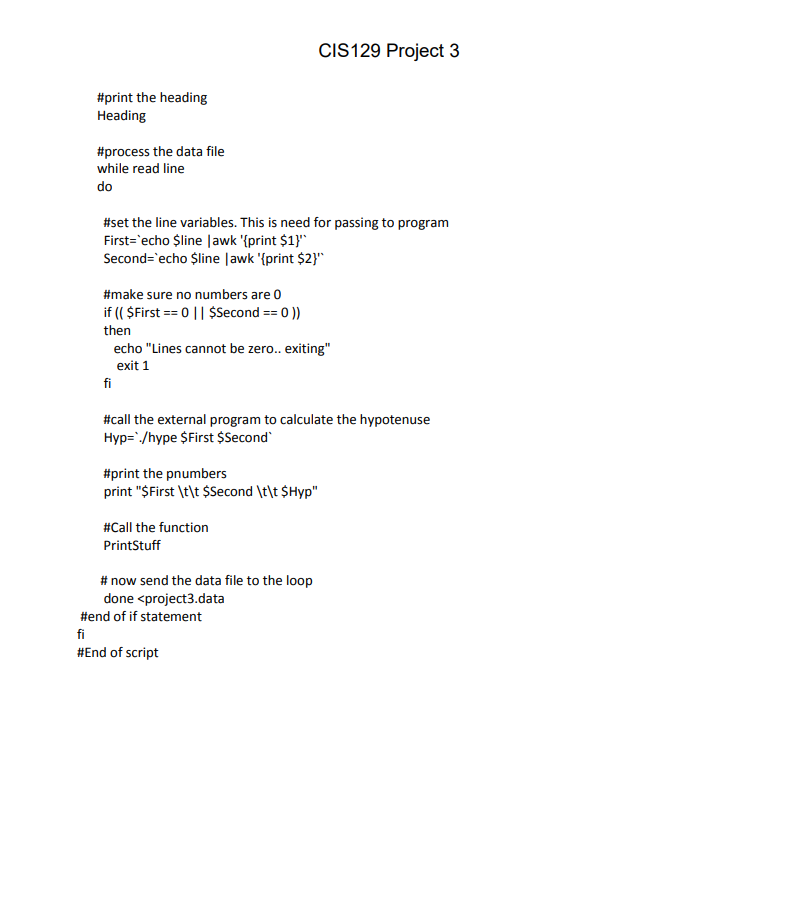
Please Help due tomorrow will rate!(unix bourne or bash shell please).
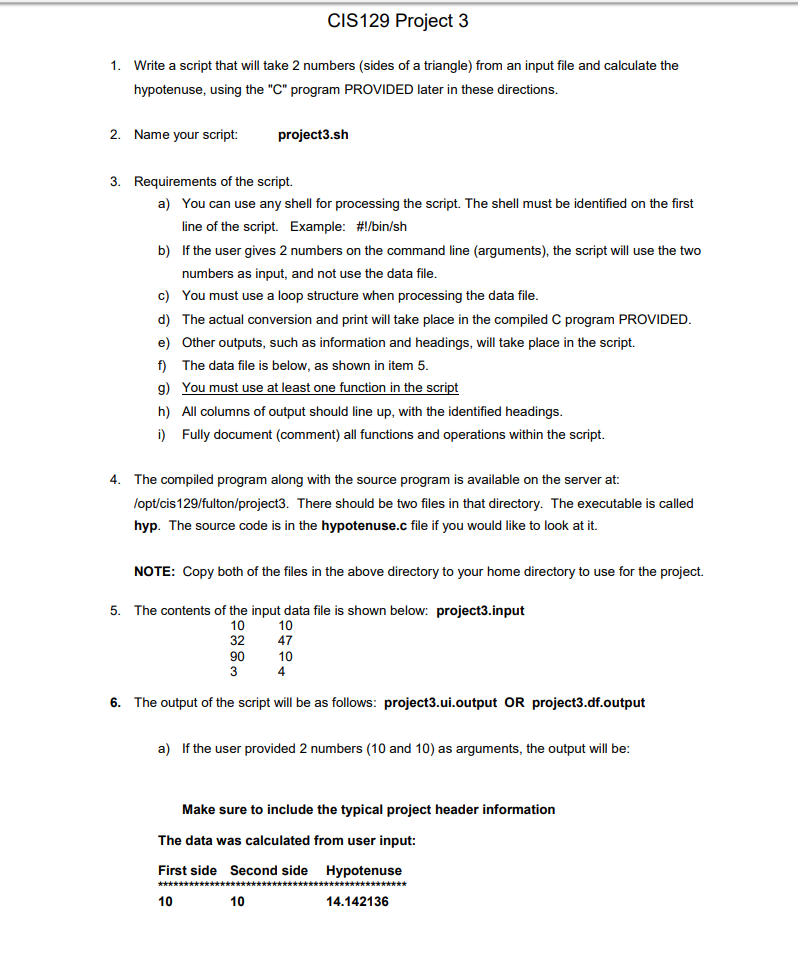
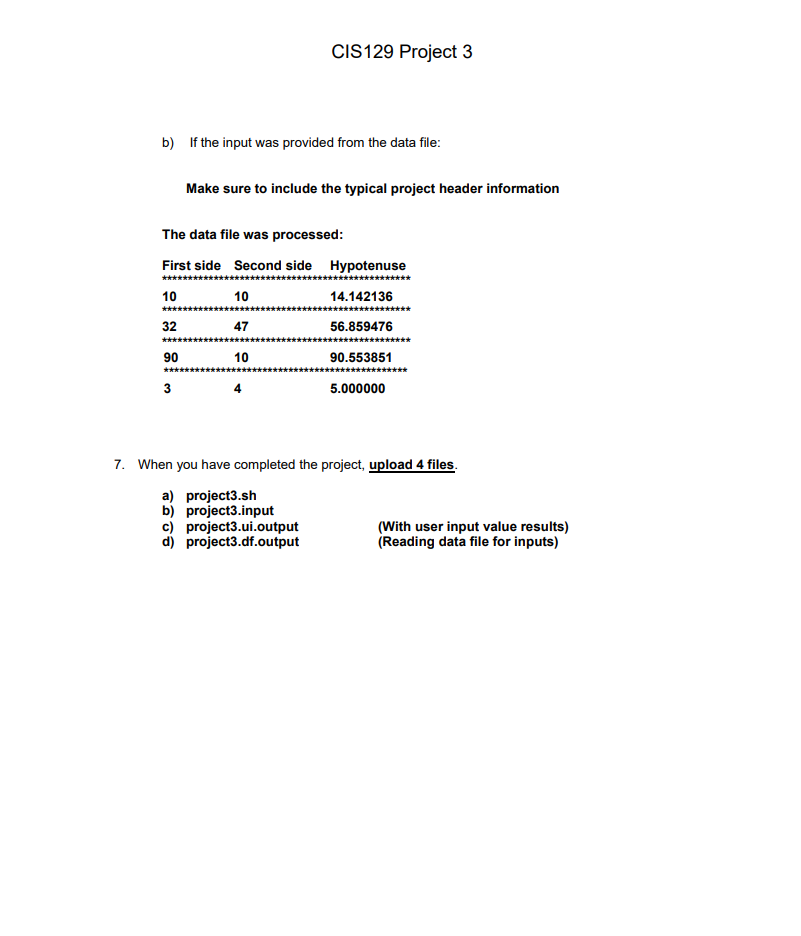
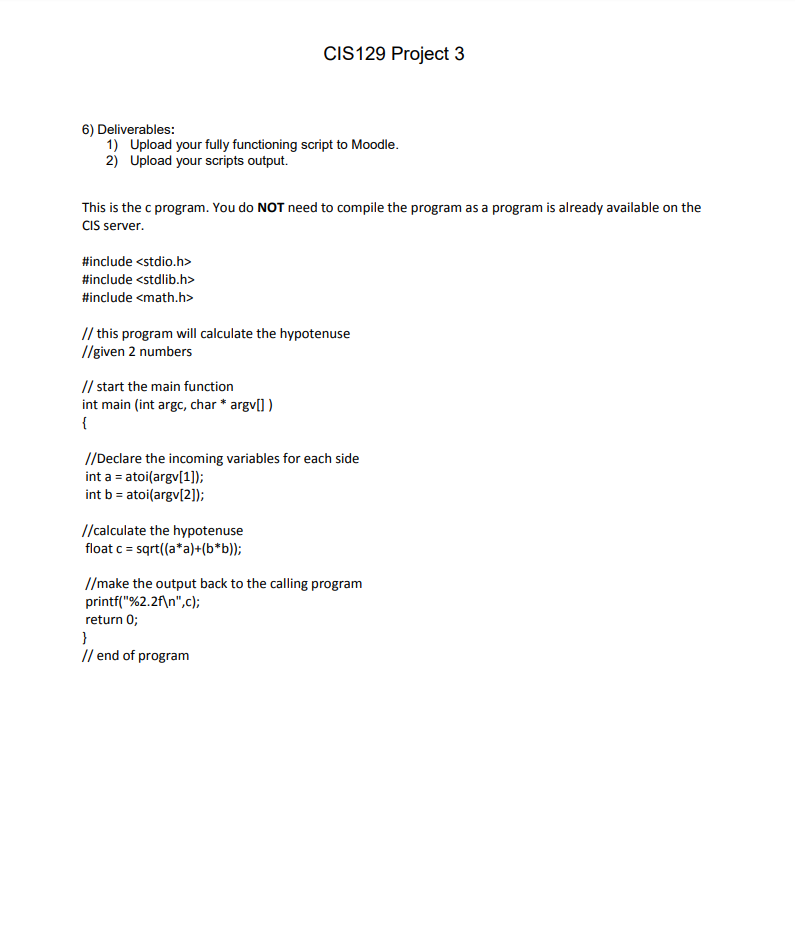
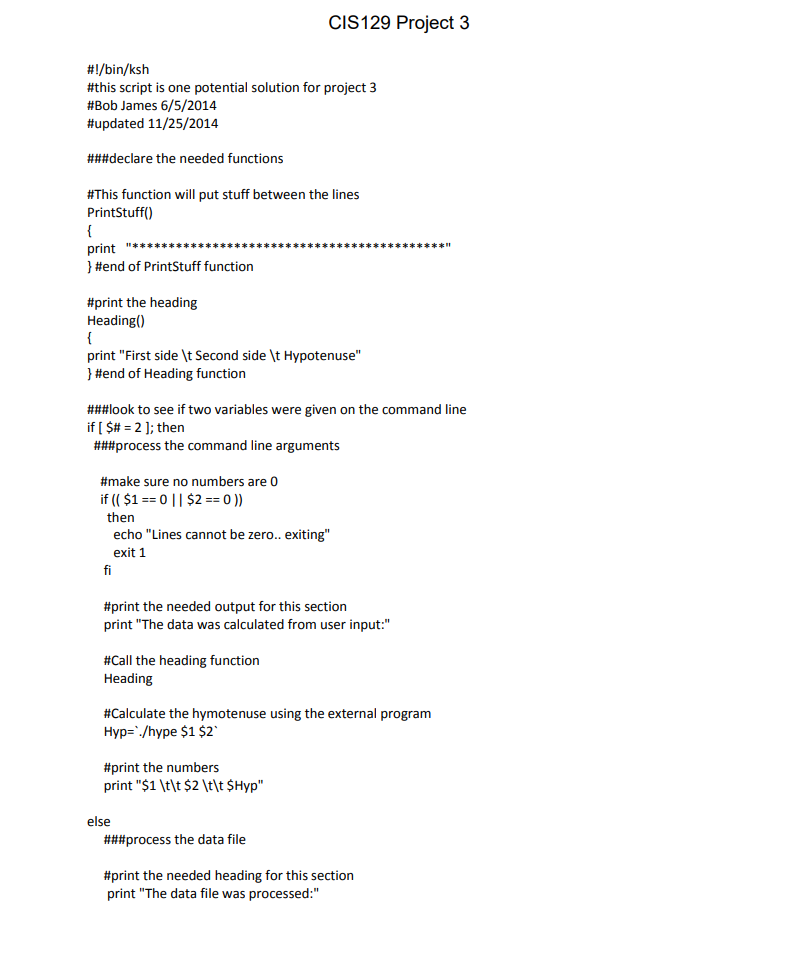
CIS129 Project 3 1. Write a script that will take 2 numbers (sides of a triangle) from an input file and calculate the hypotenuse, using the "C" program PROVIDED later in these directions. 2. Name your script: project3.sh 3. Requirements of the script. a) You can use any shell for processing the script. The shell must be identified on the first Example: #!/bin/sh line of the script. b) If the user gives 2 numbers on the command line (arguments), the script will use the two numbers as input, and not use the data file c) d) The actual conversion and print will take place in the compiled C program PROVIDED e) Other outputs, such as information and headings, will take place in the script. f) The data file is below, as shown in item 5 g) You must use at least one function in the h) All columns of output should line up, with the identified headings i) Fully document (comment) all functions and operations within the script. You must use a loop structure wh en processing the data file 4. The compiled program along with the source program is available on the server at: lopt/cis 129/fulton/project3. There should be two files in that directory. The executable is called hyp. The source code is in the hypotenuse.c file if you would like to look at it. NOTE: Copy both of the files in the above directory to your home directory to use for the project. 5. The contents of the input data file is shown below: project3.input 10 32 47 9010 10 4 6. The output of the script will be as follows: project3.ui.output OR project3.df.output a) If the user provided 2 numbers (10 and 10) as arguments, the output will be Make sure to include the typical project header information The data was calculated from user input: First side Second side Hypotenuse 10 10 14.142136 CIS129 Project 3 1. Write a script that will take 2 numbers (sides of a triangle) from an input file and calculate the hypotenuse, using the "C" program PROVIDED later in these directions. 2. Name your script: project3.sh 3. Requirements of the script. a) You can use any shell for processing the script. The shell must be identified on the first Example: #!/bin/sh line of the script. b) If the user gives 2 numbers on the command line (arguments), the script will use the two numbers as input, and not use the data file c) d) The actual conversion and print will take place in the compiled C program PROVIDED e) Other outputs, such as information and headings, will take place in the script. f) The data file is below, as shown in item 5 g) You must use at least one function in the h) All columns of output should line up, with the identified headings i) Fully document (comment) all functions and operations within the script. You must use a loop structure wh en processing the data file 4. The compiled program along with the source program is available on the server at: lopt/cis 129/fulton/project3. There should be two files in that directory. The executable is called hyp. The source code is in the hypotenuse.c file if you would like to look at it. NOTE: Copy both of the files in the above directory to your home directory to use for the project. 5. The contents of the input data file is shown below: project3.input 10 32 47 9010 10 4 6. The output of the script will be as follows: project3.ui.output OR project3.df.output a) If the user provided 2 numbers (10 and 10) as arguments, the output will be Make sure to include the typical project header information The data was calculated from user input: First side Second side Hypotenuse 10 10 14.142136
Step by Step Solution
There are 3 Steps involved in it

Get step-by-step solutions from verified subject matter experts
 Study Help