







Question: Please help I do not understand. Hints and pictures below. ///////////////////////////////////////////////////////////////////////////////////////////////////////////////////////////////////////////////////////////// Implement Exercise 12.16 in the text, page 551. This makes reference to the program
Please help I do not understand. Hints and pictures below.
/////////////////////////////////////////////////////////////////////////////////////////////////////////////////////////////////////////////////////////////
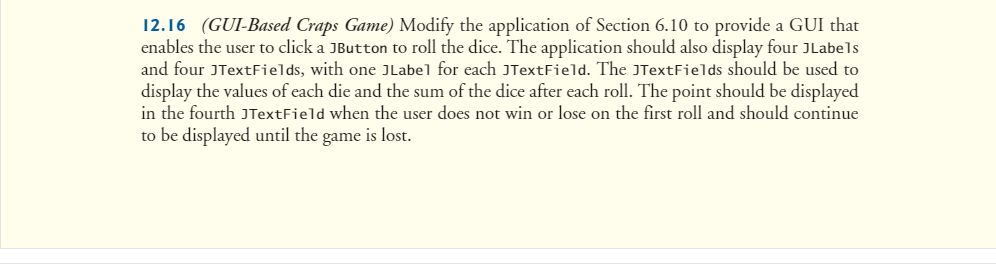
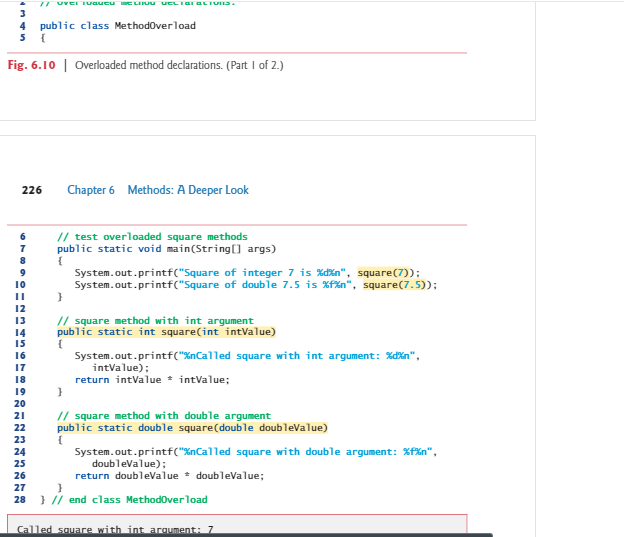
Implement Exercise 12.16 in the text, page 551. This makes reference to the program listed in Section 6.10 which you should incorporate in your program.
Use the following GridBagLayout approach.
GridBagConstraints gbc = new GridBagConstraints(); ... panel1 = new JPanel(); panel1.setLayout(new GridBagLayout()); gbc.gridy = 0; gbc.gridx = 0; panel1.add(new JLabel("Label0"), gbc); gbc.gridx = 1; panel1.add(new JTextField(10), gbc); ++gbc.gridy; gbc.gridx = 0; panel1.add(new JLabel("Label1"), gbc); gbc.gridx = 1; panel1.add(new JTextField(10), gbc); ... ++gbc.gridy; gbc.gridx = 0; panel1.add(new JButton("Roll"), gbc); application.add(panel1);
Note that the program in textbook section 6.10 plays a complete game, which consists of one or more rolls. When providing a GUI interface to the game, we want to display the results of each roll when the roll button is clicked, and wait for the user to initiate the next roll with the next click of the button. So the game code has to be adapted to single step play. Each step is triggered by the Roll button, and the results of a single roll are displayed in the four text fields.
One approach would be to change the game's command line play() function so that it uses steps that are made from three actions: roll, calculate state, and display. For example,
// plays one game of craps void play() { int sumOfDice; sumOfDice = rollDice(); gameState(); displayRoll(sumOfDice); if (CONTINUE == gameStatus) { myPoint = sumOfDice; displayPoint(); do { sumOfDice = rollDice(); gameState(); displayRoll(sumOfDice); } while (gameStatus == CONTINUE); } displayWinLose(); }
where gameStatus, myPoint, die1, and die2 are instance variables in an instance of the class Craps, or in your instance of SnakeEyes if you merge the game with your GUI class. This provides methods that the GUI can call to step the game.
Template for GUI game step:
void gameStep() { /* get the game status */ if (won or lost) { /* reinitialize */ } /* roll the dice */ /* get the roll sum */ /* set the text fields for die1, die2, and roll sum */ /* get the game status */ if (first roll and !(won or lost)) { /* set the game point */ /* set the text field for the point */ } if (won) { /* set won in the text field for the point */ } else if (lost) { /* set lost in the text field for the point */ } } ////////////////////////////////////////
//////////////////////////////////////
Hint:
Note that the program in textbook section 6.10 plays a complete game, which consists of one or more rolls. When providing a GUI interface to the game, we want to display the results of each roll when the roll button is clicked, and wait for the user to initiate the next roll with the next click of the button. So the game code has to be adapted to single step play. Each step is triggered by the Roll button, and the results of a single roll are displayed in the four text fields.
One approach would be to change the game's command line play() function so that it uses steps that are made from three actions: roll, calculate state, and display. For example,
// plays one game of craps void play() { int sumOfDice; sumOfDice = rollDice(); gameState(); displayRoll(sumOfDice); if (CONTINUE == gameStatus) { myPoint = sumOfDice; displayPoint(); do { sumOfDice = rollDice(); gameState(); displayRoll(sumOfDice); } while (gameStatus == CONTINUE); } displayWinLose(); } where gameStatus, myPoint, die1, and die2 are instance variables in an instance of the class Craps, or in your instance of SnakeEyes if you merge the game with your GUI class. This provides methods that the GUI can call to step the game.
12.16 (GU-Based Craps Game) Modify the application of Section 6.10 to provide a GUI that enables the user to click a JButton to roll the dice. The application should also display four JLabels and four JText Fields, with one JLabel for each JTextField. The JTextFields should be used to display the values of each die and the sum of the dice after each roll. The point should be displayed in the fourth JTextField when the user does not win or lose on the first roll and should continue to be displayed until the game is lost
Step by Step Solution
There are 3 Steps involved in it

Get step-by-step solutions from verified subject matter experts
 Study Help