







Question: please help if possible If your assignment is chosen for the evaluation of Critical Thinking, an evaluator will be looking at your: 1. 'Methods.' In
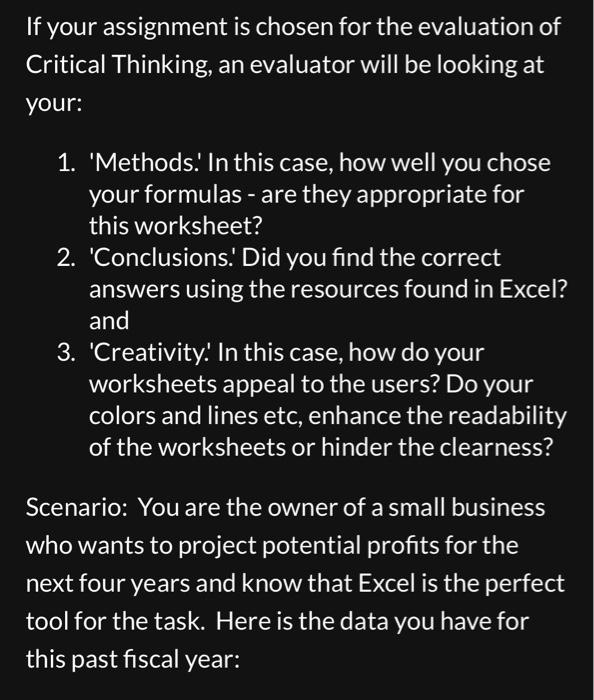
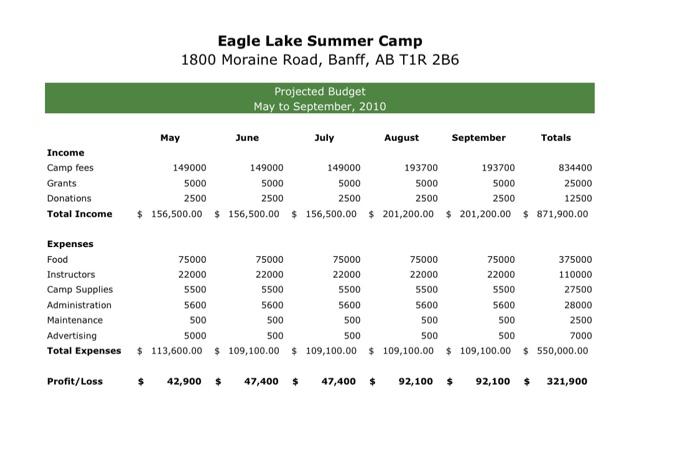
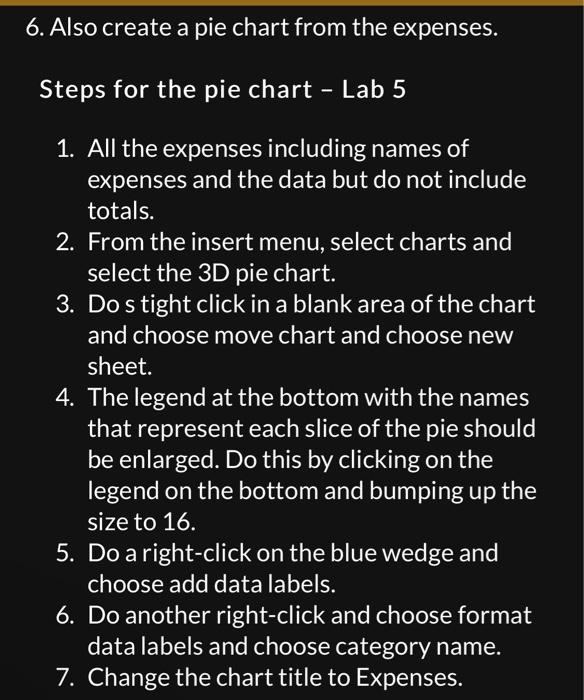
If your assignment is chosen for the evaluation of Critical Thinking, an evaluator will be looking at your: 1. 'Methods.' In this case, how well you chose your formulas - are they appropriate for this worksheet? 2. 'Conclusions.' Did you find the correct answers using the resources found in Excel? and 3. 'Creativity.' In this case, how do your worksheets appeal to the users? Do your colors and lines etc, enhance the readability of the worksheets or hinder the clearness? Scenario: You are the owner of a small business who wants to project potential profits for the next four years and know that Excel is the perfect tool for the task. Here is the data you have for this past fiscal year: Eagle Lake Summer Camp 1800 Moraine Road, Banff, AB T1R 2 B6 Steps for the pie chart - Lab 5 1. All the expenses including names of expenses and the data but do not include totals. 2. From the insert menu, select charts and select the 3D pie chart. 3. Do s tight click in a blank area of the chart and choose move chart and choose new sheet. 4. The legend at the bottom with the names that represent each slice of the pie should be enlarged. Do this by clicking on the legend on the bottom and bumping up the size to 16. 5. Do a right-click on the blue wedge and choose add data labels. 6. Do another right-click and choose format data labels and choose category name. 7. Change the chart title to Expenses. If your assignment is chosen for the evaluation of Critical Thinking, an evaluator will be looking at your: 1. 'Methods.' In this case, how well you chose your formulas - are they appropriate for this worksheet? 2. 'Conclusions.' Did you find the correct answers using the resources found in Excel? and 3. 'Creativity.' In this case, how do your worksheets appeal to the users? Do your colors and lines etc, enhance the readability of the worksheets or hinder the clearness? Scenario: You are the owner of a small business who wants to project potential profits for the next four years and know that Excel is the perfect tool for the task. Here is the data you have for this past fiscal year: Eagle Lake Summer Camp 1800 Moraine Road, Banff, AB T1R 2 B6 Steps for the pie chart - Lab 5 1. All the expenses including names of expenses and the data but do not include totals. 2. From the insert menu, select charts and select the 3D pie chart. 3. Do s tight click in a blank area of the chart and choose move chart and choose new sheet. 4. The legend at the bottom with the names that represent each slice of the pie should be enlarged. Do this by clicking on the legend on the bottom and bumping up the size to 16. 5. Do a right-click on the blue wedge and choose add data labels. 6. Do another right-click and choose format data labels and choose category name. 7. Change the chart title to Expenses
Step by Step Solution
There are 3 Steps involved in it

Get step-by-step solutions from verified subject matter experts
 Study Help