



Question: Please help in showing how to do this using the VLOOKUP formula begin{tabular}{|l|l|} hline 36 & Option 1 Filing Status: hline 38 & Head
Please help in showing how to do this using the VLOOKUP formula
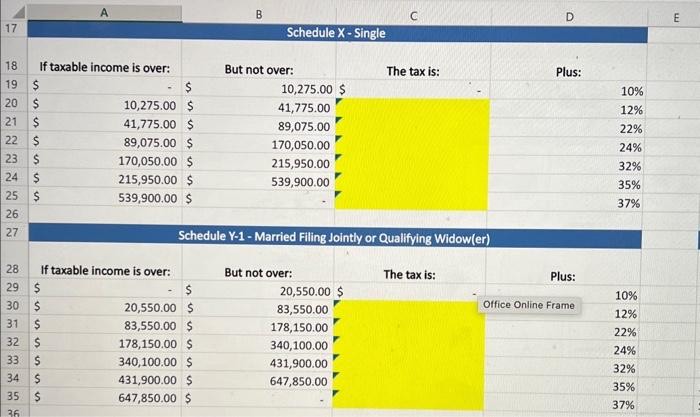
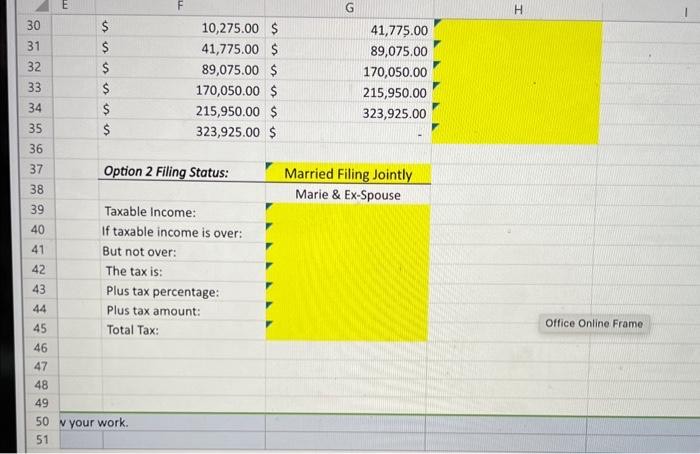
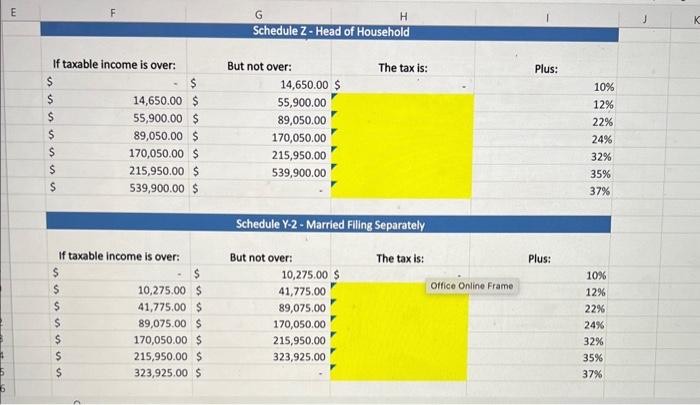
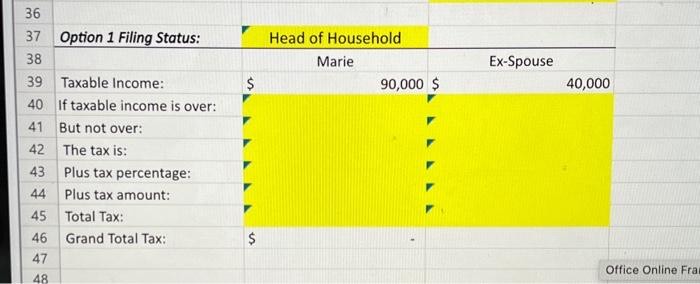
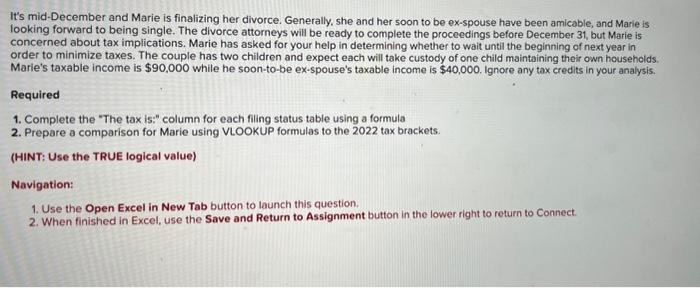
\begin{tabular}{|l|l|} \hline 36 & Option 1 Filing Status: \\ \hline 38 & Head of Household \\ \hline 39 & Taxable Income: \\ \hline 40 & If taxable income is over: \\ \hline 41 & But not over: \\ \hline 42 & The tax is: \\ \hline 43 & Plus tax percentage: \\ \hline 44 & Plus tax amount: \\ 45 & Total Tax: \\ \hline 46 & Grand Total Tax: \\ 47 & \\ \hline 48 & \\ \hline \end{tabular} It's mid-December and Marie is finalizing her divorce. Generally, she and her soon to be ex-spouse have been amicable, and Marie is looking forward to being single. The divorce attorneys will be ready to complete the proceedings before December 31 , but Marie is concerned about tax implications. Marie has asked for your help in determining whether to wait until the beginning of next year in order to minimize taxes. The couple has two children and expect each will take custody of one child maintaining their own households Marie's taxable income is $90,000 while he soon-to-be ex-spouse's taxable income is $40,000. Ignore any tax credits in your analysis. Required 1. Complete the "The tax is:" column for each filing status table using a formula 2. Prepare a comparison for Marie using VLOOKUP formulas to the 2022 tax brackets. (HINT: Use the TRUE logical value) Navigation: 1. Use the Open Excel in New Tab button to launch this question. 2. When finished in Excel, use the Save and Return to Assignment button in the lower right to return to Connect
Step by Step Solution
There are 3 Steps involved in it

Get step-by-step solutions from verified subject matter experts