







Question: Please help make the following adjustments to the given code below: Here is the original code: Here is the appendix which shows the sample output:
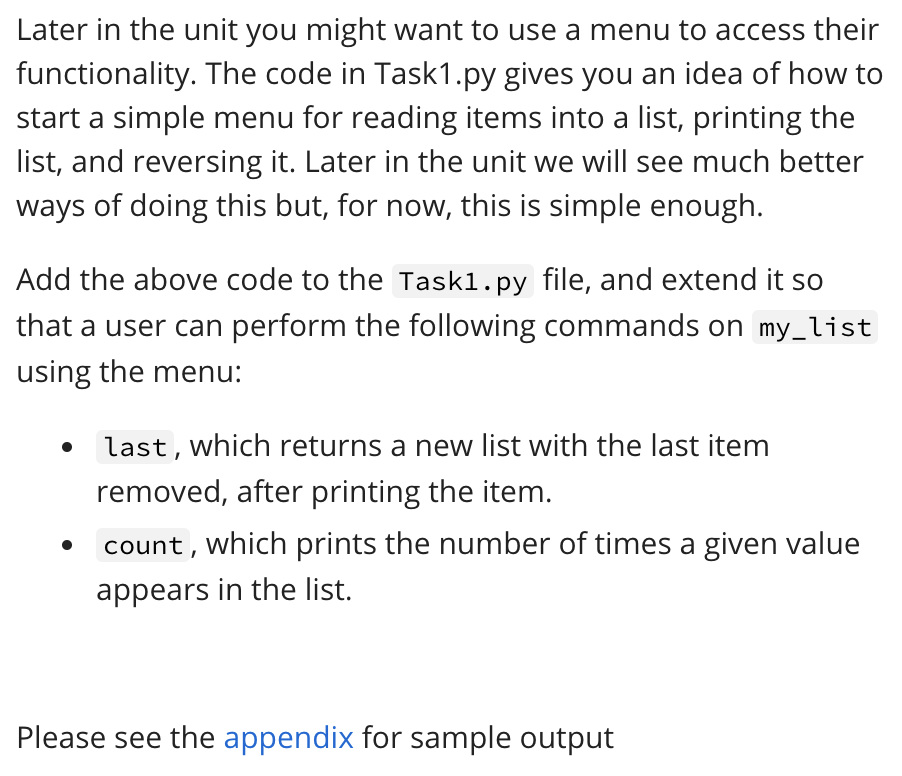
Please help make the following adjustments to the given code below:
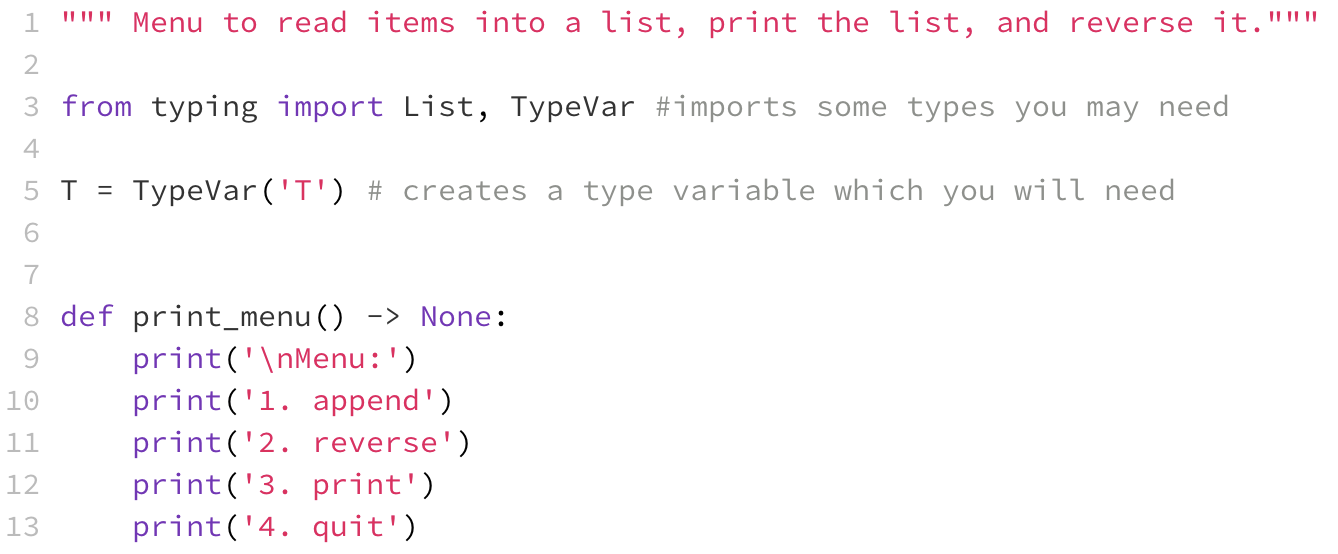
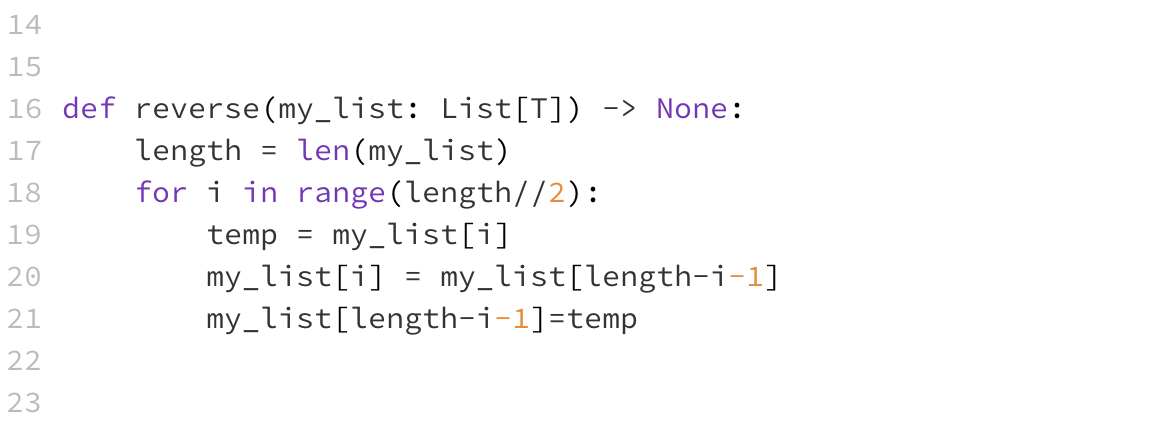
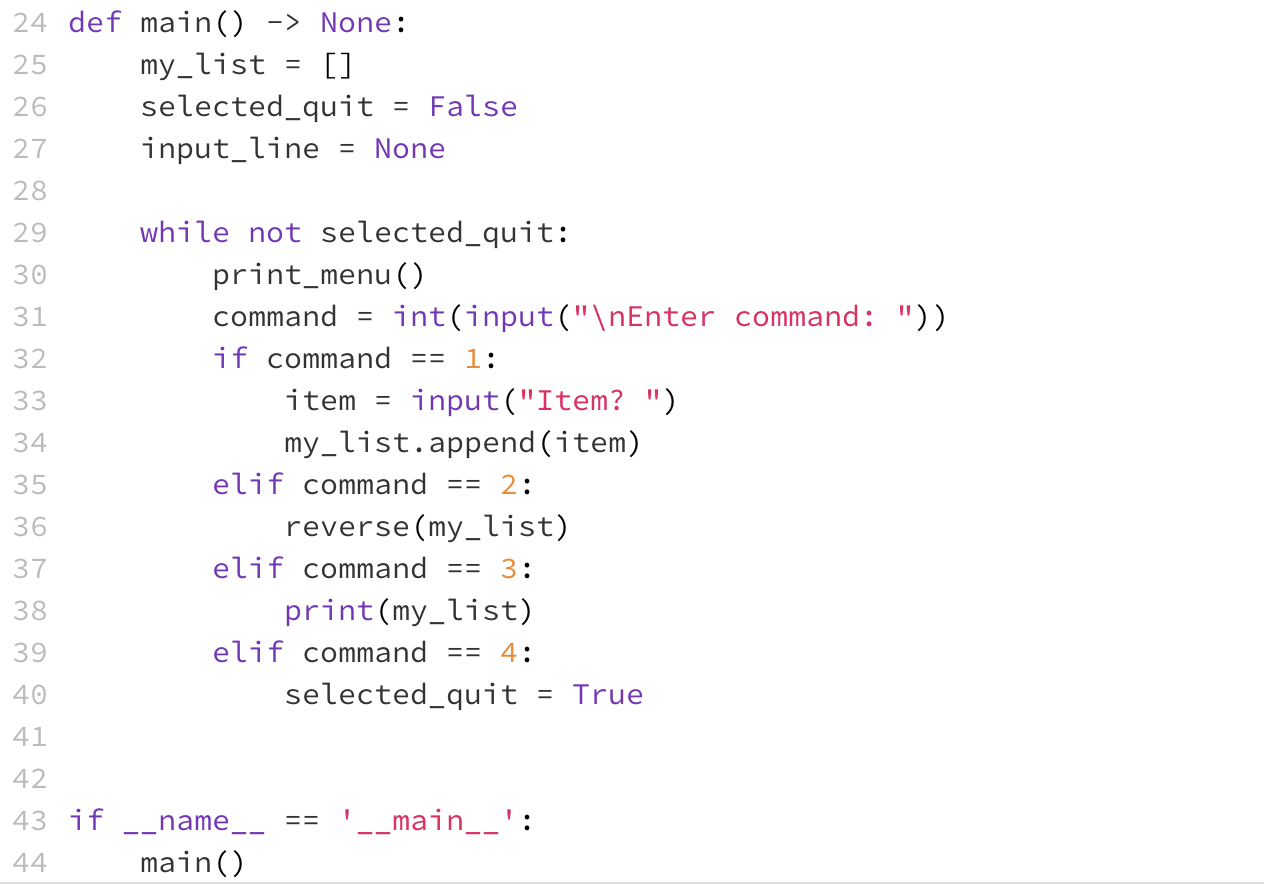
Here is the original code:
Here is the appendix which shows the sample output:
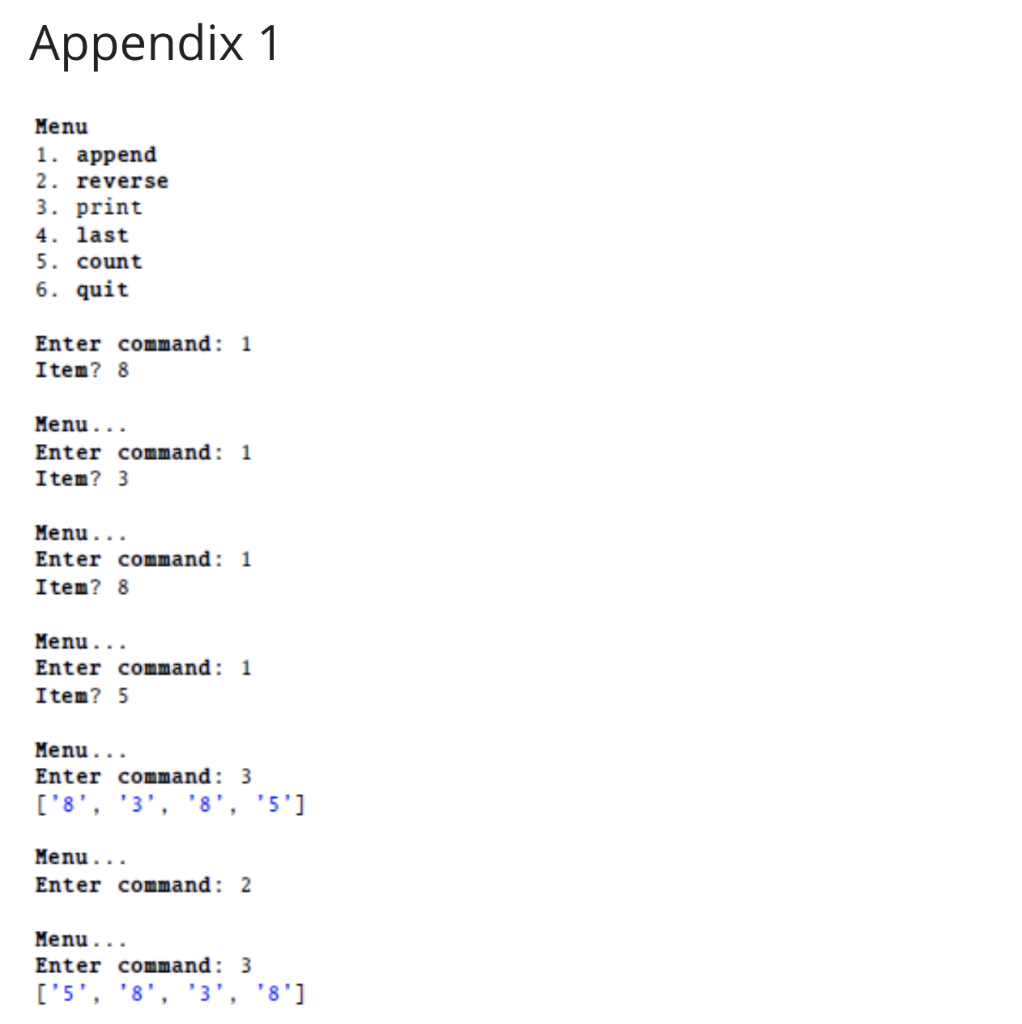
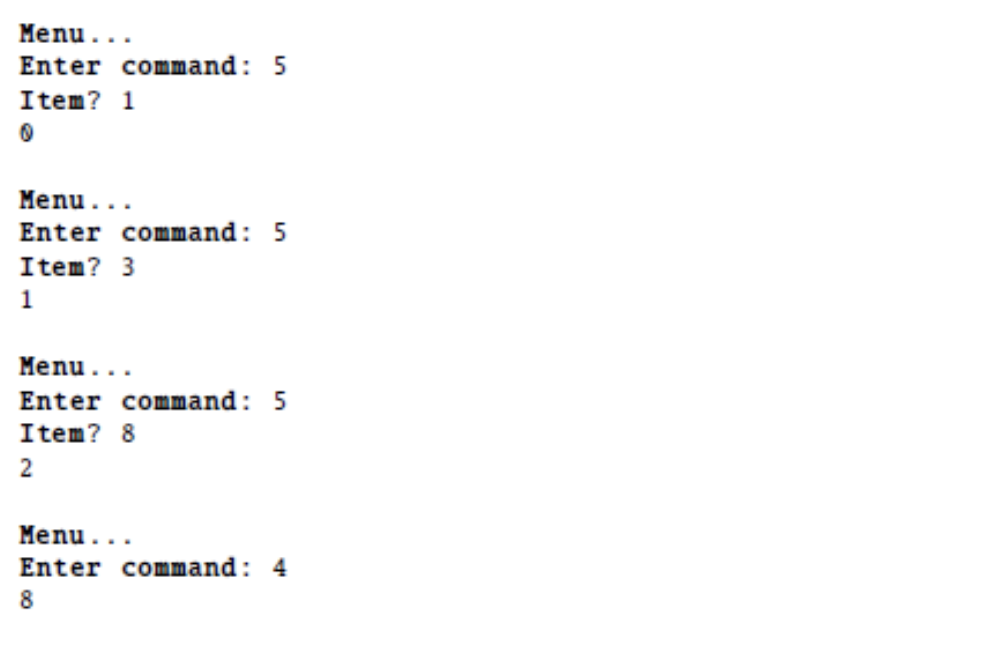
Later in the unit you might want to use a menu to access their functionality. The code in Task1.py gives you an idea of how to start a simple menu for reading items into a list, printing the list, and reversing it. Later in the unit we will see much better ways of doing this but, for now, this is simple enough. Add the above code to the Taski.py file, and extend it so that a user can perform the following commands on my_list using the menu: last, which returns a new list with the last item removed, after printing the item. count, which prints the number of times a given value appears in the list. Please see the appendix for sample output 1 Menu to read items into a list, print the list, and reverse it." 2 3 from typing import List, TypeVar #imports some types you may need 4. 5 T = TypeVar('T') # creates a type variable which you will need 6 7 8 def print_menu () -> None: 9 print(' Menu:') 10 print('1. append') 11 print('2. reverse') 12 print('3. print') 13 print('4. quit') 14 15 16 def reverse (my_list: List[T]) -> None: 17 length len(my_list) 18. for i in range(length//2): 19 temp = my_list[i] 20 my_list[i] my_list[length-i-1] 21 my_list[length-i-1]=temp 22. 23 == 24 def main() -> None: 25 my_list [] 26 selected_quit = False 27 input_line None 28 29 while not selected_quit: 30 print_menu () 31 command = int(input(" Enter command: ")) 32. if command 1: 33 item input("Item? ") 34 my_list.append(item) 35 elif command == 2: 36 reverse(my_list) 37 elif command == 3: 38 print(my_list) 39 elif command == 4: 40 selected_quit = True 41 42 __main__': 43 if __name_ 44 main() Appendix 1 Menu 1. append 2. reverse 3. print 4. last 5. count 6. quit Enter command: 1 Item? 8 Menu... Enter command: 1 Item? 3 Menu... Enter command: 1 Item? 8 Menu... Enter command: 1 Item? 5 Menu... Enter command: 3 ['8', '3', '8', '5'] Menu... Enter command: 2 Menu... Enter command: 3 ['5', '8', '3', '8'] Menu... Enter command: 5 Item? 1 Menu... Enter command: 5 Item? 3 1 Menu... Enter command: 5 Item? 8 2 Menu... Enter command: 4 8
Step by Step Solution
There are 3 Steps involved in it

Get step-by-step solutions from verified subject matter experts
 Study Help