







Question: please help me answered about question quickly Object Oriented Programming - 14011102-4 Complete the following tasks in Java using NetBeans. Create a class called Account
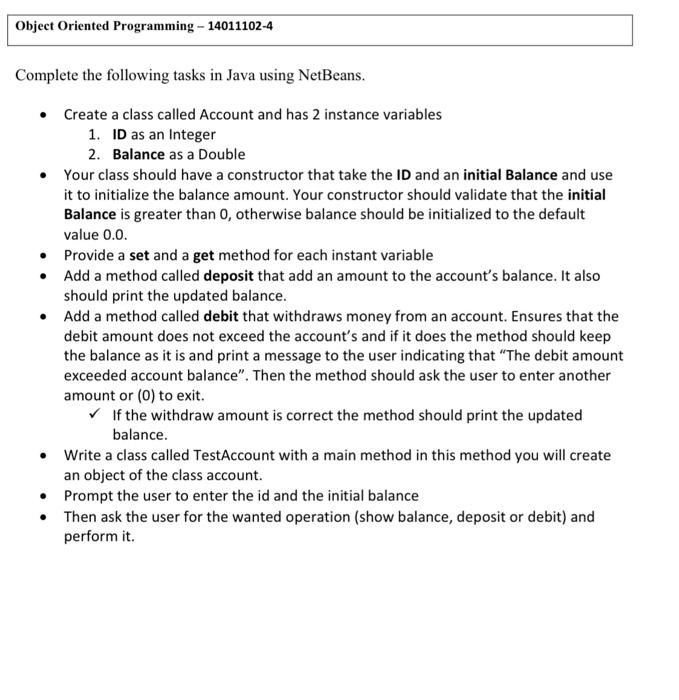
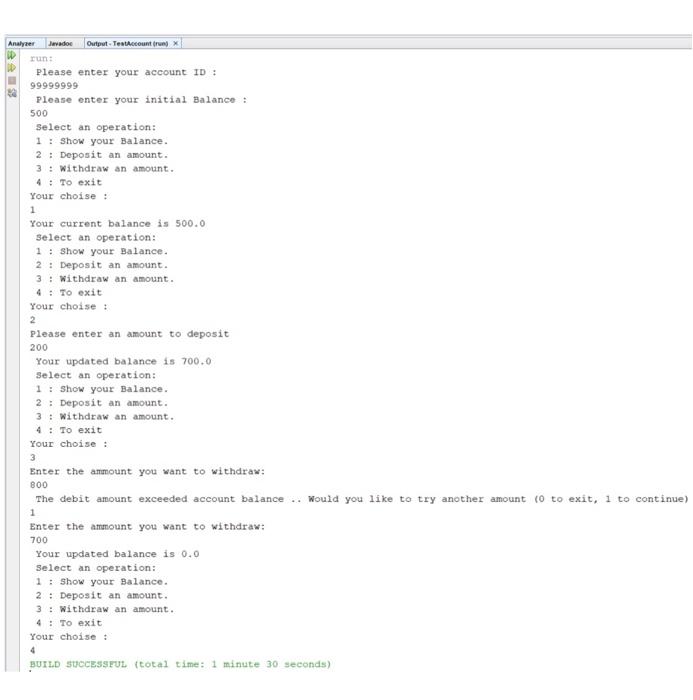
Object Oriented Programming - 14011102-4 Complete the following tasks in Java using NetBeans. Create a class called Account and has 2 instance variables 1. ID as an Integer 2. Balance as a Double Your class should have a constructor that take the ID and an initial Balance and use it to initialize the balance amount. Your constructor should validate that the initial Balance is greater than 0, otherwise balance should be initialized to the default value 0.0. Provide a set and a get method for each instant variable Add a method called deposit that add an amount to the account's balance. It also should print the updated balance. Add a method called debit that withdraws money from an account. Ensures that the debit amount does not exceed the account's and if it does the method should keep the balance as it is and print a message to the user indicating that The debit amount exceeded account balance". Then the method should ask the user to enter another amount or (0) to exit. If the withdraw amount is correct the method should print the updated balance. Write a class called TestAccount with a main method in this method you will create an object of the class account. Prompt the user to enter the id and the initial balance Then ask the user for the wanted operation (show balance, deposit or debit) and perform it. Analyzer Javador Output TestAccount Please enter your account ID: 99999999 Please enter your initial Balance : 500 Select an operation: 1 : Show your Balance. 2 : Deposit an amount. 3 : Withdraw an amount. 4 : To exit Your choise : 1 Your current balance is 500.0 select an operation: 1 : Show your Balance. 2 : Deposit an amount. 3 : Withdraw an amount. 4: To exit Your choise : 2 Please enter an amount to deposit 200 Your updated balance is 700.0 Select an operation: 1 : Show your Balance. 2 : Deposit an amount. 3: Withdraw an amount. 4 : To exit Your choise : 3 Enter the ammount you want to withdraw: 800 The debit amount exceeded account balance.. Would you like to try another amount (o to exit, 1 to continue) 1 Enter the amount you want to withdraw: 700 Your updated balance is 0.0 Select an operation: 1 : Show your Balance. 2 : Deposit an amount. 3 : Withdraw an amount. 4 : To exit Your choise : BUILD SUCCESSFUL (total time: 1 minute 30 seconds)
Step by Step Solution
There are 3 Steps involved in it

Get step-by-step solutions from verified subject matter experts
 Study Help