







Question: Please help me code the following in JAVA Please read the task thoroughly, and include many COMMENTS so I can understand! Full points will be
Please help me code the following in JAVA
Please read the task thoroughly, and include many COMMENTS so I can understand!
Full points will be awarded, thanks in advance!
 Multi.java class:
/*
* A Simple Threading Application
* Complete with race conditions, no deadlock avoidance */
public class Multi implements Runnable {
private String name = "";
public Multi(String newName ) {
name = newName;
}
//This is the key to the Runnable Interface
public void run() {
for(int i = 0; i
if( Math.random()
try { //lets go to sleep so the other threads have a chance
Thread.sleep(2);
} catch (InterruptedException e) {
//do nothing other than a trace
e.printStackTrace();
}
}
System.out.println( name + " : " + i);
}
}
//How many threads are active in this application do you think?
//One is for main, one for the GC, and at least two more for t1 and t2 below...
public static void main(String[] args) {
Thread t1 = new Thread( new Multi("foo1") );
Thread t2 = new Thread( new Multi("foo2") );
t1.start(); //this calls run()
t2.start(); //start the second thread
}
}
Application class:
import java.awt.event.ActionEvent;
import java.awt.event.ActionListener;
import javax.swing.JButton;
import javax.swing.JFrame;
/*
* The Application Class is both a Window and an Event Handler (or will be)
* Find the TODOs and implement the ActionListener interface below
*/
//TODO: Extend this class so that it implements ActionListener
public class Application extends JFrame {
JButton myButton = new JButton( "Hello World" );
//TODO: implement the actionPerformed method
public Application() {
super("Window");
setSize(300,300);
setVisible(true);
setDefaultCloseOperation(JFrame.EXIT_ON_CLOSE);
//add the button to the display
this.add(myButton);
//TODO: when this class implements actionlistener, the line below will compile
//myButton.addActionListener( this );
}
//A one line main
public static void main(String[] args) {
JFrame app = new Application();
}
}
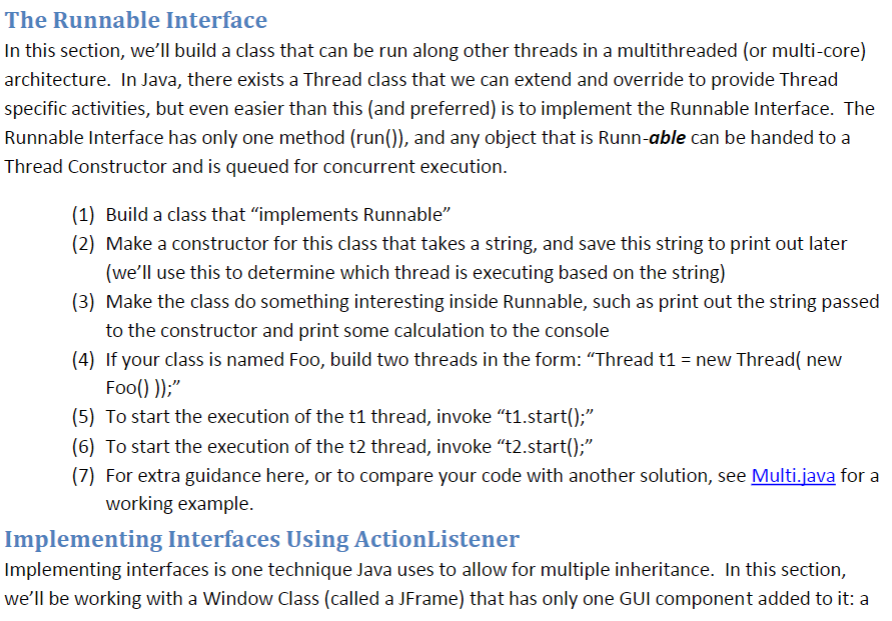
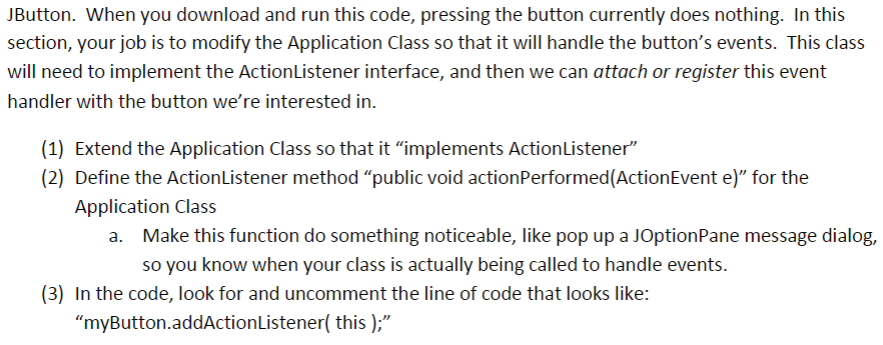
The Runnable Interface In this section, we'll build a class that can be run along other threads in a multithreaded (or multi-core) architecture. In Java, there exists a Thread class that we can extend and override to provide Thread specific activities, but even easier than this (and preferred) is to implement the Runnable Interface. The Runnable Interface has only one method (run()), and any object that is Runn-able can be handed to a Thread Constructor and is queued for concurrent execution. (1) Build a class that "implements Runnable" (2) Make a constructor for this class that takes a string, and save this string to print out later (we'll use this to determine which thread is executing based on the string) (3) Make the class do something interesting inside Runnable, such as print out the string passed to the constructor and print some caltculation to the console 4) If your class is named Foo, build two threads in the form: "Thread t1-new Thread( new (5) To start the execution of the t1 thread, invoke "t1.start(): (6) To start the execution of the t2 thread, invoke "t2.start()" (7) For extra guidance here, or to compare your code with another solution, see Multi.java for a working example. Implementing Interfaces Using ActionListener Implementing interfaces is one technique Java uses to allow for multiple inheritance. In this section, we'll be working with a Window Class (called a JFrame) that has only one GUI component added to it: a
Step by Step Solution
There are 3 Steps involved in it

Get step-by-step solutions from verified subject matter experts
 Study Help