







Question: Please help me complete this assignment with instructions for all 4 parts of the question. Thank you for your help! 4. Go to https:Hca.finance.yahoo.com and
Please help me complete this assignment with instructions for all 4 parts of the question. Thank you for your help!
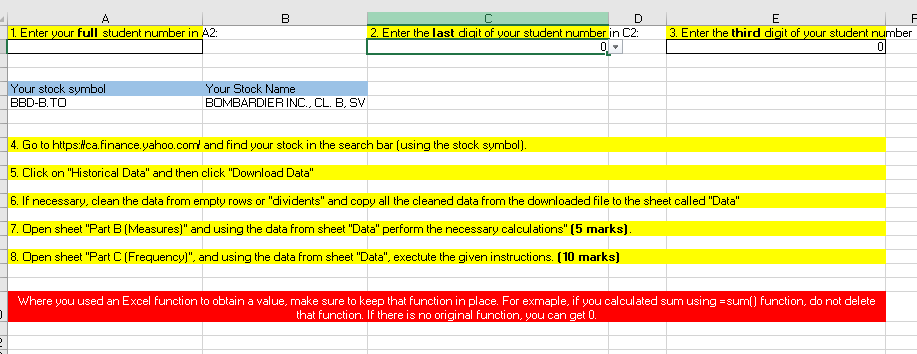
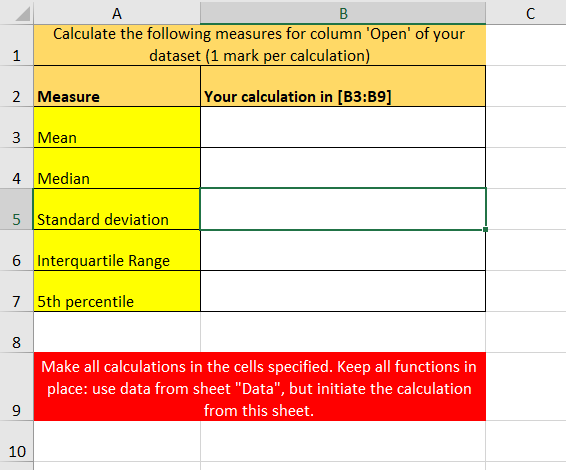
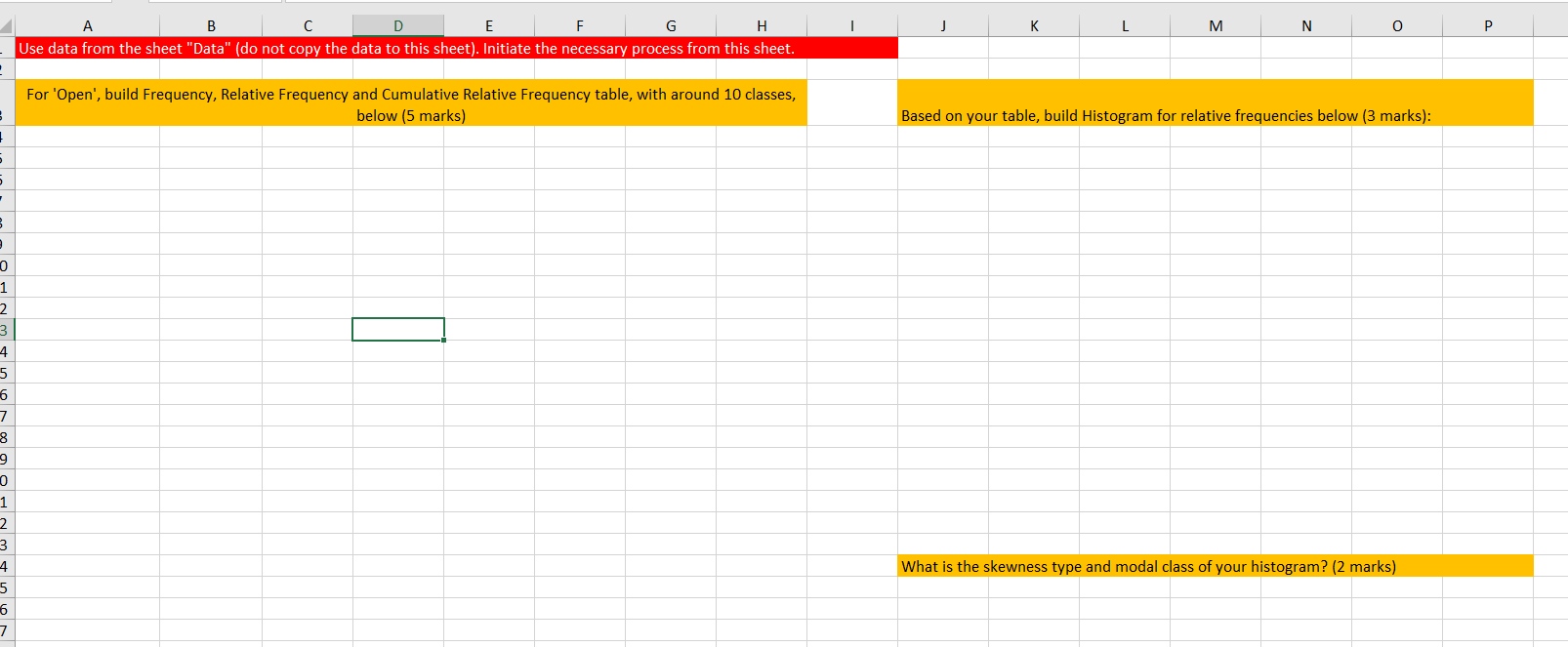
4. Go to https:Hca.finance.yahoo.com and find your stock in the search bar (using the stock symbol). 5. Click on "Historical Data" and then click "Download Data" 6. If necessary, clean the data from empty rows or "dividents" and copy all the cleaned data from the downloaded file to the sheet called "Data" 7. Dpen sheet "Part B (Measures]" and using the data from sheet "Data" perform the necessary calculations" [5 marks] . 8. Dpen sheet "Part [ (Frequency)", and using the data from sheet "Data", exectute the given instructions. [10 marks] Where you used an Excel function to obtain a value, make sure to keep that function in place. For exmaple, if you calculated sum using =sum(] function, do not delete that function. If there is no original function, you can get 0. \begin{tabular}{l|l|l|} \hline & \multicolumn{2}{c|}{ A } \\ \cline { 3 } 1 & Calculate the following measures for column 'Open' of your \\ \hline 2 & Measure & Your calculation in [B3:B9] \\ \hline 3 & Mean & \\ \hline 4 & Median & \\ \hline 5 & Standard deviation & \\ \hline 6 & Interquartile Range & \\ \hline \end{tabular} 8 Make all calculations in the cells specified. Keep all functions in place: use data from sheet "Data", but initiate the calculation 9 from this sheet. 10 A1 4. Go to https:Hca.finance.yahoo.com and find your stock in the search bar (using the stock symbol). 5. Click on "Historical Data" and then click "Download Data" 6. If necessary, clean the data from empty rows or "dividents" and copy all the cleaned data from the downloaded file to the sheet called "Data" 7. Dpen sheet "Part B (Measures]" and using the data from sheet "Data" perform the necessary calculations" [5 marks] . 8. Dpen sheet "Part [ (Frequency)", and using the data from sheet "Data", exectute the given instructions. [10 marks] Where you used an Excel function to obtain a value, make sure to keep that function in place. For exmaple, if you calculated sum using =sum(] function, do not delete that function. If there is no original function, you can get 0. \begin{tabular}{l|l|l|} \hline & \multicolumn{2}{c|}{ A } \\ \cline { 3 } 1 & Calculate the following measures for column 'Open' of your \\ \hline 2 & Measure & Your calculation in [B3:B9] \\ \hline 3 & Mean & \\ \hline 4 & Median & \\ \hline 5 & Standard deviation & \\ \hline 6 & Interquartile Range & \\ \hline \end{tabular} 8 Make all calculations in the cells specified. Keep all functions in place: use data from sheet "Data", but initiate the calculation 9 from this sheet. 10 A1
Step by Step Solution
There are 3 Steps involved in it

Get step-by-step solutions from verified subject matter experts
 Study Help