







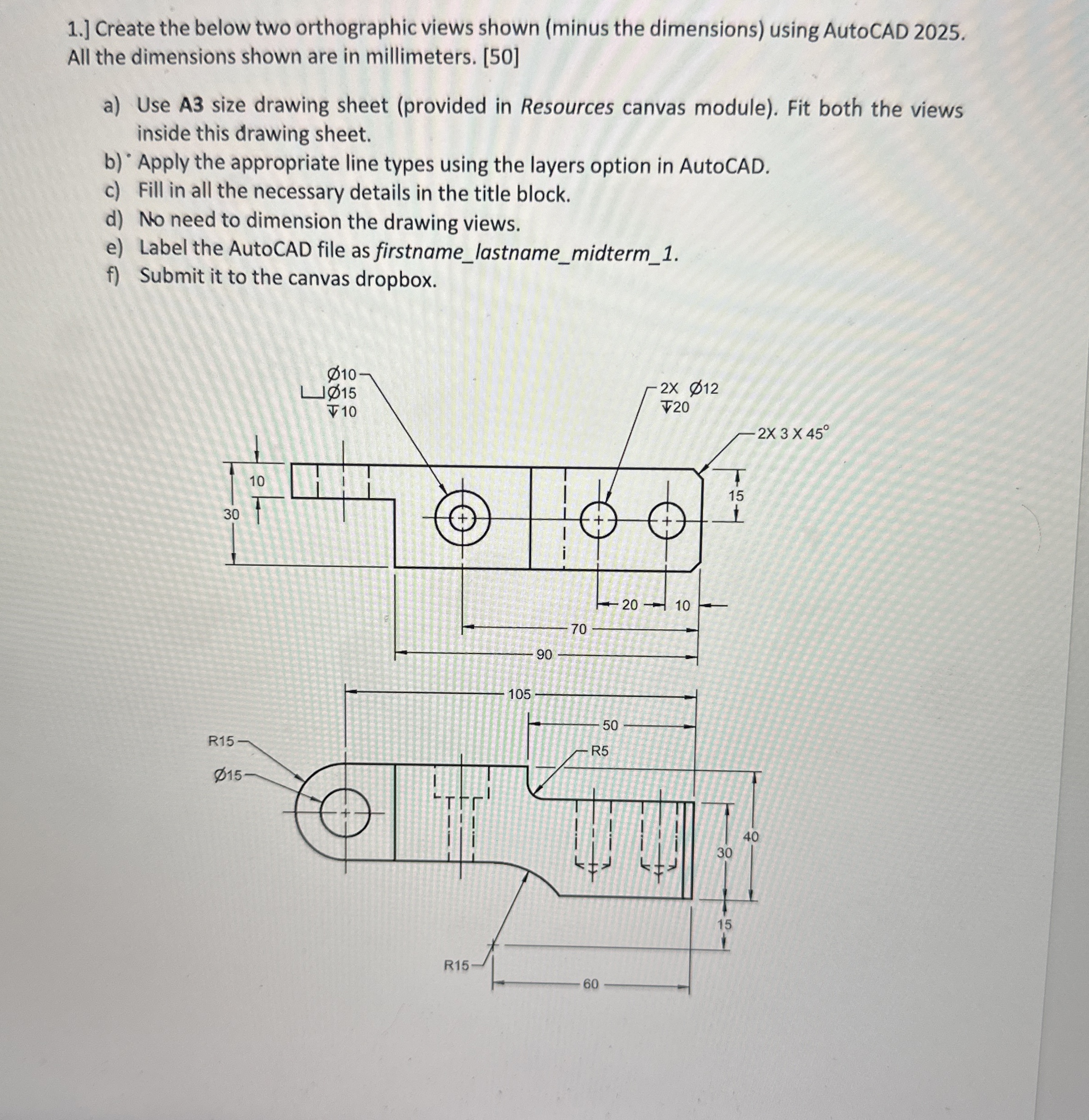
Question: PLEASE HELP ME Create the below two orthographic views shown ( minus the dimensions ) using AutoCAD 2 0 2 5 . All the dimensions
PLEASE HELP ME
Create the below two orthographic views shown minus the dimensions using AutoCAD All the dimensions shown are in millimeters.
a Use A size drawing sheet provided in Resources canvas module Fit both the views inside this drawing sheet.
b "Apply the appropriate line types using the layers option in AutoCAD.
c Fill in all the necessary details in the title block.
d No need to dimension the drawing views.
Step by Step Solution
There are 3 Steps involved in it
1 Expert Approved Answer
Step: 1 Unlock

Question Has Been Solved by an Expert!
Get step-by-step solutions from verified subject matter experts
Step: 2 Unlock
Step: 3 Unlock
 Study Help