







Question: Please help me get this program working. The programming language is C++. Here is what I've completed so far: #include #include #include myLibraryHSM.h using namespace
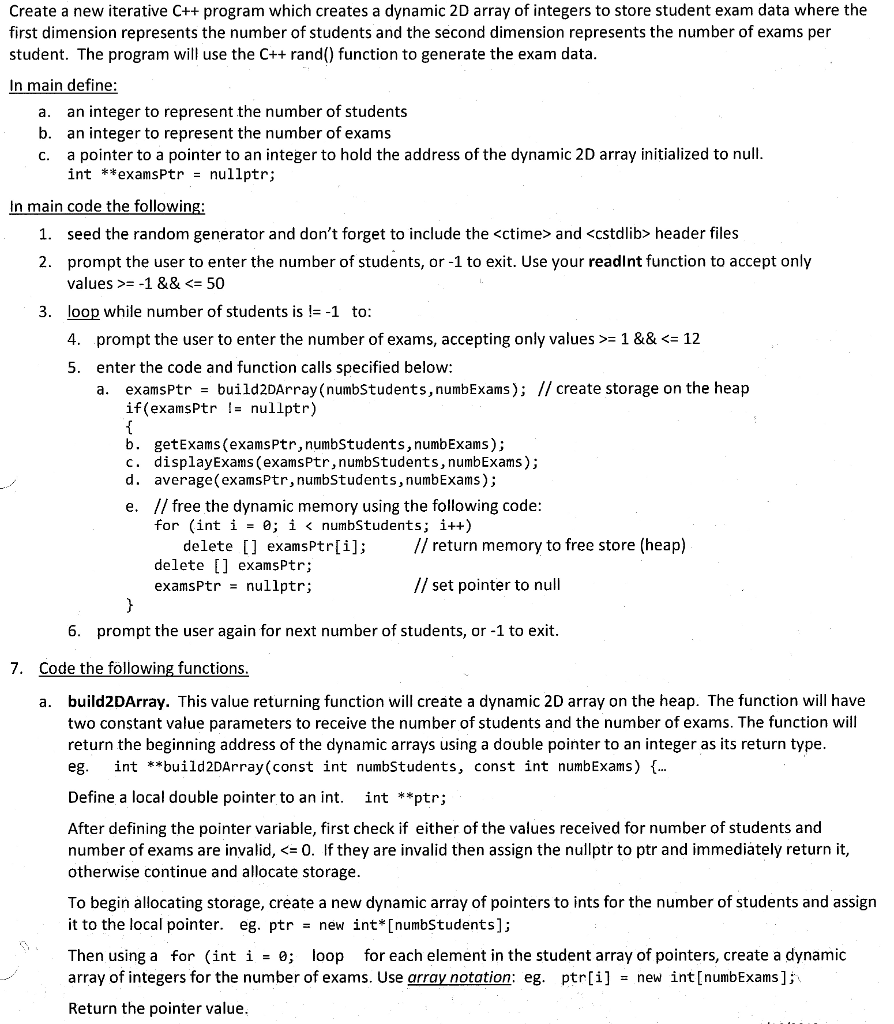
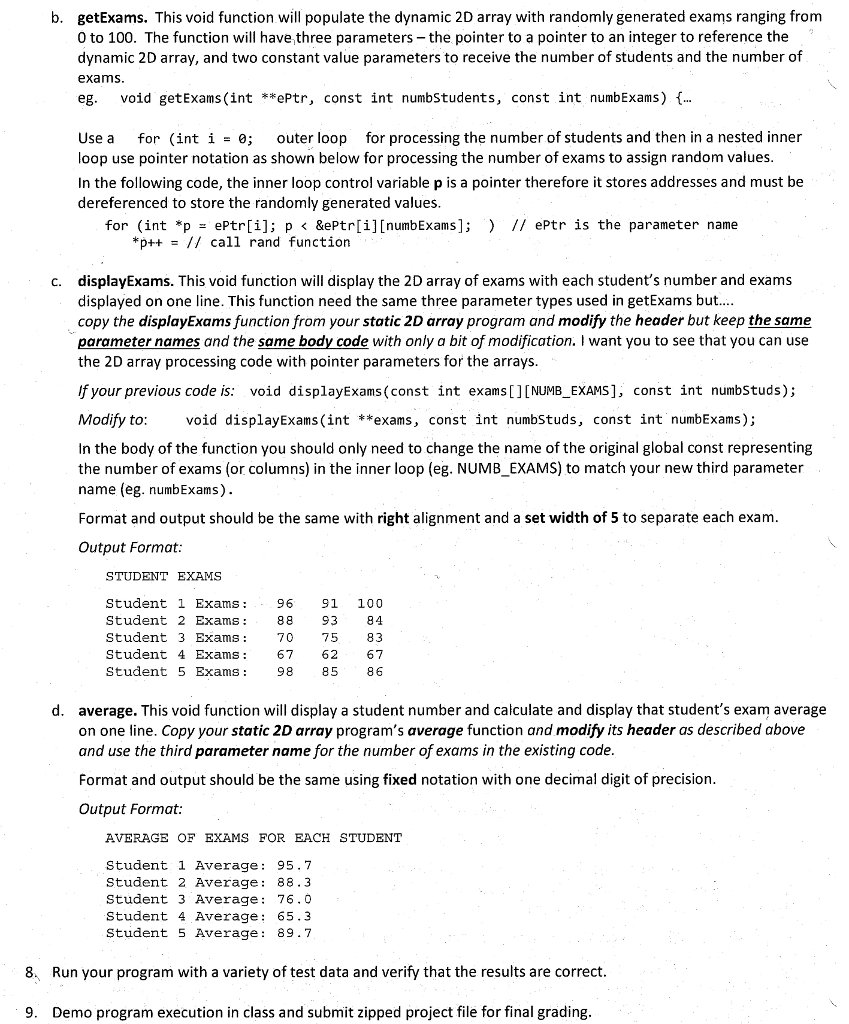
Please help me get this program working. The programming language is C++.
Here is what I've completed so far:
#include
using namespace std;
void getExams(int*, const int); double average(const int[], const int);
int main() { int numExams; int* examPtr = NULL; double sum = 0; double avg = 0;
while (1) { cout
examPtr = new int[numExams]; cout
getExams(examPtr, numExams);
cout
cout
cout
delete[] examPtr; cout
system("pause"); return 0; }
void getExams(int *array, const int size) { for (int *p = array, exam = 1; p
double average(const int array[], const int size) { double sum = 0; for (const int *p = array; p Create a new iterative C++ program which creates a dynamic 2D array of integers to store student exam data where the first dimension represents the number of students and the second dimension represents the number of exams per student. The program will use the C++ rand() function to generate the exam data In main define: a. b. c. an integer to represent the number of students an integer to represent the number of exams a pointer to a pointer to an integer to hold the address of the dynamic 2D array initialized to null int **examsPtr- nullptr; In main code the following seed the random generator and don't forget to include the
Step by Step Solution
There are 3 Steps involved in it

Get step-by-step solutions from verified subject matter experts
 Study Help