







Question: Please help me in creating these two excel documents. (Use screenshots) Thank you i'll thumbs up if its correct. 1. Create an Excel/spreadsheet file entitled
Please help me in creating these two excel documents. (Use screenshots) Thank you i'll thumbs up if its correct.
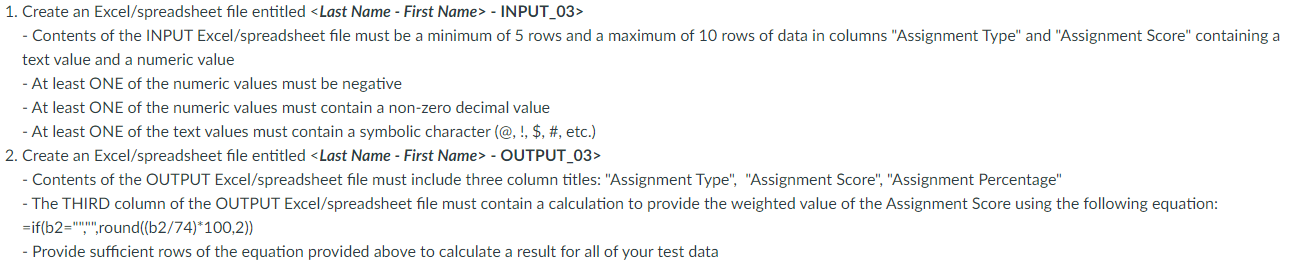
1. Create an Excel/spreadsheet file entitled - INPUT_03> - Contents of the INPUT Excel/spreadsheet file must be a minimum of 5 rows and a maximum of 10 rows of data in columns "Assignment Type" and "Assignment Score" containing a text value and a numeric value - At least ONE of the numeric values must be negative - At least ONE of the numeric values must contain a non-zero decimal value - At least ONE of the text values must contain a symbolic character (@, !, \$, \#, etc.) 2. Create an Excel/spreadsheet file entitled - OUTPUT_03> - Contents of the OUTPUT Excel/spreadsheet file must include three column titles: "Assignment Type", "Assignment Score", "Assignment Percentage" - The THIRD column of the OUTPUT Excel/spreadsheet file must contain a calculation to provide the weighted value of the Assignment Score using the following equation: = if(b2="",", round ((b2/74)100,2)) - Provide sufficient rows of the equation provided above to calculate a result for all of your test data
Step by Step Solution
There are 3 Steps involved in it

Get step-by-step solutions from verified subject matter experts
 Study Help