







Question: Please help me... Last time when I asked for this task... The results didn't work and I'm struggling with it...similar tasks it's different already solved
Please help me... Last time when I asked for this task... The results didn't work and I'm struggling with it...similar tasks it's different already solved but not this one... Thanks
usage_message = ''' Welcome to the email system! What would you like to do?
s - send email. l - list emails from a sender. r - read email. m - mark email as spam. gu - get unread emails. gs - get spam emails. d - delete email. e - exit this program. '''
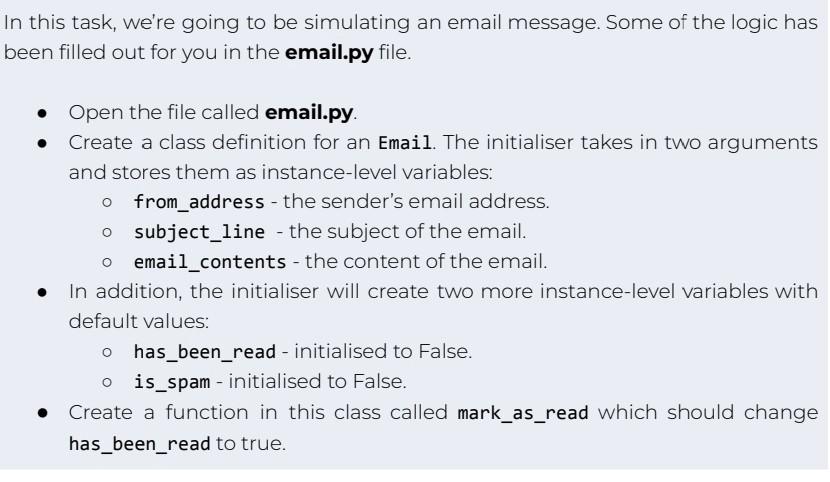
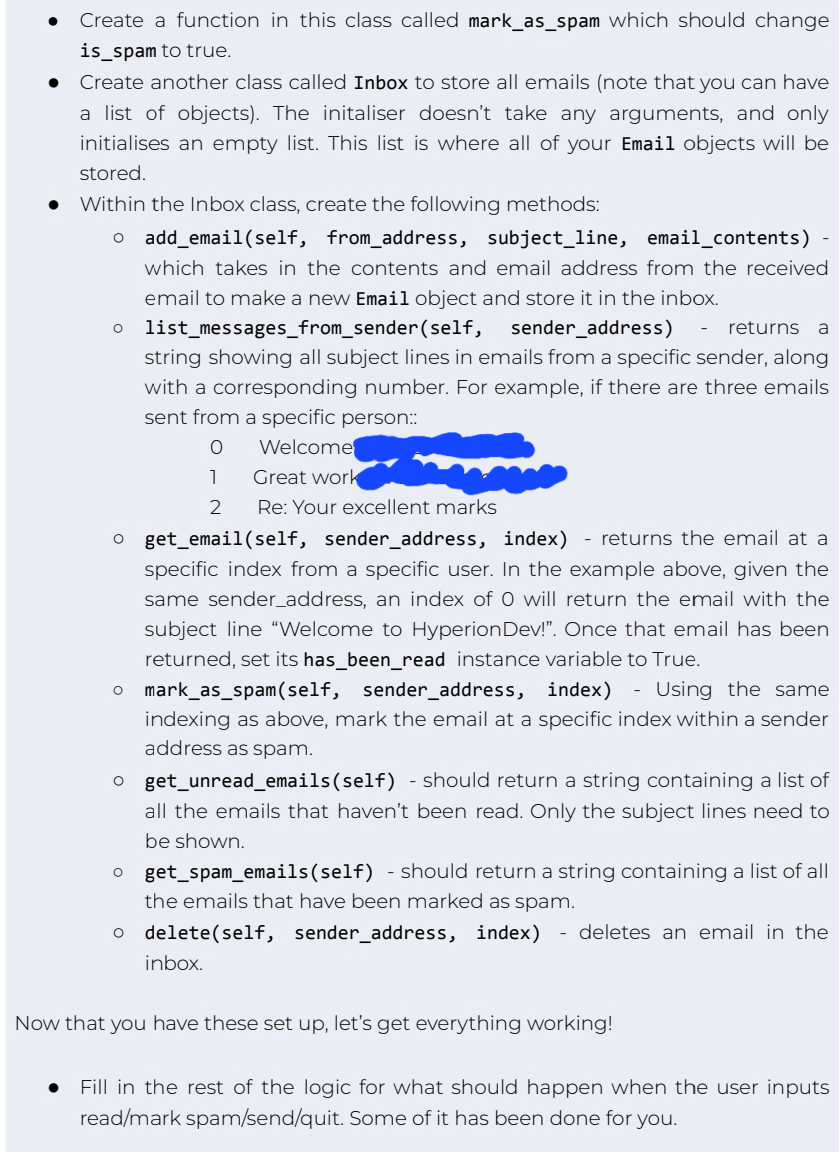
n this task, we're going to be simulating an email message. Some of the logic has been filled out for you in the email.py file. - Open the file called email.py. - Create a class definition for an Email. The initialiser takes in two arguments and stores them as instance-level variables: from_address - the sender's email address. subject_line - the subject of the email. email_contents - the content of the email. - In addition, the initialiser will create two more instance-level variables with default values: has_been_read - initialised to False. is_spam - initialised to False. - Create a function in this class called mark_as_read which should change has_been_read to true. is_spam to true. Create another class called Inbox to store all emails (note that you can have a list of objects). The initaliser doesn't take any arguments, and only initialises an empty list. This list is where all of your Email objects will be stored. Within the Inbox class, create the following methods: add_email(self, from_address, subject_line, email_contents) which takes in the contents and email address from the received email to make a new Email object and store it in the inbox. list_messages_from_sender(self,_sender_address) - returns a string showing all subject lines in emails from a specific sender, along with a corresponding number. For example, if there are three emails sent from a specific person:: o Welcome 1 Great work 2 Re: Your excellent marks get_email(self, sender_address, index) - returns the email at a specific index from a specific user. In the example above, given the same sender_address, an index of O will return the email with the subject line "Welcome to HyperionDev!". Once that email has been returned, set its has_been_read instance variable to True. mark_as_spam(self, sender_address, index) - Using the same indexing as above, mark the email at a specific index within a sender address as spam. get_unread_emails(self) - should return a string containing a list of all the emails that haven't been read. Only the subject lines need to be shown. get_spam_emails(self) - should return a string containing a list of all the emails that have been marked as spam. delete(self, sender_address, index) - deletes an email in the inbox. that you have these set up, let's get everything working! Fill in the rest of the logic for what should happen when the user inputs
Step by Step Solution
There are 3 Steps involved in it

Get step-by-step solutions from verified subject matter experts
 Study Help