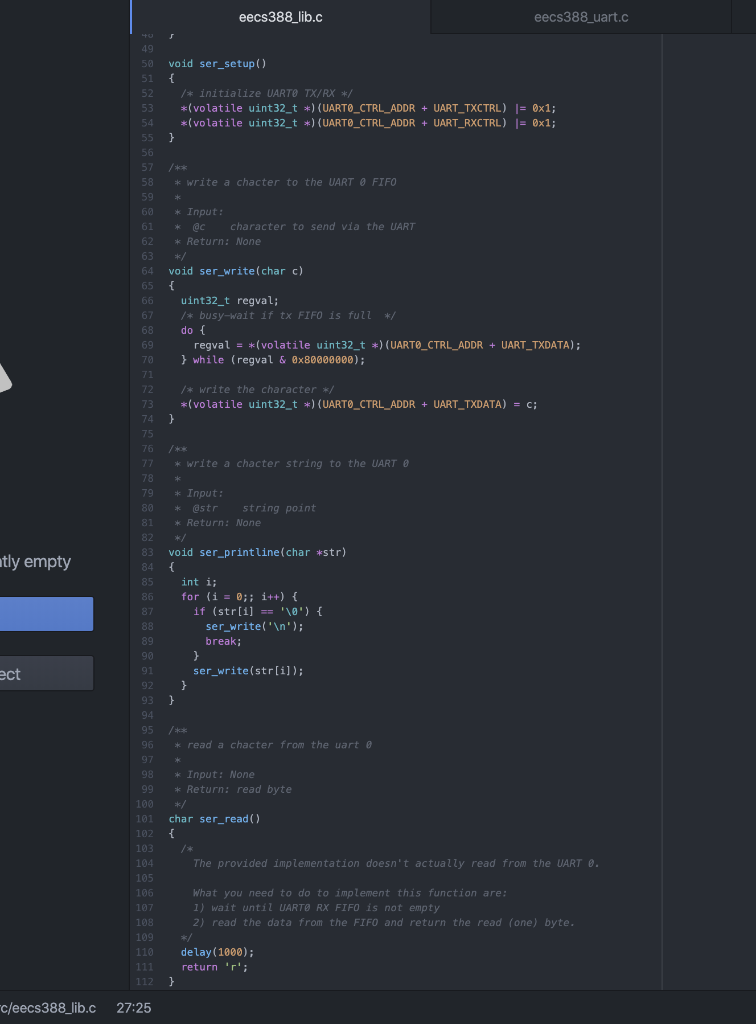
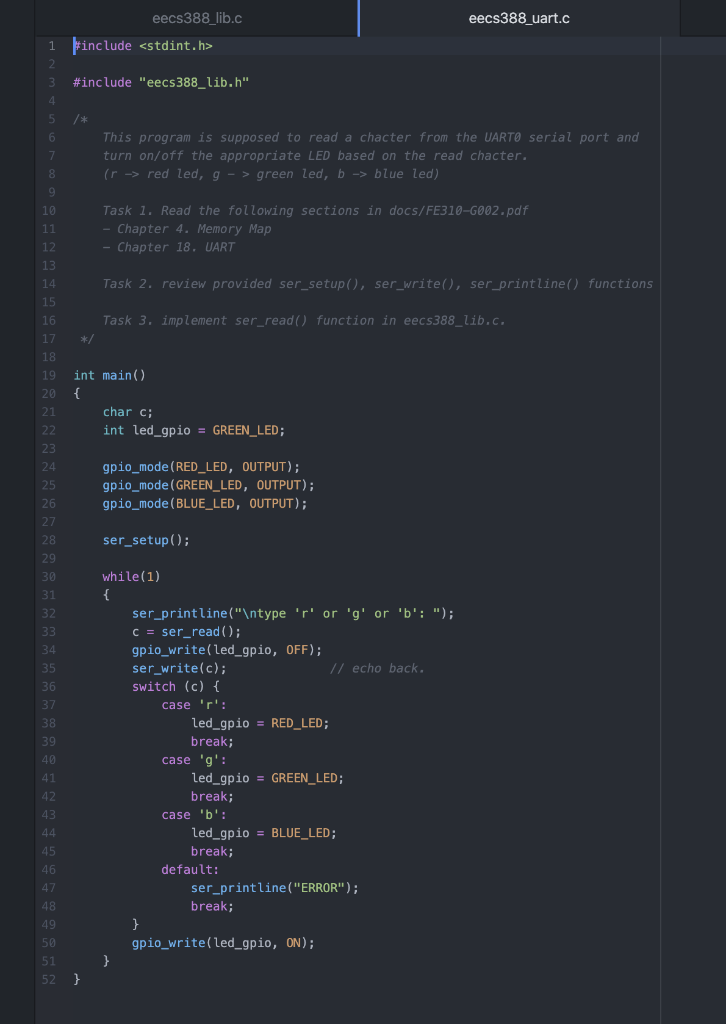
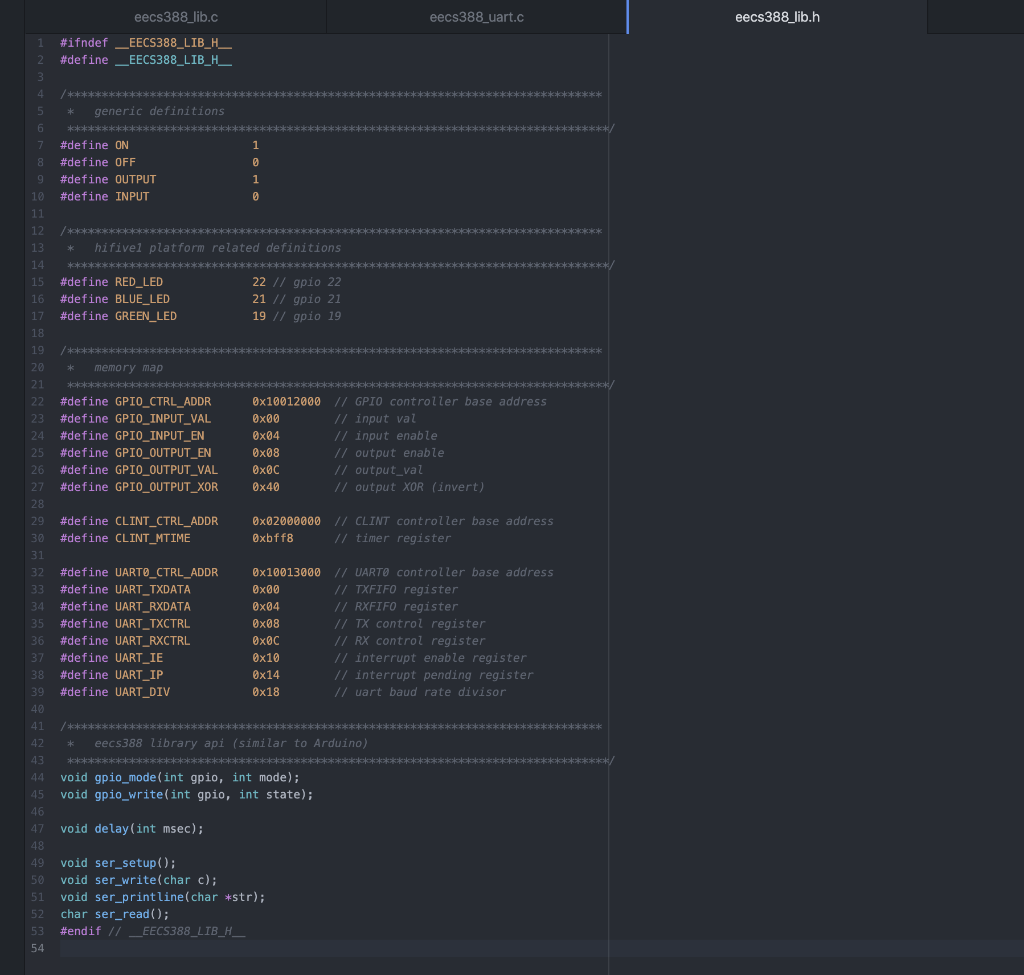
Question: Please help me with the code for the lib.c file. I need this is C code, eecs388_uart.c eecs388_lib.h eecs388_lib.c #include #include eecs388_lib.h void gpio_mode(int gpio,

Please help me with the code for the lib.c file. I need this is C code,
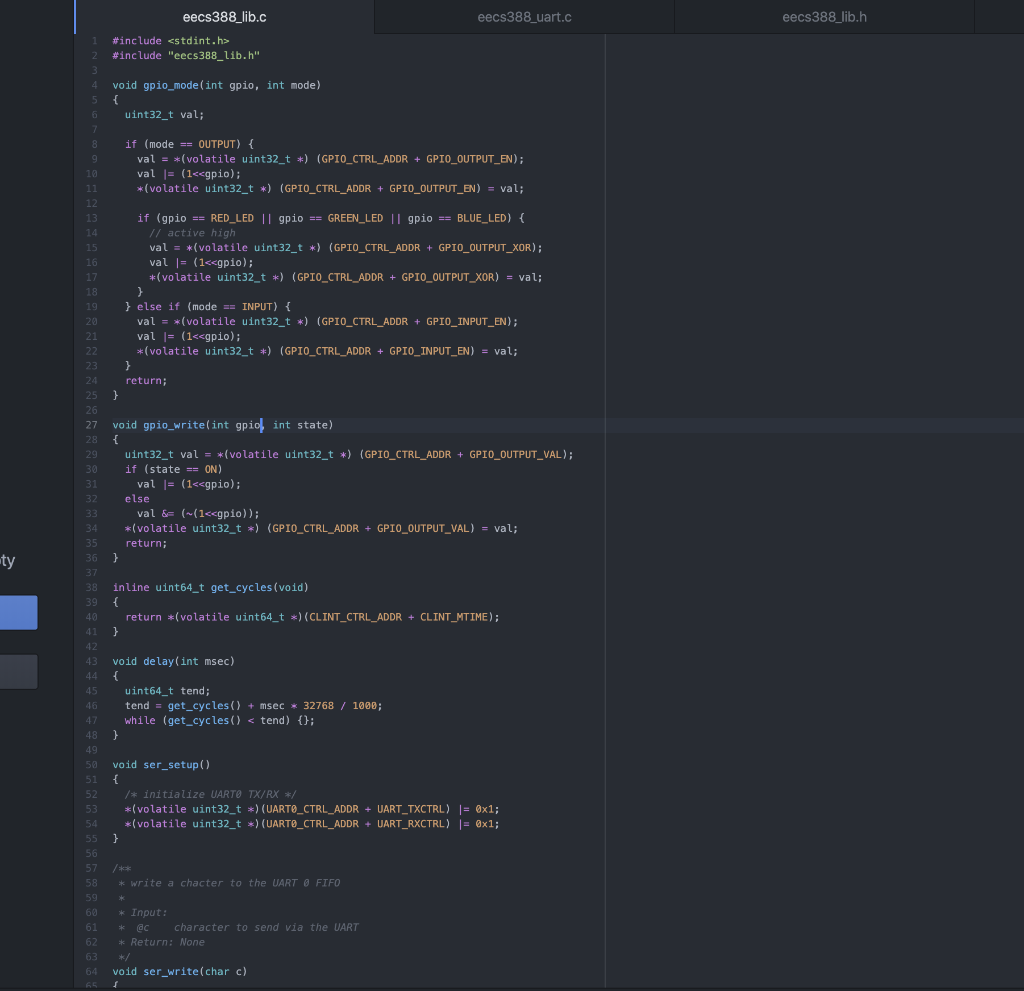
Please help me with the code for the lib.c file. I needthis is C code, eecs388_uart.c eecs388_lib.h eecs388_lib.c #include #include "eecs388_lib.h" void gpio_mode(intgpio, int mode) { uint32_t val; 2 2 3 4 5 67 8 9 10 11 12 if (mode == OUTPUT) { val

eecs388_uart.c eecs388_lib.h eecs388_lib.c #include #include "eecs388_lib.h" void gpio_mode(int gpio, int mode) { uint32_t val; 2 2 3 4 5 6 7 8 9 10 11 12 if (mode == OUTPUT) { val = *(volatile uint32_t *) (GPIO_CTRL_ADDR + GPIO_OUTPUT_EN); val |= (1 #include "eec5388_lib.h" 4. 5 6 This program is supposed to read a chacter from the UARTO serial port and 7 turn on/off the appropriate LED based on the read chacter. 8 (r-> red led, g - > green led, b => blue led) 9 10 Task 1. Read the following sections in docs/FE310-G002.pdf 11 - Chapter 4. Memory Map 12 - Chapter 18. UART 13 14 Task 2. review provided ser_setup(), ser_write(), ser_printline() functions 15 16 Task 3. implement ser_read() function in eecs388_lib.c. 17 */ 18 19 int main() 20 { 21 char c; 22 int led_gpio = GREEN_LED; 23 24 gpio_mode(RED_LED, OUTPUT); 25 gpio_mode (GREEN_LED, OUTPUT); 26 gpio_mode (BLUE_LED, OUTPUT); 27 28 ser_setup(); 29 30 while(1) 31 { 32 ser_printline(" type 'r' or 'g' or 'b': "); 33 C = ser_read(); 34 gpio_write(led_gpio, OFF); 35 ser_write(c); // echo back. 36 switch (c) { 37 case 'r': 38 led_gpio = RED_LED; 39 break; 40 case 'g': 41 led_gpio = GREEN_LED; 42 break; 43 case 'b': 44 led_gpio = BLUE_LED; 45 break; 46 default: 47 ser_printline("ERROR"); 48 break; 49 } 50 gpio_write(led_gpio, ON); 51 52 } eecs388_lib.h * eecs388_lib.c eecs388_uart.c #ifndef _EECS388_LIB_H_ 2 #define EECS388_LIB_H_ 3 4. /********* 5 generic definitions 6 * *************** 7 #define ON 1 8 #define OFF 0 9 #define OUTPUT 1 10 #define INPUT 0 11 12 / /************* 13 * hifivel platform related definitions 14 15 #define RED_LED 22 // gpio 22 16 #define BLUE_LED 21 // gpio 21 17 #define GREEN_LED 19 // gpio 19 18 19 /*********** 20 memory map 21 *************** 22 #define GPIO_CTRL_ADDR @x10012000 // GPIO controller base address 23 #define GPIO_INPUT_VAL @x00 // input val 24 #define GPIO_INPUT_EN Ox04 // input enable 25 #define GPIO_OUTPUT_EN @x08 // output enable 26 #define GPIO_OUTPUT_VAL 0x0 // output_val 27 #define GPIO_OUTPUT_XOR @x40 // output XOR (invert) 28 29 #define CLINT_CTRL_ADDR Ox02000000 // CLINT controller base address 30 #define CLINT_MTIME Bxbff8 // timer register 31 32 #define UARTO_CTRL_ADDR @x10013000 // UARTO controller base address 33 #define UART_TXDATA 0x00 // TXFIFO register 34 #define UART_RXDATA Ox04 // RXFIFO register 35 #define UART_TXCTRL @x08 // TX control register 36 #define UART_RXCTRL 0x0 // RX control register 37 #define UART_IE @x10 // interrupt enable register 38 #define UART_IP 0x14 // interrupt pending register 39 #define UART_DIV Ox18 // wart baud rate divisor 49 41 /***** 42 eecs388 library api (similar to Arduino) 43 *************************************************** void gpio_mode(int gpio, int mode); 45 void gpio_write(int gpio, int state); 46 47 void delay(int msec); 48 49 void ser_setup(); 50 void ser_write(char c); 51 void ser_printline(char *str); 52 char ser_read(); 53 #endif // _EECS388_LIB_H__ 54 *

Step by Step Solution

There are 3 Steps involved in it

1 Expert Approved Answer
Step: 1 Unlock blur-text-image
Question Has Been Solved by an Expert!

Get step-by-step solutions from verified subject matter experts

Step: 2 Unlock
Step: 3 Unlock

Students Have Also Explored These Related Databases Questions!