







Question: Please Help me with the following problems using Matlab 1. 2. 3. 4. Challenge 9.7.1: Concatenating strings. This activity uses a 3rd party app. Though
Please Help me with the following problems using Matlab
1.
2.
3.
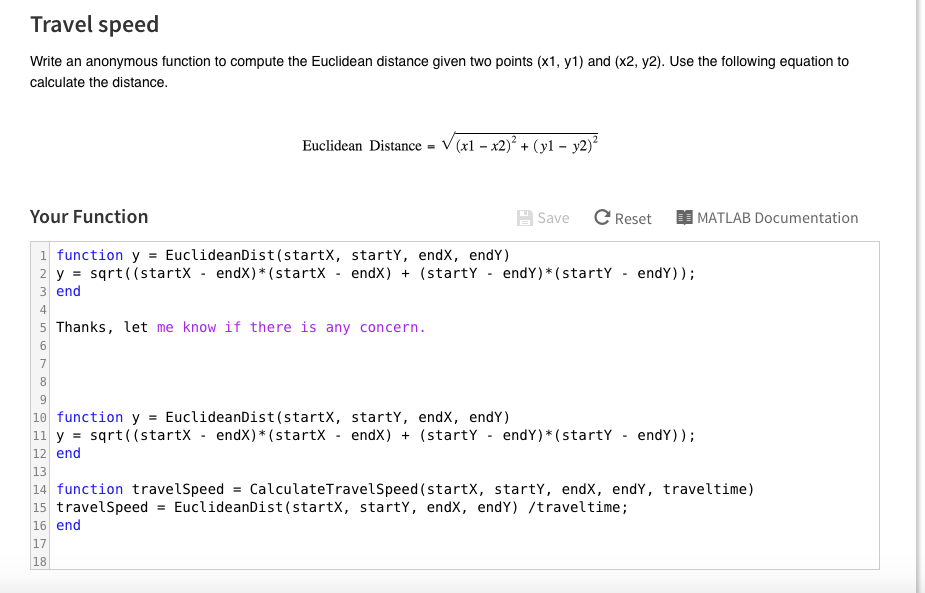
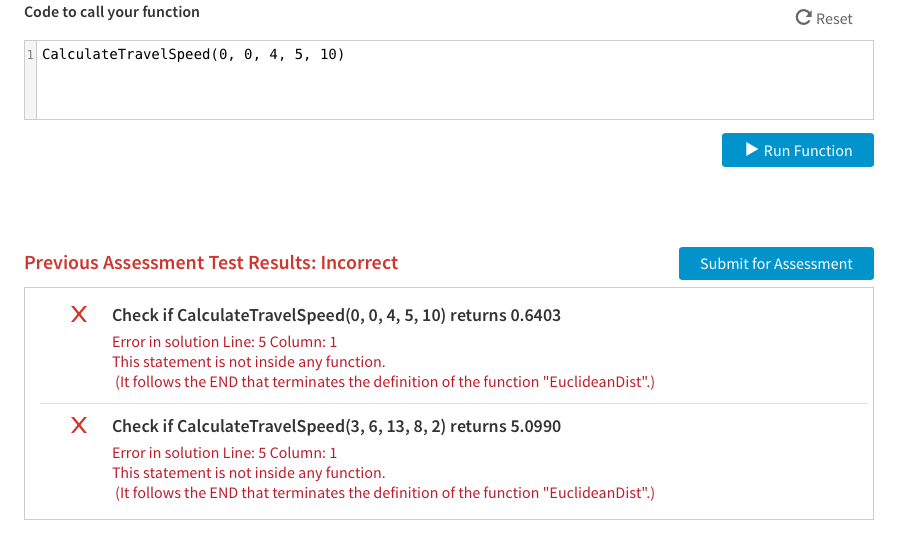
4.
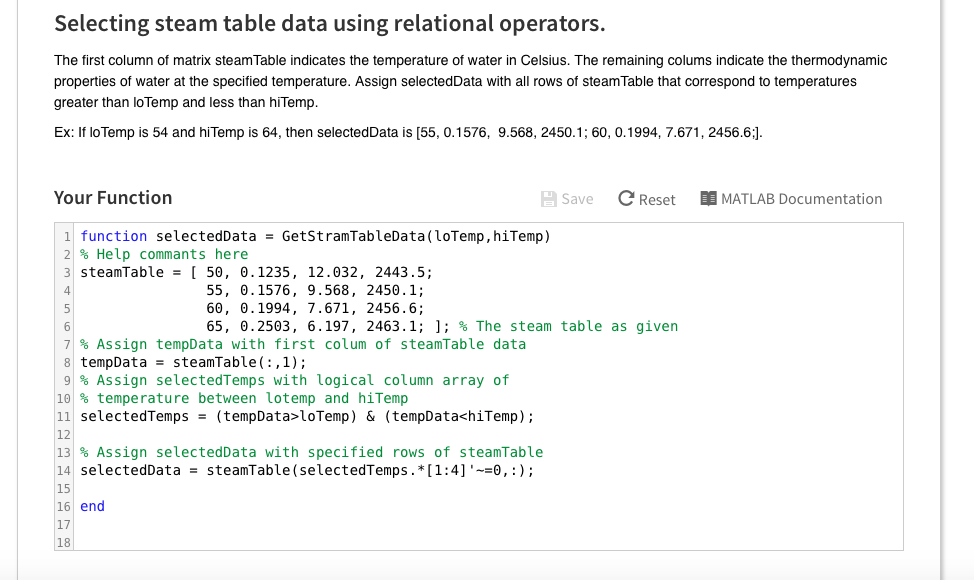
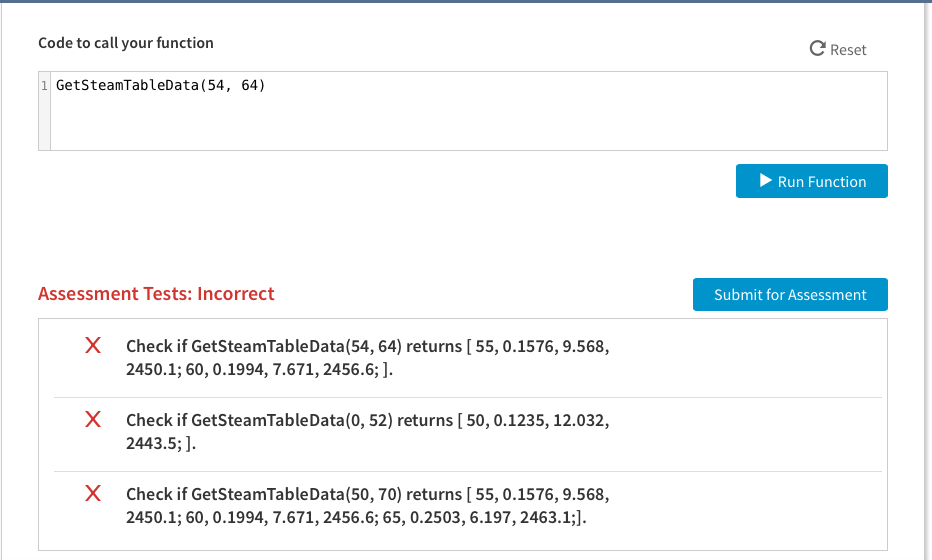
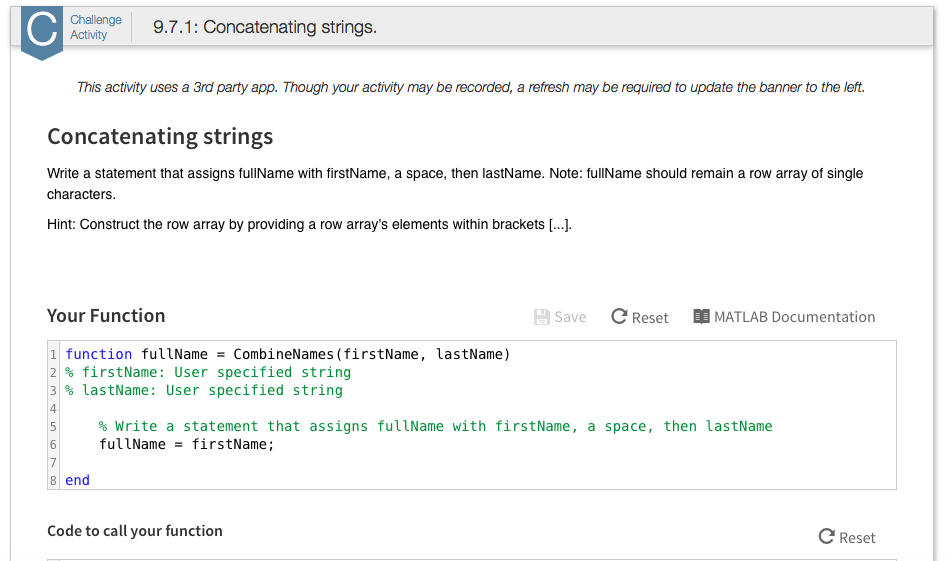
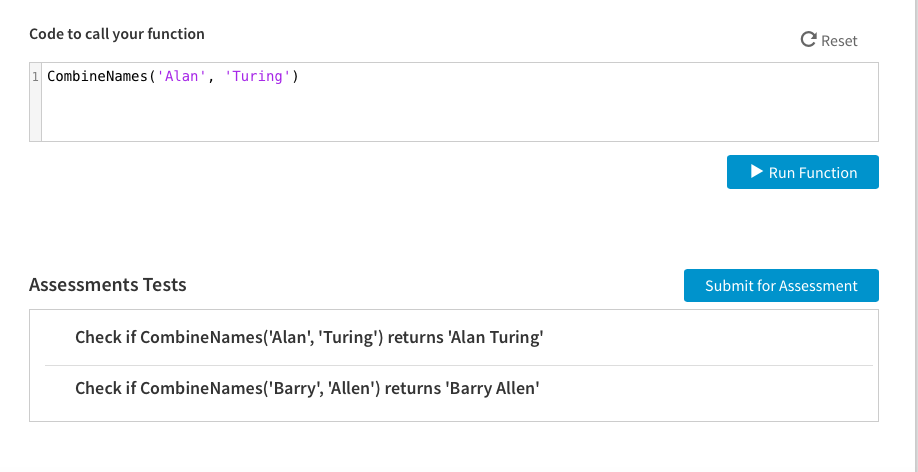
Challenge 9.7.1: Concatenating strings. This activity uses a 3rd party app. Though your activity may be recorded, a refresh may be required to update the banner to the left. Concatenating strings Write a statement that assigns fullName with firstName, a space, then lastName. Note: fullName should remain a row array of single characters Hint: Construct the row array by providing a row array's elements within brackets Your Function Save C Reset M MATLAB Documentation E 1 function fullName Combine Names (firstName, lastName) 2 firstName: User specified string 3 lastName: User specified string Write a statement that assigns fullName with firstName a space then lastName fullName firstName 8 end Code to call your function C Reset
Step by Step Solution
There are 3 Steps involved in it

Get step-by-step solutions from verified subject matter experts
 Study Help