





Question: Please help me with the Javascript!!!! /* First you'll check to make sure that the user is at least 13 years old. Add an event
Please help me with the Javascript!!!! /* First you'll check to makesure that the user is at least 13 years old. Add anevent lister to the #dobInput element that will respond to '"input" eventsPlease help me with the Javascript!!!!

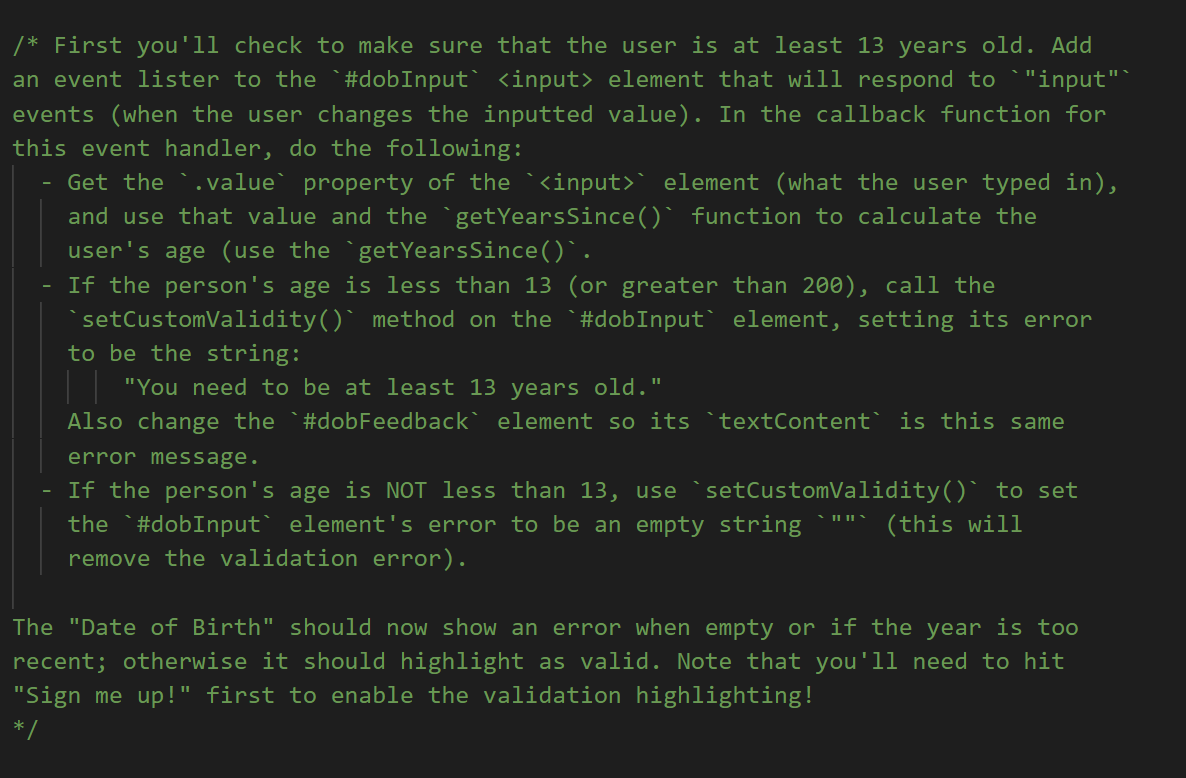
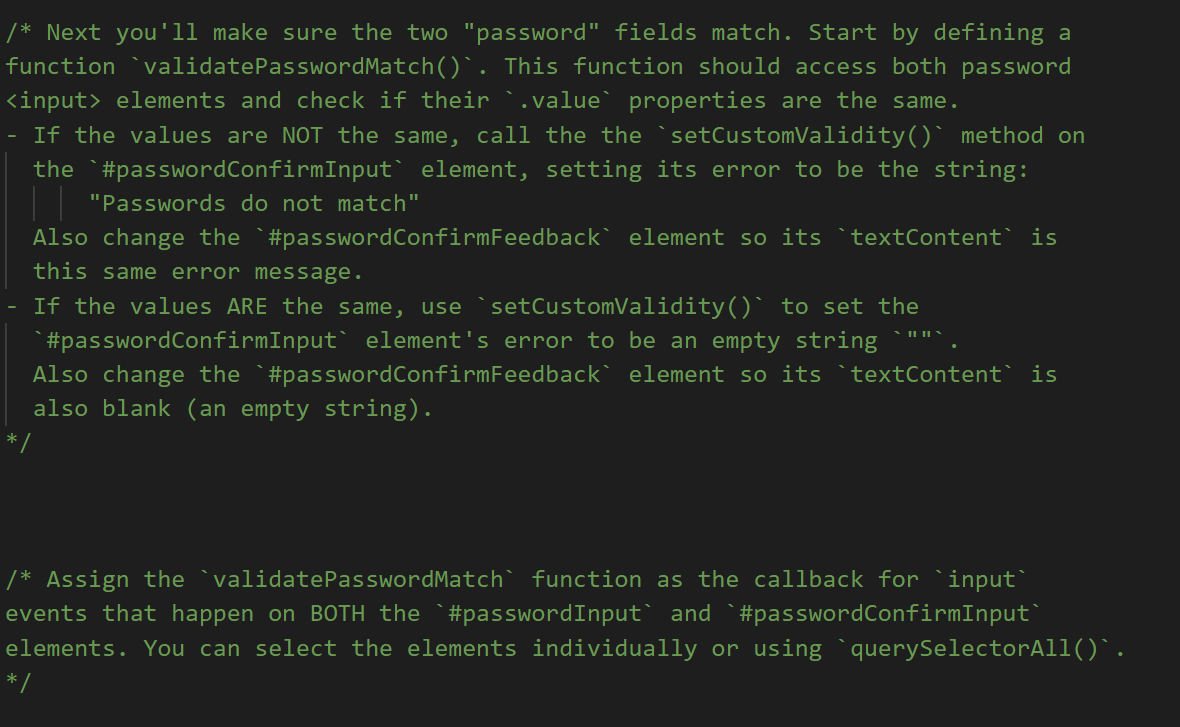
/* First you'll check to make sure that the user is at least 13 years old. Add an event lister to the #dobInput element that will respond to '"input" events (when the user changes the inputted value). In the callback function for this event handler, do the following: Get the ..value property of the '' element (what the user typed in), and use that value and the `getYearsSince() function to calculate the user's age (use the `getYearsSince() . If the person's age is less than 13 (or greater than 200), call the setCustomValidity() method on the #dobInput element, setting its error to be the string: || "You need to be at least 13 years old." Also change the #dobFeedback element so its 'textContent is this same error message. If the person's age is NOT less than 13, use setCustomValidity()" to set the *#dobInput element's error to be an empty string (this will remove the validation error). TIL The "Date of Birth" should now show an error when empty or if the year is too recent; otherwise it should highlight as valid. Note that you'll need to hit "Sign me up!" first to enable the validation highlighting! */ /* Next you'll make sure the two "password" fields match. Start by defining a function validatePasswordMatch(). This function should access both password elements and check if their ..value properties are the same. - If the values are NOT the same, call the the `setCustomValidity()" method on the *#passwordConfirmInput' element, setting its error to be the string: "Passwords do not match" Also change the "#passwordConfirmFeedback element so its 'textContent is this same error message. If the values ARE the same, use setCustomValidity()' to set the #passwordConfirmInput element's error to be an empty string Also change the "#passwordConfirmFeedback element so its textContent is also blank (an empty string). */ /* Assign the validatePasswordMatch' function as the callback for `input events that happen on BOTH the `#passwordInput and `#passwordConfirmInput elements. You can select the elements individually or using 'querySelectorAll() . */ /* Last you'll need to only enable the 'submit" button if the form is valid. Use the "querySelectorAll() method to select all 4 of the elements. Use the "forEach function to loop through these inputs, and for each input add (another) event listener to respond to 'input' events. In the event handler function, check if the
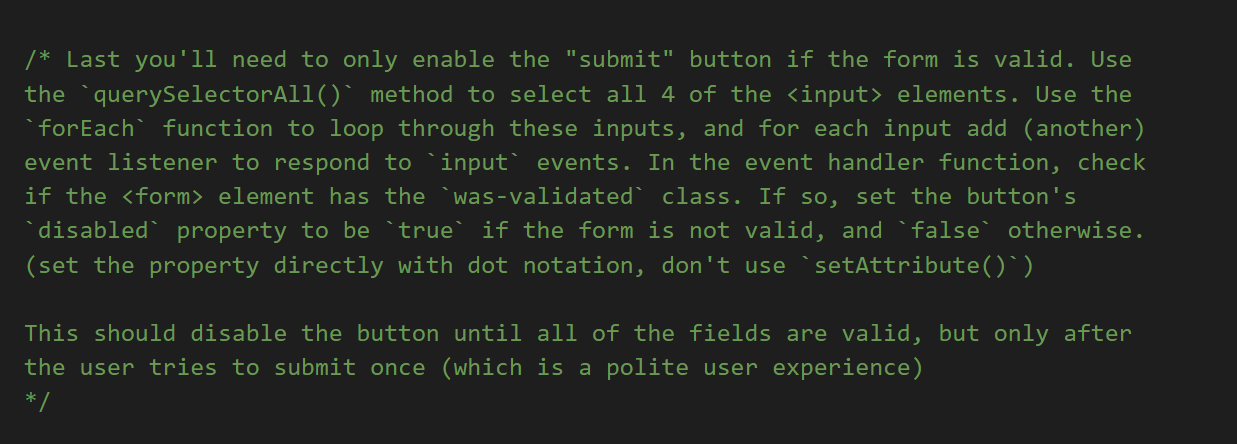
element has the was-validated class. If so, set the button's disabled' property to be true if the form is not valid, and 'false' otherwise. (set the property directly with dot notation, don't use setAttribute()^) This should disable the button until all of the fields are valid, but only after the user tries to submit once (which is a polite user experience) */ /* First you'll check to make sure that the user is at least 13 years old. Add an event lister to the #dobInput element that will respond to '"input" events (when the user changes the inputted value). In the callback function for this event handler, do the following: Get the ..value property of the '' element (what the user typed in), and use that value and the `getYearsSince() function to calculate the user's age (use the `getYearsSince() . If the person's age is less than 13 (or greater than 200), call the setCustomValidity() method on the #dobInput element, setting its error to be the string: || "You need to be at least 13 years old." Also change the #dobFeedback element so its 'textContent is this same error message. If the person's age is NOT less than 13, use setCustomValidity()" to set the *#dobInput element's error to be an empty string (this will remove the validation error). TIL The "Date of Birth" should now show an error when empty or if the year is too recent; otherwise it should highlight as valid. Note that you'll need to hit "Sign me up!" first to enable the validation highlighting! */ /* Next you'll make sure the two "password" fields match. Start by defining a function validatePasswordMatch(). This function should access both password elements and check if their ..value properties are the same. - If the values are NOT the same, call the the `setCustomValidity()" method on the *#passwordConfirmInput' element, setting its error to be the string: "Passwords do not match" Also change the "#passwordConfirmFeedback element so its 'textContent is this same error message. If the values ARE the same, use setCustomValidity()' to set the #passwordConfirmInput element's error to be an empty string Also change the "#passwordConfirmFeedback element so its textContent is also blank (an empty string). */ /* Assign the validatePasswordMatch' function as the callback for `input events that happen on BOTH the `#passwordInput and `#passwordConfirmInput elements. You can select the elements individually or using 'querySelectorAll() . */ /* Last you'll need to only enable the 'submit" button if the form is valid. Use the "querySelectorAll() method to select all 4 of the elements. Use the "forEach function to loop through these inputs, and for each input add (another) event listener to respond to 'input' events. In the event handler function, check if the
element has the was-validated class. If so, set the button's disabled' property to be true if the form is not valid, and 'false' otherwise. (set the property directly with dot notation, don't use setAttribute()^) This should disable the button until all of the fields are valid, but only after the user tries to submit once (which is a polite user experience) */

Step by Step Solution

There are 3 Steps involved in it

1 Expert Approved Answer
Step: 1 Unlock blur-text-image
Question Has Been Solved by an Expert!

Get step-by-step solutions from verified subject matter experts

Step: 2 Unlock
Step: 3 Unlock

Students Have Also Explored These Related Databases Questions!