







Question: Please help me write a JAVA program selecting four cards randomly from a deck of 52 if the Refresh button is clicked. Please also have
Please help me write a JAVA program selecting four cards randomly from a deck of 52 if the Refresh button is clicked. Please also have a screen shot of the running program! Thank you so much! JAVAFX Preferred!
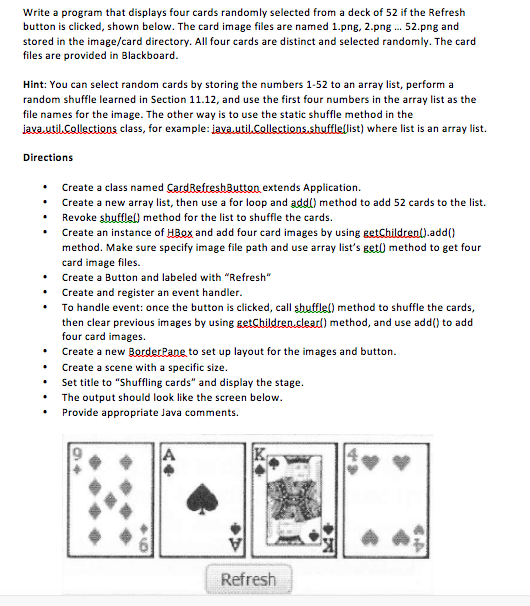
Write a program that displays four cards randomly selected from a deck of 52 if the Refresh button is clicked, shown below. The card image files are named 1.png, 2.png 52.png and stored in the image/card directory. All four cards are distinct and selected randomly. The card files are provided in Blackboard. Hint: You can select random cards by storing the numbers 1-52 to an array list, perform a random shuffle learned in Section 11.12, and use the first four numbers in the array list as the file names for the image. The other way is to use the static shuffle method in the java util.Collections class, for example ist) where list is a array list. Directions Create a class named CardBefreshButton extends Application Create a new array list, then use a for loop and addo method to add 52 cards to the list. Revoke shuffle0 method for the list to shuffle the cards Create an instance of HBox and add four card images by using add() method. Make sure specify image file path and use array list's get0 method to get four card image files. Create a Button and labeled with Refresh Create and register an event handler. To handle event: once the button is clicked, call shufflel) method to shuffle the cards then clear previous images by using getChildren.cleard) method, and use add to add four card images. Create a new Border Pane to set up layout for the images and button. Create a scene with a specific size. Set title to "shuffling cards" and display the stage. The output should look like the screen below. Provide appropriate Java comments. Refresh
Step by Step Solution
There are 3 Steps involved in it

Get step-by-step solutions from verified subject matter experts
 Study Help