







Question: Please help me write this Java program. We are using the latest version of Java 8. Please post screenshots of your code and ouptut since
Please help me write this Java program. We are using the latest version of Java 8. Please post screenshots of your code and ouptut since it is easier to see the format that way. Thank You!
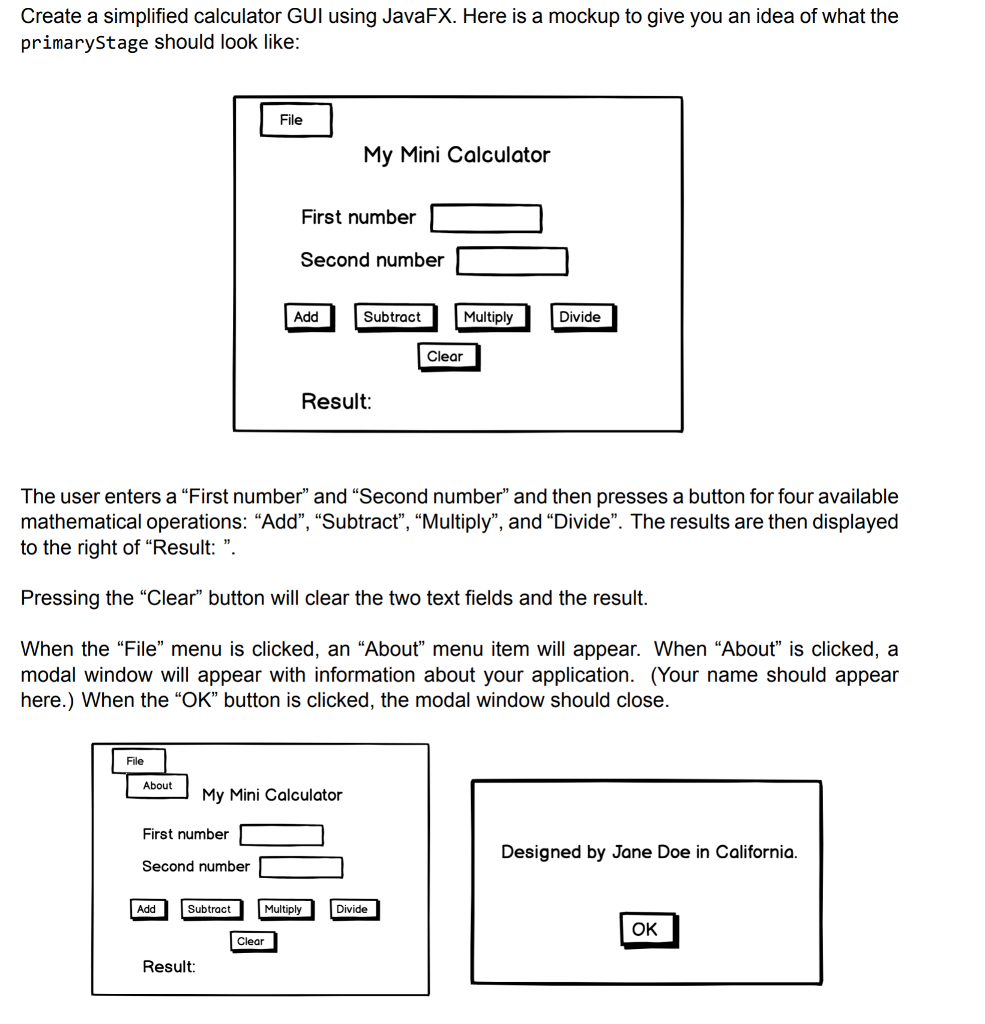
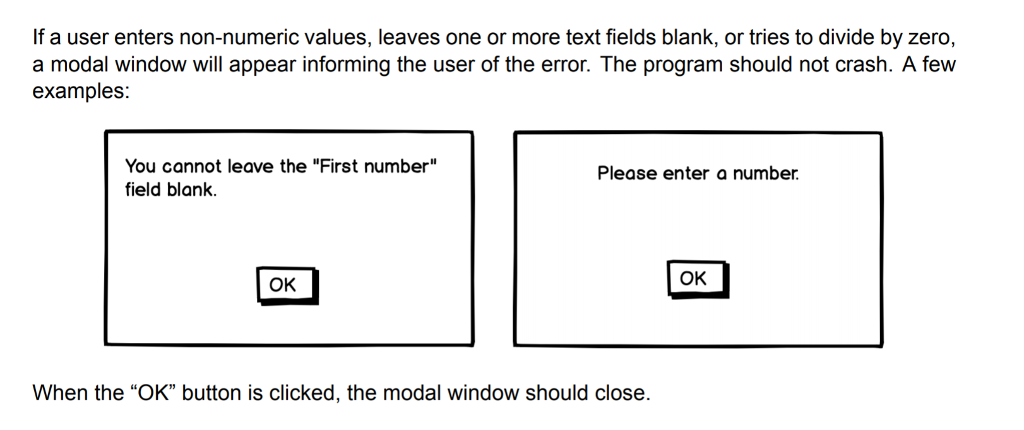
Create a simplified calculator GUI using JavaFX. Here is a mockup to give you an idea of what the primaryStage should look like File My Mini Calculator First number Second number Subtract Multiply Divide Clear Result The user enters a "First number" and "Second number" and then presses a button for four available mathematical operations: "Add", "Subtract", "Multiply", and "Divide". The results are then displayed to the right of "Result: ". Pressing the "Clear" button will clear the two text fields and the result When the "File" menu is clicked, an "About" menu item will appear. When "Abou?" is clicked, a modal window will appear with information about your application. (Your name should appear here.) When the "OK" button is clicked, the modal window should close File My Mini Calculator First number Designed by Jane Doe in California Second number Subtract Multiply Divide OK Clear Resul Create a simplified calculator GUI using JavaFX. Here is a mockup to give you an idea of what the primaryStage should look like File My Mini Calculator First number Second number Subtract Multiply Divide Clear Result The user enters a "First number" and "Second number" and then presses a button for four available mathematical operations: "Add", "Subtract", "Multiply", and "Divide". The results are then displayed to the right of "Result: ". Pressing the "Clear" button will clear the two text fields and the result When the "File" menu is clicked, an "About" menu item will appear. When "Abou?" is clicked, a modal window will appear with information about your application. (Your name should appear here.) When the "OK" button is clicked, the modal window should close File My Mini Calculator First number Designed by Jane Doe in California Second number Subtract Multiply Divide OK Clear Resul
Step by Step Solution
There are 3 Steps involved in it

Get step-by-step solutions from verified subject matter experts
 Study Help