







Question: please help missing columns, Show formulas too please they are required please help fill All missing cells shows formulas too they are required. Variance %
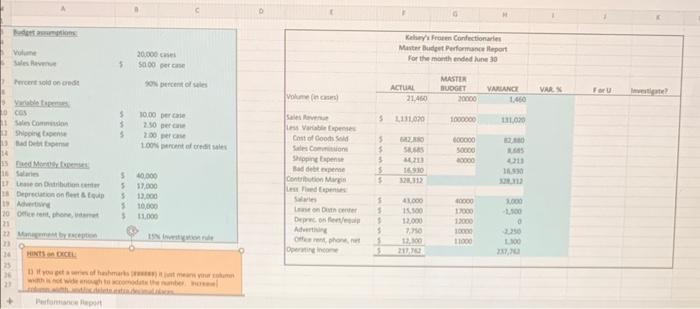
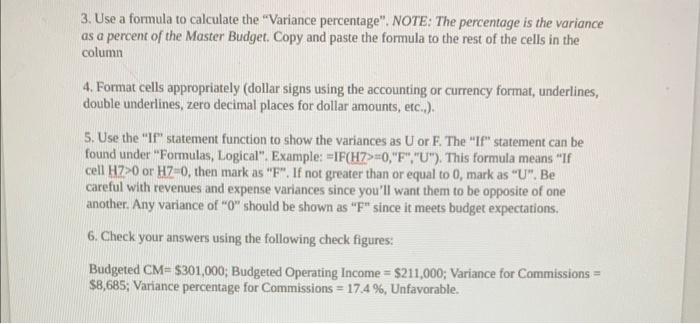
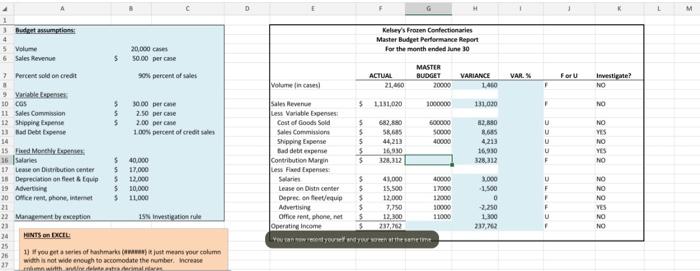
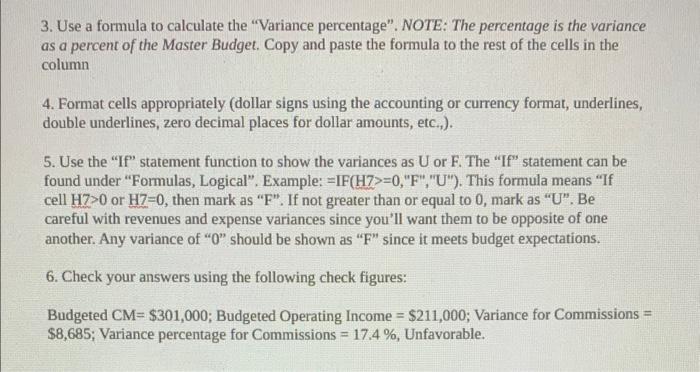
Thifarmance fieport 3. Use a formula to calculate the "Variance percentage". NOTE: The percentage is the variance as a percent of the Master Budget. Copy and paste the formula to the rest of the cells in the column 4. Format cells appropriately (dollar signs using the accounting or currency format, underlines, double underlines, zero decimal places for dollar amounts, etc..). 5. Use the "If" statement function to show the variances as U or F. The "If" statement can be found under "Formulas, Logical". Examples =IF(H7>=0, "F", "U"). This formula means "If cell H7>0 or HZ=0, then mark as " F ". If not greater than or equal to 0 , mark as "U". Be careful with revenues and expense variances since you'll want them to be opposite of one another. Any variance of " 0 " should be shown as " F " since it meets budget expectations. 6. Check your answers using the following check figures: Budgeted CM=$301,000; Budgeted Operating Income =$211,000; Variance for Commissions = $8,685; Variance percentage for Commissions =17.4%, Unfavorable. Hevir on frectu 1) If you get a teries of hanhmaris (ananas) it juit means your cohamn with a not wide encugh to accoivodate the namber. Mcrease 3. Use a formula to calculate the "Variance percentage". NOTE: The percentage is the variance as a percent of the Master Budget. Copy and paste the formula to the rest of the cells in the column 4. Format cells appropriately (dollar signs using the accounting or currency format, underlines, double underlines, zero decimal places for dollar amounts, etc.,). 5. Use the "If" statement function to show the variances as U or F. The "If" statement can be found under "Formulas, Logical". Example: =IF(H7>=0, "F", "U"). This formula means "If cell H7>0 or H7=0, then mark as " F ". If not greater than or equal to 0 , mark as " U ". Be careful with revenues and expense variances since you'll want them to be opposite of one another. Any variance of " 0 " should be shown as " F " since it meets budget expectations. 6. Check your answers using the following check figures: Budgeted CM=$301,000; Budgeted Operating Income =$211,000; Variance for Commissions = $8,685; Variance percentage for Commissions =17.4%, Unfavorable
Step by Step Solution
There are 3 Steps involved in it

Get step-by-step solutions from verified subject matter experts
 Study Help