







Question: Please help! Thanks! Include any calculations if possible pls. EA3-R1 Create the Statement of Cash Flows for Waterfall Management Inc. In this exercise, you will
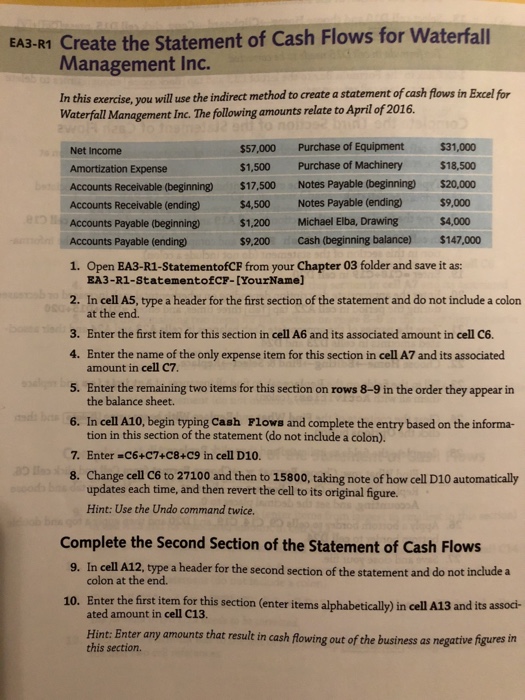
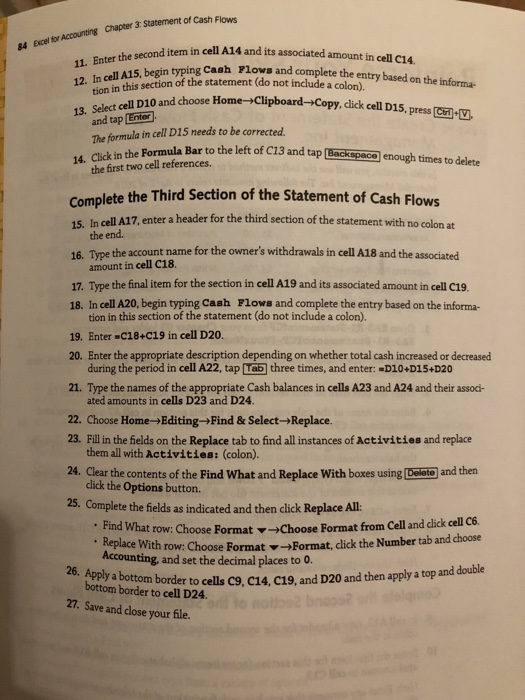
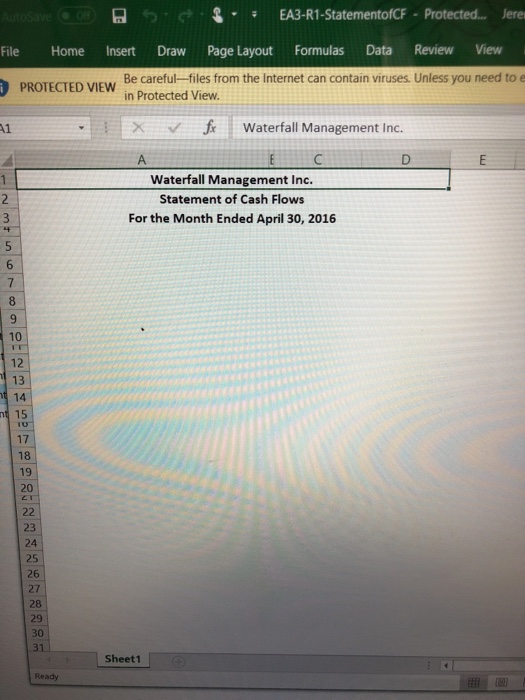
EA3-R1 Create the Statement of Cash Flows for Waterfall Management Inc. In this exercise, you will use the indirect method to create a statement of cash flows in Excel for Waterfall Management Inc. The following amounts relate to April of 2016 $57,000 Purchase of Equipment $31,000 Net Income Amortization Expense Accounts Receivable (beginning) $17,500 Accounts Receivable (ending) Accounts Payable (beginning) $1,200 Accounts Payable (ending) $1,500 Purchase of Machinery $4,500Notes Payable (ending) $9,200 Cash (beginning balance) $18,500 Notes Payable (beginning)$20,000 $9,000 Michael Elba, Drawing $4,000 $147,000 1. Open EA3-R1-StatementofCF from your Chapter 03 folder and save it as: -RI-StatementECF-[YourName] at the end. Enter the first item for this section in cell A6 and its associated amount in cell C6. Enter the name of the only expense item for this section in cell A7 and its associated 2. In cell A5, type a header for the first section of the statement and do not include a colon 3. 4. 5. Enter the remaining two items for this section on rows 8-9 in the order they appear in 6. In cell A10, begin typing Cash 7. Enter C6+C7+C8+C9 in cell D10 8. Change cell C6 to 27100 and then to 15800, taking note of how cell D10 automatically amount in cell C7 the balance sheet. Flows and complete the entry based on the informa- tion in this section of the statement (do not include a colon). updates each time, and then revert the cell to its original figure. Hint: Use the Undo command twice. Complete the Second Section of the Statement of Cash Flows 9. In cell A12, type a header for the second section of the statement and do not include a 10. Enter the first item for this section (enter items alphabetically) in cell A13 and its assoc- hgures in colon at the end. ated amount in cell C13. Hint: Enter any amounts t this section Hint Enter any amounts that result in cah flowing ou of the businessas negative
Step by Step Solution
There are 3 Steps involved in it

Get step-by-step solutions from verified subject matter experts
 Study Help