







Question: Please Help with following program, also the program should terminate by pressing Control + D (^D) Inputs and outputs: $ ./list i 5 1 :
Please Help with following program, also the program should terminate by pressing Control + D (^D)
Inputs and outputs:
$ ./list
i 5
1 : 5
d 3
1 : 5
i 3
2 : 3 5
i 500
3 : 3 5 500
d 5 2 : 3 500
^D
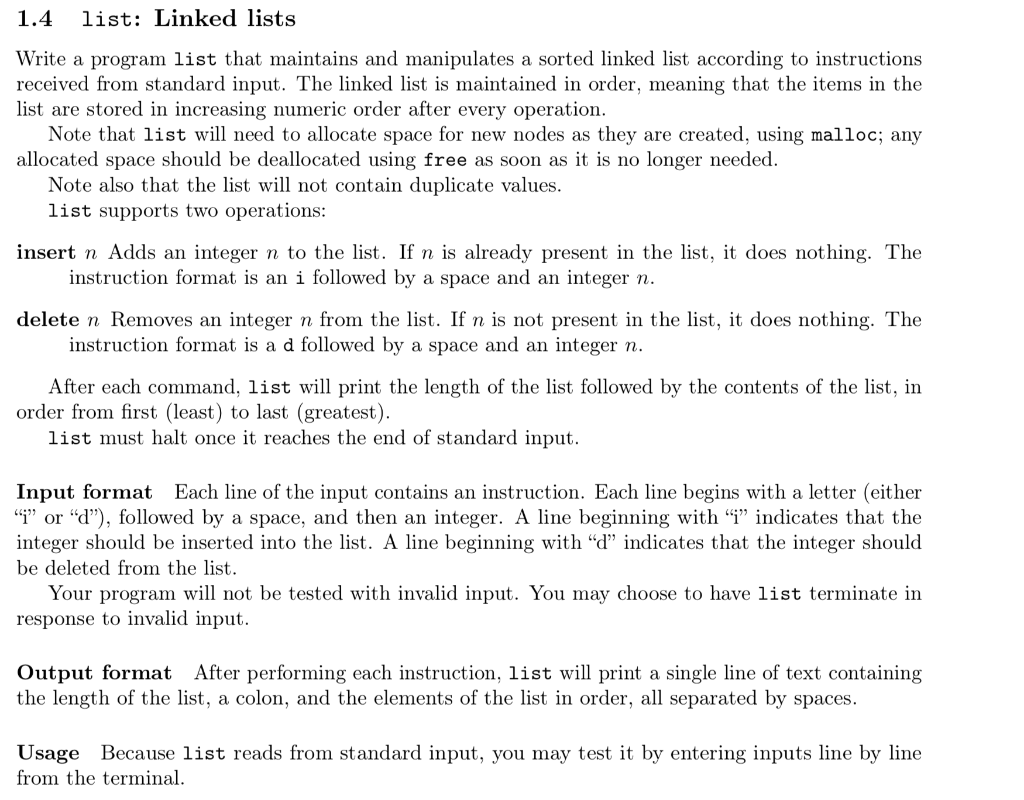
1.4 list: Linked lists Write a program list that maintains and manipulates a sorted linked list according to instructions received from standard input. The linked list is maintained in order, meaning that the items in the list are stored in increasing numeric order after every operation. Note that list will need to allocate space for new nodes as they are created, using malloc; any allocated space should be deallocated using free as soon as it is no longer needed. Note also that the list will not contain duplicate values. list supports two operations: insert n Adds an integer n to the list. If n is already present in the list, it does nothing. The instruction format is an i followed by a space and an integer n. delete n Removes an integer n from the list. If n is not present in the list, it does nothing. The instruction format is a d followed by a space and an integer n. After each command, list will print the length of the list followed by the contents of the list, in order from first (least) to last (greatest). list must halt once it reaches the end of standard input. Input format Each line of the input contains an instruction. Each line begins with a letter (either "I" or "d"), followed by a space, and then an integer. A line beginning with "" indicates that the integer should be inserted into the list. A line beginning with "d" indicates that the integer should be deleted from the list. Your program will not be tested with invalid input. You may choose to have list terminate in response to invalid input. Output format After performing each instruction, list will print a single line of text containing the length of the list, a colon, and the elements of the list in order, all separated by spaces. Usage Because list reads from standard input, you may test it by entering inputs line by line from the terminal. 1.4 list: Linked lists Write a program list that maintains and manipulates a sorted linked list according to instructions received from standard input. The linked list is maintained in order, meaning that the items in the list are stored in increasing numeric order after every operation. Note that list will need to allocate space for new nodes as they are created, using malloc; any allocated space should be deallocated using free as soon as it is no longer needed. Note also that the list will not contain duplicate values. list supports two operations: insert n Adds an integer n to the list. If n is already present in the list, it does nothing. The instruction format is an i followed by a space and an integer n. delete n Removes an integer n from the list. If n is not present in the list, it does nothing. The instruction format is a d followed by a space and an integer n. After each command, list will print the length of the list followed by the contents of the list, in order from first (least) to last (greatest). list must halt once it reaches the end of standard input. Input format Each line of the input contains an instruction. Each line begins with a letter (either "I" or "d"), followed by a space, and then an integer. A line beginning with "" indicates that the integer should be inserted into the list. A line beginning with "d" indicates that the integer should be deleted from the list. Your program will not be tested with invalid input. You may choose to have list terminate in response to invalid input. Output format After performing each instruction, list will print a single line of text containing the length of the list, a colon, and the elements of the list in order, all separated by spaces. Usage Because list reads from standard input, you may test it by entering inputs line by line from the terminal
Step by Step Solution
There are 3 Steps involved in it

Get step-by-step solutions from verified subject matter experts
 Study Help