







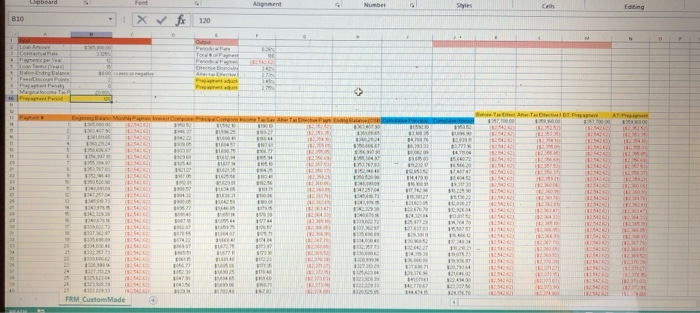
Question: Please help with the nested if function for cell B10. I have attached everything you need to help. Then, on your own, please add one
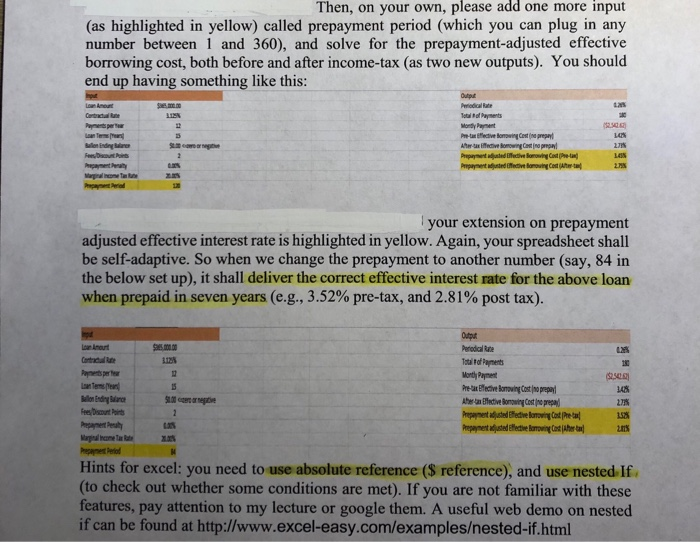
Then, on your own, please add one more input (as highlighted in yellow) called prepayment period (which you can plug in any number between 1 and 360), and solve for the prepayment-adjusted effective borrowing cost, both before and after income-tax (as two new outputs). You should end up having something like this: your extension on prepaymernt adjusted effective interest rate is highlighted in yellow. Again, your spreadsheet shall be self-adaptive. So when we change the prepayment to another number (say, 84 in the below set up), it shall deliver the correct effective interest rate for the above loan when prepaid in seven years (e.g., 3.52% pre-tax, and 2.81% post tax). ,00. 00 1125 Monty Payment 148 1528 1% ees/Discount Poir Hints for excel: you need to use absolute reference (S reference), and use nested. If (to check out whether some conditions are met). If you are not familiar with these features, pay attention to my lecture or google them. A useful web demo on nested if can be found at http://www.excel-easy.com/examplesested-if.html Then, on your own, please add one more input (as highlighted in yellow) called prepayment period (which you can plug in any number between 1 and 360), and solve for the prepayment-adjusted effective borrowing cost, both before and after income-tax (as two new outputs). You should end up having something like this: your extension on prepaymernt adjusted effective interest rate is highlighted in yellow. Again, your spreadsheet shall be self-adaptive. So when we change the prepayment to another number (say, 84 in the below set up), it shall deliver the correct effective interest rate for the above loan when prepaid in seven years (e.g., 3.52% pre-tax, and 2.81% post tax). ,00. 00 1125 Monty Payment 148 1528 1% ees/Discount Poir Hints for excel: you need to use absolute reference (S reference), and use nested. If (to check out whether some conditions are met). If you are not familiar with these features, pay attention to my lecture or google them. A useful web demo on nested if can be found at http://www.excel-easy.com/examplesested-if.html
Step by Step Solution
There are 3 Steps involved in it

Get step-by-step solutions from verified subject matter experts
 Study Help