







Question: PLEASE HELP WITH THIS CODING ASSIGNMENT AND SUBMIT CODE ACCORDING TO RUBRIC AS FOLLOWS. // File Header comes here import java.util.Arrays; // consider using Arrays.deepEquals()
PLEASE HELP WITH THIS CODING ASSIGNMENT AND SUBMIT CODE ACCORDING TO RUBRIC AS FOLLOWS.
// File Header comes here import java.util.Arrays; // consider using Arrays.deepEquals() to test the contents of a 2D array // Javadoc style class header comes here public class UrgentCareAdmissionsTester { /** * This test method is provided for you in its entirety, to give you a model for the rest of this * class. This method tests the getAdmissionIndex() method on a non-empty, non- full array of * patient records which we create and maintain here. * * This method tests three scenarios: * * 1. Adding a patient with a HIGHER triage priority than any currently present in the array. * To do this, we create an array with no RED priority patients and get the index to add a RED * priority patient. We expect this to be 0, so if we get any other value, the test fails. * * 2. Adding a patient with a LOWER triage priority than any currently present in the array. * To do this, we create an array with no GREEN priority patients and get the index to add a * GREEN priority patient. We expect this to be the current size of the oversize array, so if * we get any other value, the test fails. * * 3. Adding a patient with the SAME triage priority as existing patients. New patients at the * same priority should be added AFTER any existing patients. We test this for all three triage * levels on an array containing patients at all three levels. * * @author hobbes * @return true if and only if all test scenarios pass, false otherwise */ public static boolean testGetIndex() { // The non-empty, non-full oversize arrays to use in this test. // Note that we're using the UrgentCareAdmissions named constants to create these test records, // rather than their corresponding literal int values. // This way if the numbers were to change in UrgentCareAdmissions, our test will still be valid. int[][] patientsListAllLevels = new int[][] { {32702, 3, UrgentCareAdmissions.RED}, {21801, 2, UrgentCareAdmissions.YELLOW}, {22002, 4, UrgentCareAdmissions.YELLOW}, {11901, 5, UrgentCareAdmissions.YELLOW}, {31501, 1, UrgentCareAdmissions.GREEN}, null, null, null }; int allLevelsSize = 5;
int[][] patientsListOnlyYellow = new int[][] { {21801, 2, UrgentCareAdmissions.YELLOW}, {22002, 4, UrgentCareAdmissions.YELLOW}, {11901, 5, UrgentCareAdmissions.YELLOW}, null, null, null, null, null }; int onlyYellowSize = 3; // scenario 1: add a patient with a higher priority than any existing patient { int expected = 0; int actual = UrgentCareAdmissions.getAdmissionIndex(UrgentCareAdmissions.RED, patientsListOnlyYellow, onlyYellowSize); if (expected != actual) return false; } // scenario 2: add a patient with a lower priority than any existing patient { int expected = onlyYellowSize; int actual = UrgentCareAdmissions.getAdmissionIndex(UrgentCareAdmissions.GREEN, patientsListOnlyYellow, onlyYellowSize); if (expected != actual) return false; } // scenario 3: verify that a patient with the same priority as existing patients gets // added after all of those patients { int expected = 1; int actual = UrgentCareAdmissions.getAdmissionIndex(UrgentCareAdmissions.RED, patientsListAllLevels, allLevelsSize); if (expected != actual) return false; expected = 4; actual = UrgentCareAdmissions.getAdmissionIndex(UrgentCareAdmissions.YELLOW, patientsListAllLevels, allLevelsSize); if (expected != actual) return false; expected = allLevelsSize; actual = UrgentCareAdmissions.getAdmissionIndex(UrgentCareAdmissions.GREEN, patientsListAllLevels, allLevelsSize); if (expected != actual) return false; } // and finally, verify that the arrays were not changed at all { int[][] allLevelsCopy = new int[][] { {32702, 3, UrgentCareAdmissions.RED}, {21801, 2, UrgentCareAdmissions.YELLOW}, {22002, 4, UrgentCareAdmissions.YELLOW}, {11901, 5, UrgentCareAdmissions.YELLOW}, {31501, 1, UrgentCareAdmissions.GREEN}, null, null, null }; if (!Arrays.deepEquals(patientsListAllLevels, allLevelsCopy)) return false;
int[][] onlyYellowCopy = new int[][] { {21801, 2, UrgentCareAdmissions.YELLOW}, {22002, 4, UrgentCareAdmissions.YELLOW}, {11901, 5, UrgentCareAdmissions.YELLOW}, null, null, null, null, null }; if (!Arrays.deepEquals(patientsListOnlyYellow, onlyYellowCopy)) return false; } return true; } // Tests the behavior of the addPatient method using a non-empty, non-full array. Each test // should verify that the returned size is as expected and that the array has been updated // (or not) appropriately public static boolean testAddPatient() { // (1) add a patient to the END of the patientsList // (2) add a patient to the MIDDLE of the patientsList // (3) add a patient using an invalid (out-of-bounds) index return false; } // Tests the behavior of the removeNextPatient method using a non-empty, non-full array. Each // test should verify that the returned size is as expected and that the array has been updated // (or not) appropriately public static boolean testRemovePatient() { // (1) remove a patient from a patientsList containing more than one record // (2) remove a patient from a patientsList containing only one record return false; } // Tests the behavior of the getPatientIndex method using a non-empty, non-full array. public static boolean testGetPatientIndex() { // (1) look for a patient at the end of the list // (2) look for a patient in the middle of the list // (3) look for a patient not present in the list return false; } // Tests the getLongestWaitingPatientIndex method using a non-empty, non-full array. When // designing these tests, recall that arrivalOrder values will all be unique! public static boolean testLongestWaitingPatient() { // (1) call the method on a patientsList with only one patient // (2) call the method on a patientsList with at least three patients return false; }
// Tests the edge case behavior of the UrgentCareAdmissions methods using empty and full arrays public static boolean testEmptyAndFullArrays() { // (1) test getAdmissionIndex using an empty patientsList array and any triage level // (2) test getAdmissionIndex using a full patientsList array and any triage level // (3) test addPatient using a full patientsList array // (4) test removeNextPatient using an empty patientsList array // (5) test getPatientIndex using an empty patientsList array // (6) test getLongestWaitingPatientIndex using an empty patientsList array return false; } // Tests the getSummary method using arrays in various states public static boolean testGetSummary() { // (1) test getSummary using an empty patientsList // (2) test getSummary using a patientsList with multiple patients at a single triage level // (3) test getSummary using a patientsList with patients at all triage levels return false; } /** * Runs each of the tester methods and displays their result * @param args */ public static void main(String[] args) { System.out.println("get index: "+testGetIndex()); System.out.println("add patient: "+testAddPatient()); System.out.println("remove patient: "+testRemovePatient()); System.out.println("get patient: "+testGetPatientIndex()); System.out.println("longest wait: "+testLongestWaitingPatient()); System.out.println("empty/full: "+testEmptyAndFullArrays()); System.out.println("get summary: "+testGetSummary()); }
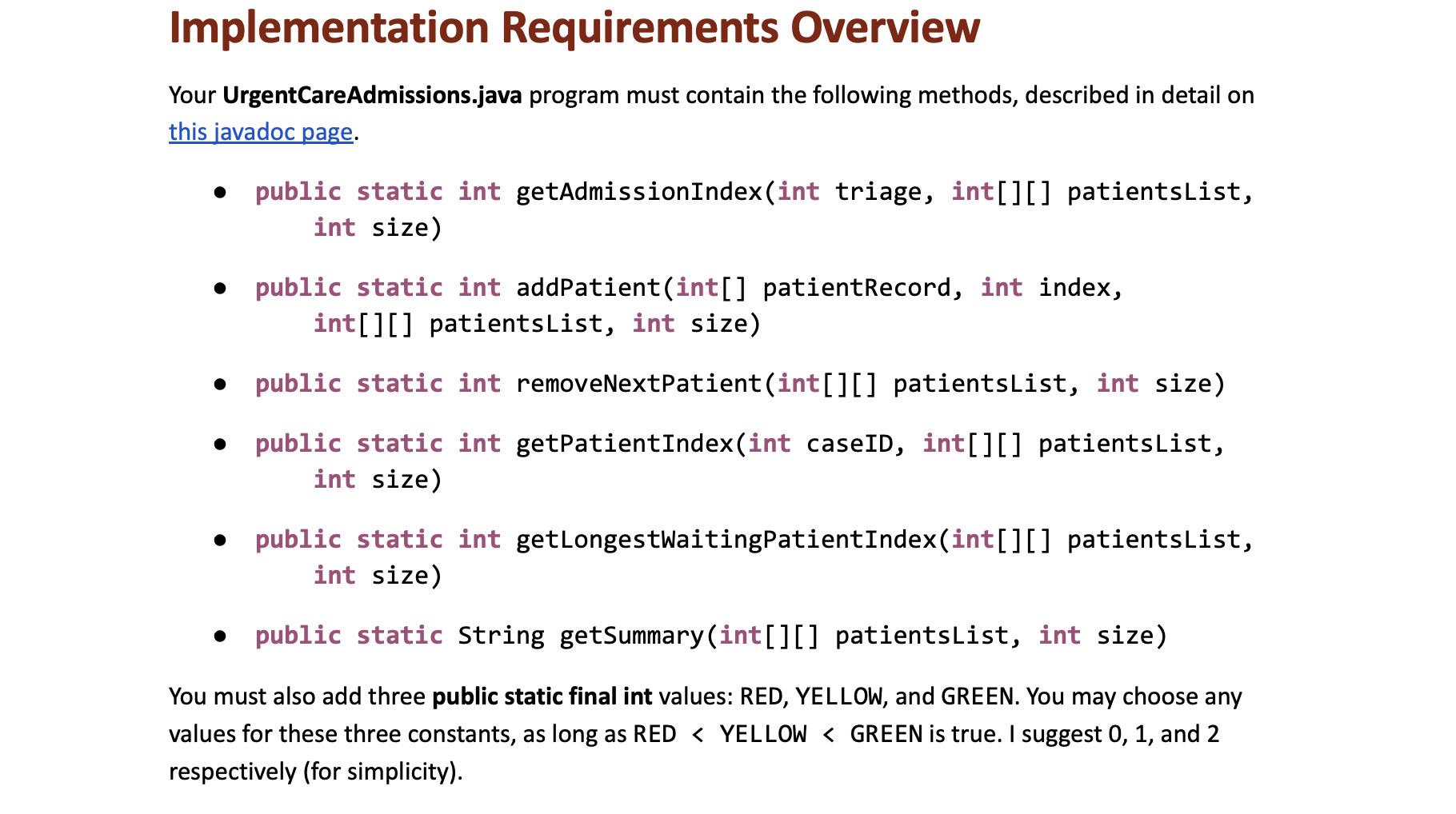
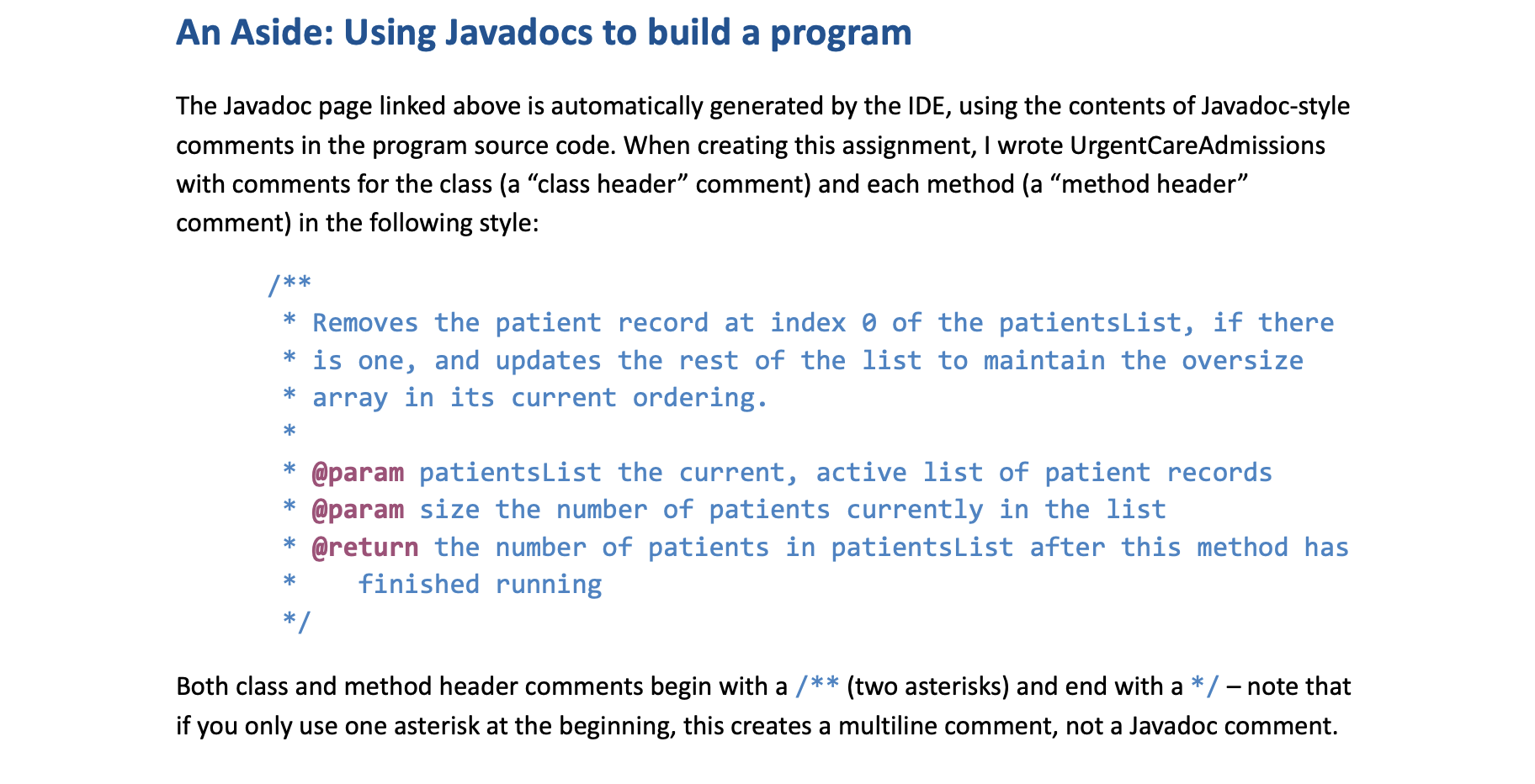
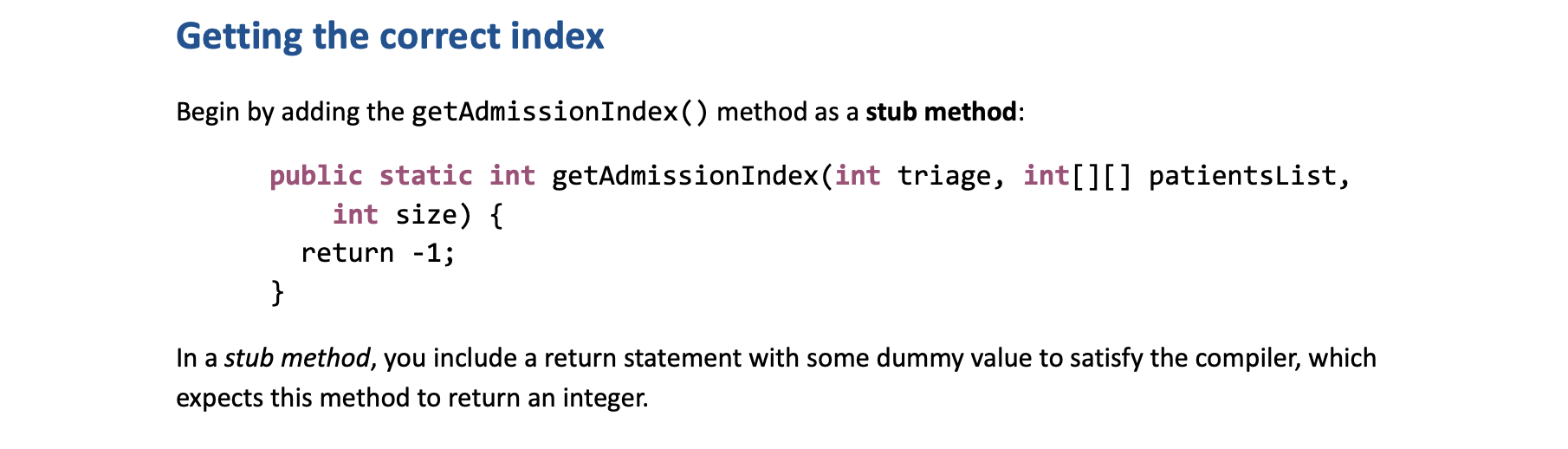
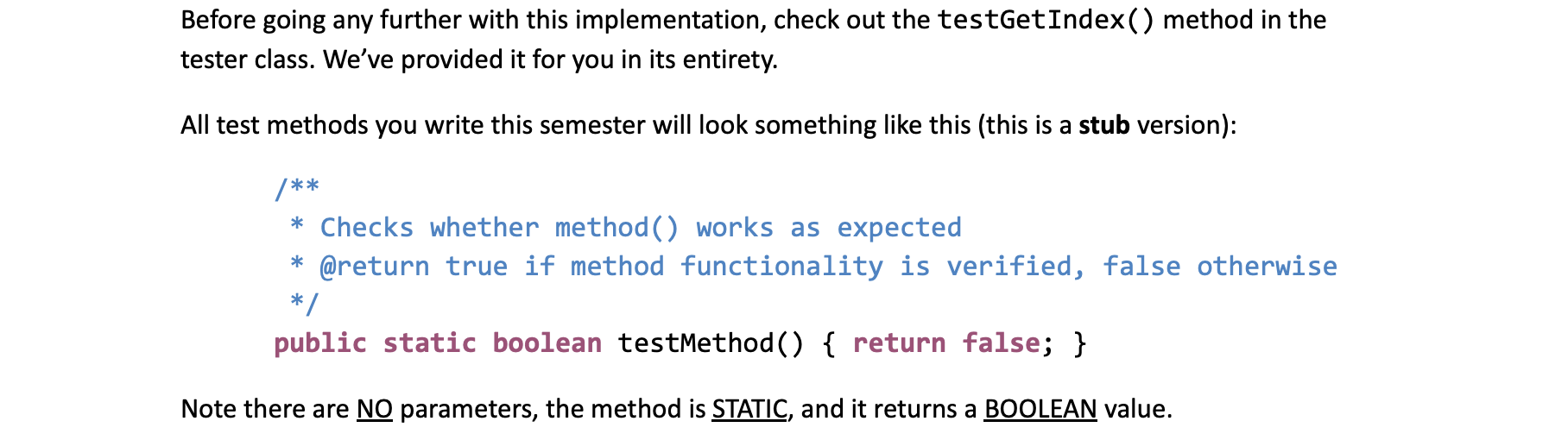
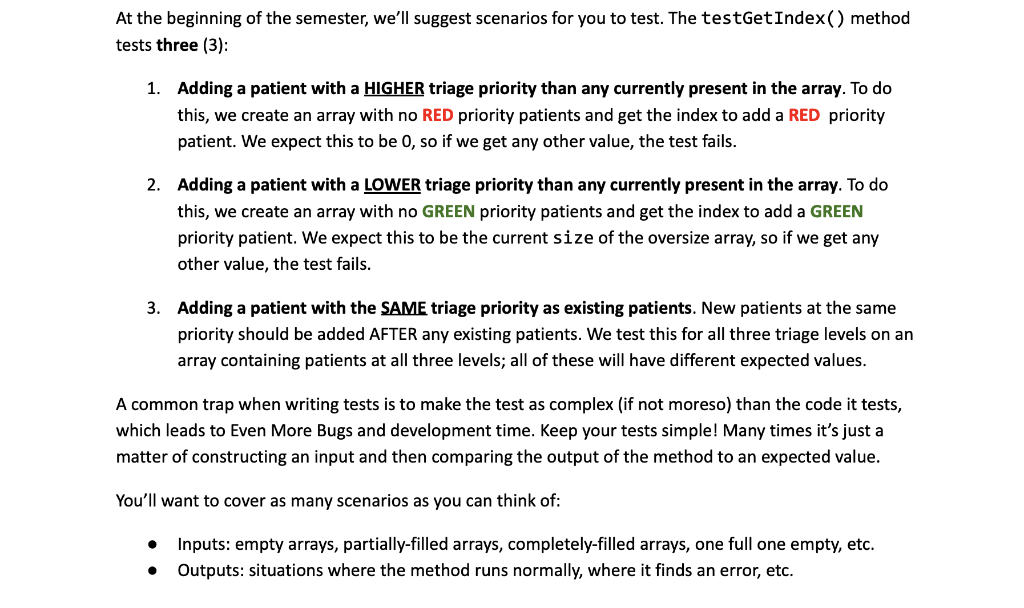
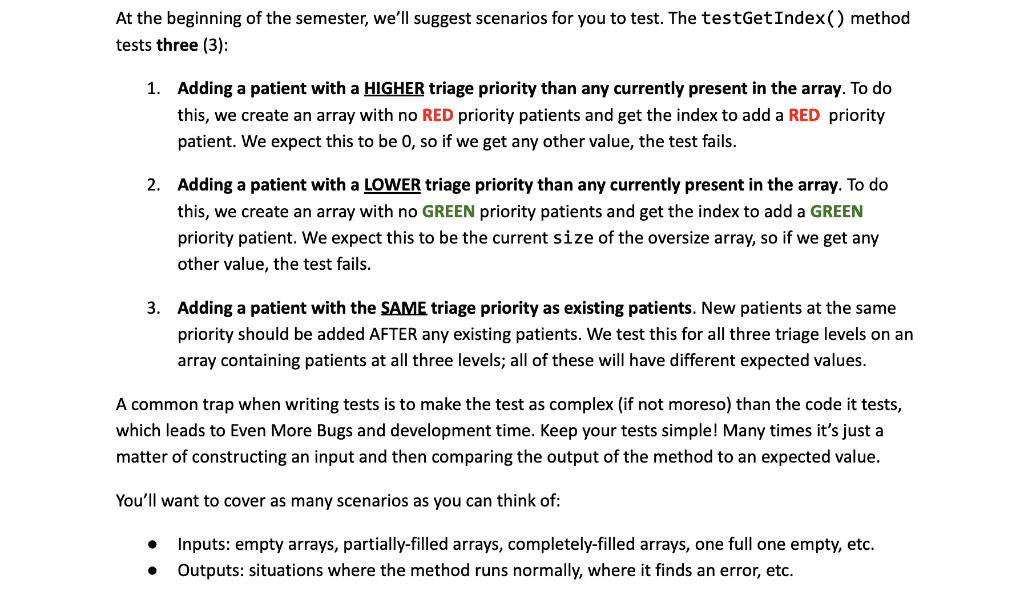
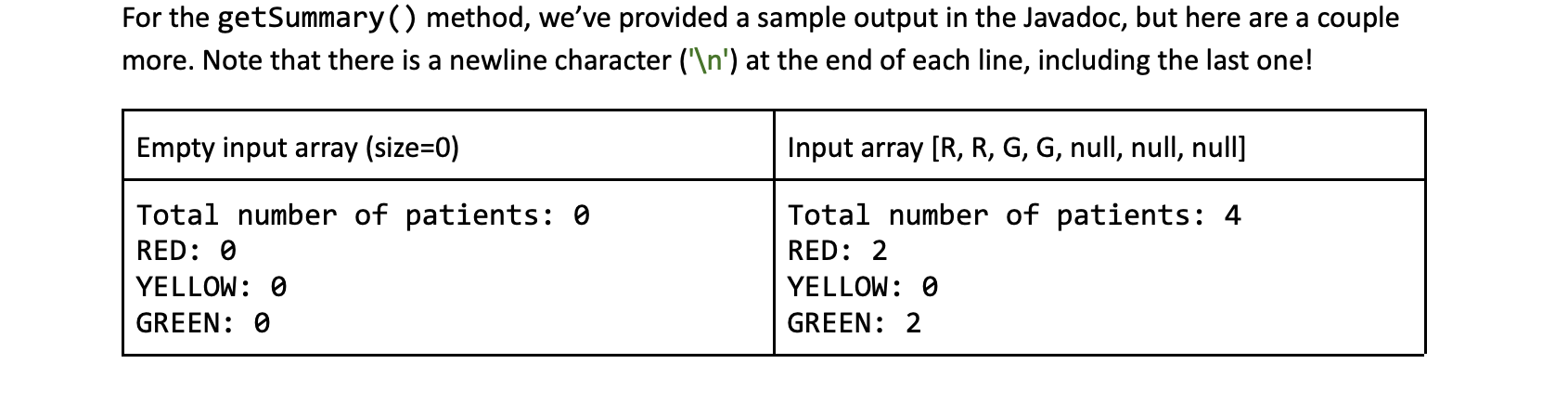
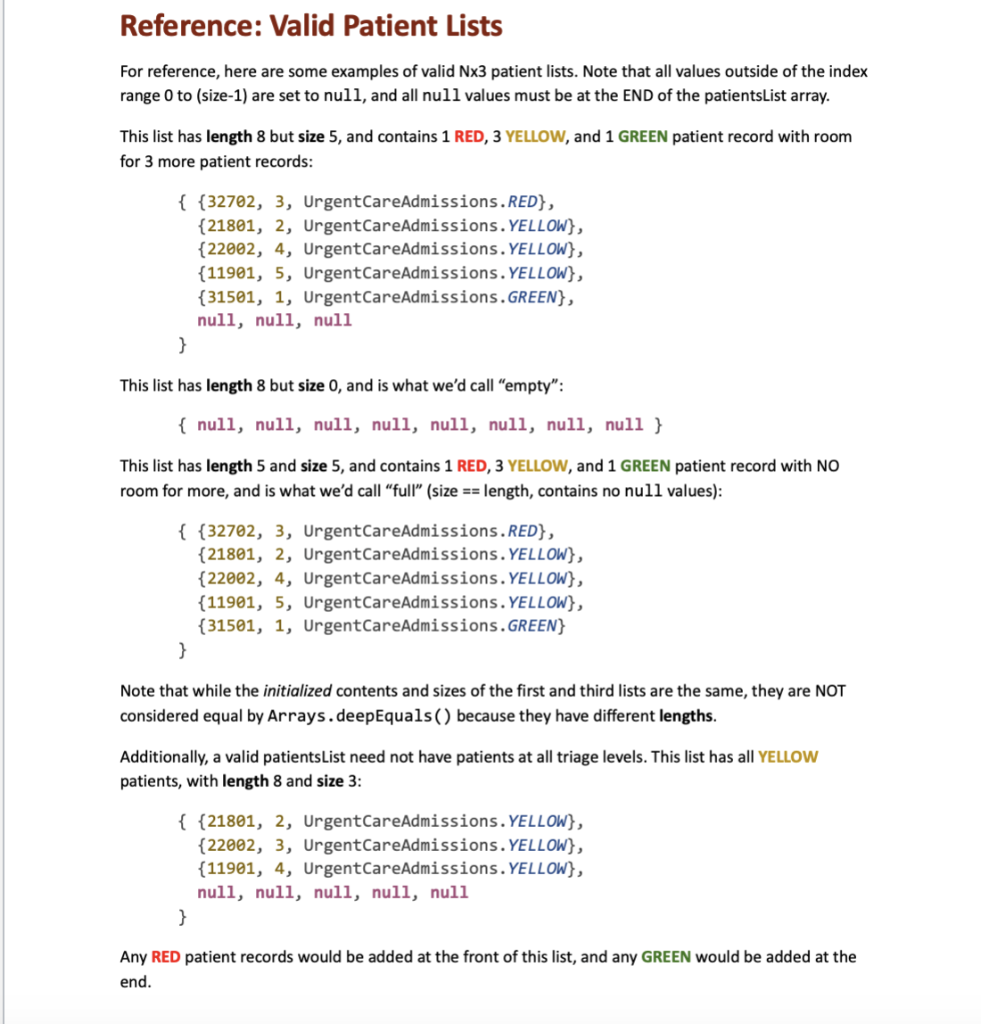
Overview A local urgent care clinic is looking for our assistance automating its case management protocols. As each patient arrives at the clinic, they are assigned (1) a five-digit case number, (2) a count of which patient number they are that day, and (3) a triage priority level of GREEN (lowest), YELLOW (middle), or RED (highest). Higher priority patients will be seen before anyone else, but otherwise patients are served in the order they arrived. We'll improve upon our design for this application as the semester progresses, but for now we'll keep things simple. In this first version of our Urgent Care case manager, you will need to: - Figure out where to add a new patient at a given triage level - Add a new patient record to the list, maintaining it as an oversize array - Remove the highest priority patient from the list - Get some summary data of the current state of the patient record list - The ONLY external libraries you may use in your tester class are: java.util. Arrays Use of any other packages (outside of java.lang) in any other classes is NOT permitted. - You are allowed to define any local variables you may need to implement the methods in this specification (inside methods). You are NOT allowed to define any additional instance or static variables or constants beyond those specified in the write-up. - All methods must be static. You are allowed to define additional private static helper methods. - Only the UrgentCareAdmissionsTester class may contain a main method. - All classes and methods must have their own Javadoc-style method header comments in accordance with the CS 300 Course Style Guide. - Any source code provided in this specification may be included verbatim in your program without attribution. Getting Started 1. Create a new project in Eclipse, called something like P01 Urgent Care. a. Ensure this project uses Java 17. Select "JavaSE-17" under "Use an execution environment JRE" in the New Java Project dialog box. b. Do not create a project-specific package; use the default package. 2. Download (1) Java source file from the assignment page on Canvas: a. UrgentCareAdmissionsTester.java (includes a main method) 3. Create one (1) Java source files within that project's src folder: a. UrgentCareAdmissions.java (does NOT include a main method) All methods in this program will be static methods, as this program focuses on procedural programm Implementation Requirements Overview Your UrgentCareAdmissions.java program must contain the following methods, described in detail on this javadoc page. - public static int getAdmissionIndex(int triage, int[][] patientsList, int size) - public static int addPatient(int[] patientRecord, int index, int [][] patientsList, int size) - public static int removeNextPatient(int[][] patientsList, int size) - public static int getPatientIndex(int caseID, int[][] patientsList, int size) - public static int getLongestWaitingPatientIndex(int[][] patientsList, int size) - public static String getSummary(int[][] patientsList, int size) You must also add three public static final int values: RED, YELLOW, and GREEN. You may choose any values for these three constants, as long as RED / Removes the patient record at index 0 of the patientsList, if there is one, and updates the rest of the list to maintain the oversize array in its current ordering. @param patientsList the current, active list of patient records @param size the number of patients currently in the list @return the number of patients in patientsList after this method has finished running / Both class and method header comments begin with a / (two asterisks) and end with a / note that if you only use one asterisk at the beginning, this creates a multiline comment, not a Javadoc comment. Getting the correct index Begin by adding the getAdmissionIndex () method as a stub method: public static int getAdmissionIndex(int triage, int[][] patientsList, int size) return -1; \} In a stub method, you include a return statement with some dummy value to satisfy the compiler, which expects this method to return an integer. Before going any further with this implementation, check out the testGetIndex ( ) method in the tester class. We've provided it for you in its entirety. All test methods you write this semester will look something like this (this is a stub version): / Checks whether method() works as expected @return true if method functionality is verified, false otherwise / public static boolean testMethod() \{ return false; } Note there are NO parameters, the method is STATIC, and it returns a BOOLEAN value. At the beginning of the semester, we'll suggest scenarios for you to test. The testGetIndex( ) method tests three (3): 1. Adding a patient with a HIGHER triage priority than any currently present in the array. To do this, we create an array with no RED priority patients and get the index to add a RED priority patient. We expect this to be 0 , so if we get any other value, the test fails. 2. Adding a patient with a LOWER triage priority than any currently present in the array. To do this, we create an array with no GREEN priority patients and get the index to add a GREEN priority patient. We expect this to be the current size of the oversize array, so if we get any other value, the test fails. 3. Adding a patient with the SAME triage priority as existing patients. New patients at the same priority should be added AFTER any existing patients. We test this for all three triage levels on an array containing patients at all three levels; all of these will have different expected values. A common trap when writing tests is to make the test as complex (if not moreso) than the code it tests, which leads to Even More Bugs and development time. Keep your tests simple! Many times it's just a matter of constructing an input and then comparing the output of the method to an expected value. You'll want to cover as many scenarios as you can think of: - Inputs: empty arrays, partially-filled arrays, completely-filled arrays, one full one empty, etc. - Outputs: situations where the method runs normally, where it finds an error, etc. At the beginning of the semester, we'll suggest scenarios for you to test. The testGetIndex( ) method tests three (3): 1. Adding a patient with a HIGHER triage priority than any currently present in the array. To do this, we create an array with no RED priority patients and get the index to add a RED priority patient. We expect this to be 0 , so if we get any other value, the test fails. 2. Adding a patient with a LOWER triage priority than any currently present in the array. To do this, we create an array with no GREEN priority patients and get the index to add a GREEN priority patient. We expect this to be the current size of the oversize array, so if we get any other value, the test fails. 3. Adding a patient with the SAME triage priority as existing patients. New patients at the same priority should be added AFTER any existing patients. We test this for all three triage levels on an array containing patients at all three levels; all of these will have different expected values. A common trap when writing tests is to make the test as complex (if not moreso) than the code it tests, which leads to Even More Bugs and development time. Keep your tests simple! Many times it's just a matter of constructing an input and then comparing the output of the method to an expected value. You'll want to cover as many scenarios as you can think of: - Inputs: empty arrays, partially-filled arrays, completely-filled arrays, one full one empty, etc. - Outputs: situations where the method runs normally, where it finds an error, etc. For the getSummary ( ) method, we've provided a sample output in the Javadoc, but here are a couple more. Note that there is a newline character (' ') at the end of each line, including the last one! Reference: Valid Patient Lists For reference, here are some examples of valid Nx3 patient lists. Note that all values outside of the index range 0 to (size-1) are set to null, and all null values must be at the END of the patientsList array. This list has length 8 but size 5, and contains 1 RED, 3 YELLOW, and 1 GREEN patient record with room for 3 more patient records: This list has length 8 but size 0 , and is what we'd call "empty": {null,null,null,null,null,null,null,null} This list has length 5 and size 5, and contains 1 RED, 3 YELLOW, and 1 GREEN patient record with NO room for more, and is what we'd call "full" (size == length, contains no null values): {{32702,3, UrgentCareAdmissions. RED }, {21801,2, UrgentCareAdmissions. YELLOW }, {22002,4, UrgentCareAdmissions. YELLOW }, {11901,5, UrgentCareAdmissions. YELLOW\}, {31501,1, UrgentCareAdmissions. GREEN } \} Note that while the initialized contents and sizes of the first and third lists are the same, they are NOT considered equal by Arrays. deepEquals( ) because they have different lengths. Additionally, a valid patientsList need not have patients at all triage levels. This list has all YELLOW patients, with length 8 and size 3 : {{21801,2, UrgentCareAdmissions. YELLOW\}, {22002,3, UrgentCareAdmissions. YELLOW\}, {11901,4, UrgentCareAdmissions. YELLOW\}, nu11, nu11, null, null, null \} Any RED patient records would be added at the front of this list, and any GREEN would be added at the end
Step by Step Solution
There are 3 Steps involved in it

Get step-by-step solutions from verified subject matter experts
 Study Help