







Question: Please I need help to do this project. EX16LCHO6GRADERCAPHW - Delta Paint 12 Instructions [Compatibility Mode) - Word Alan Khanaiya Insert Design Layout References Mailings
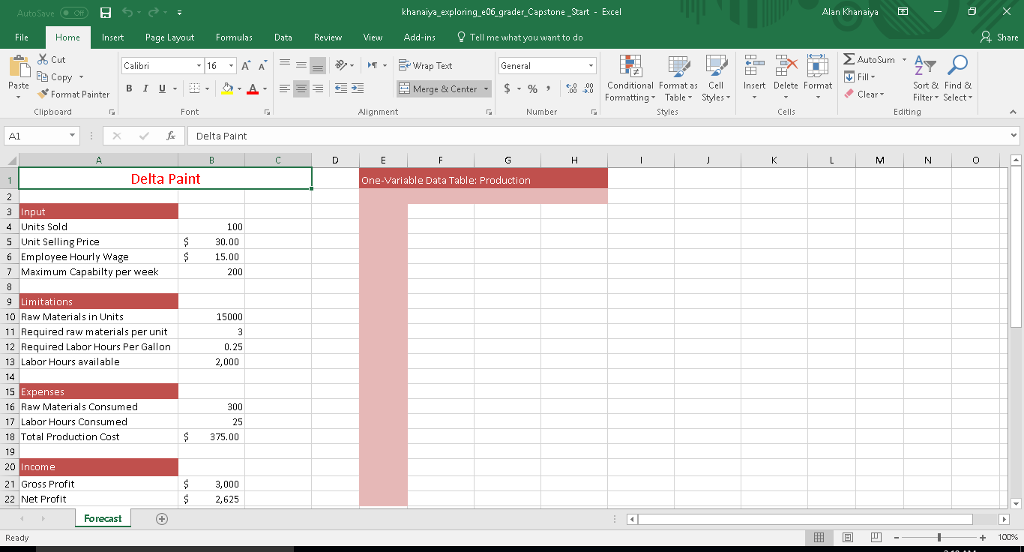
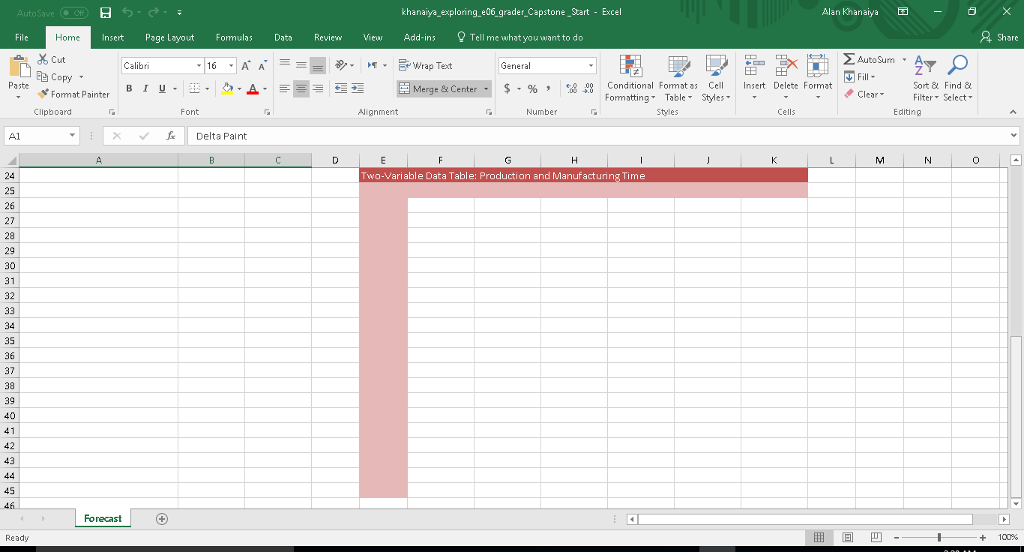
Please I need help to do this project.
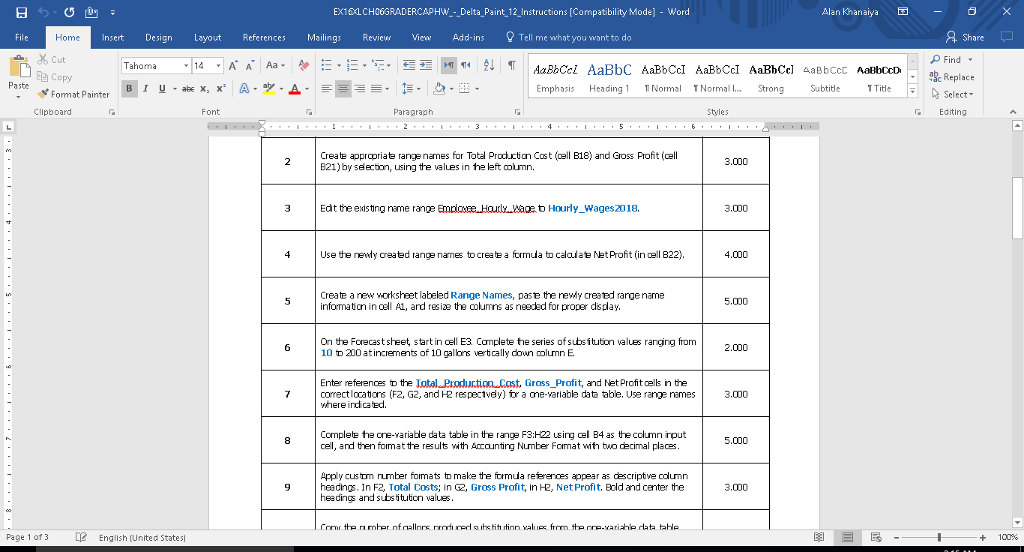
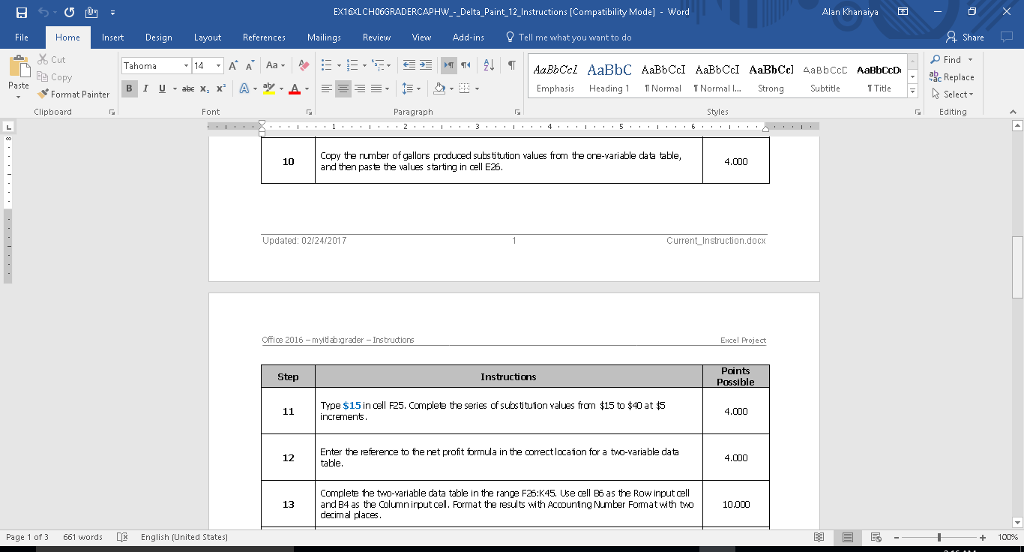
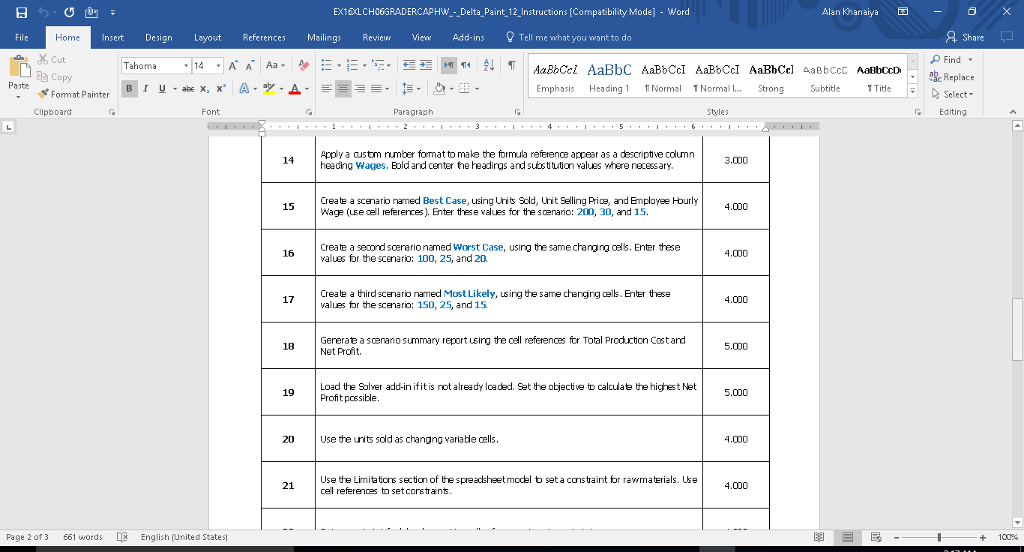
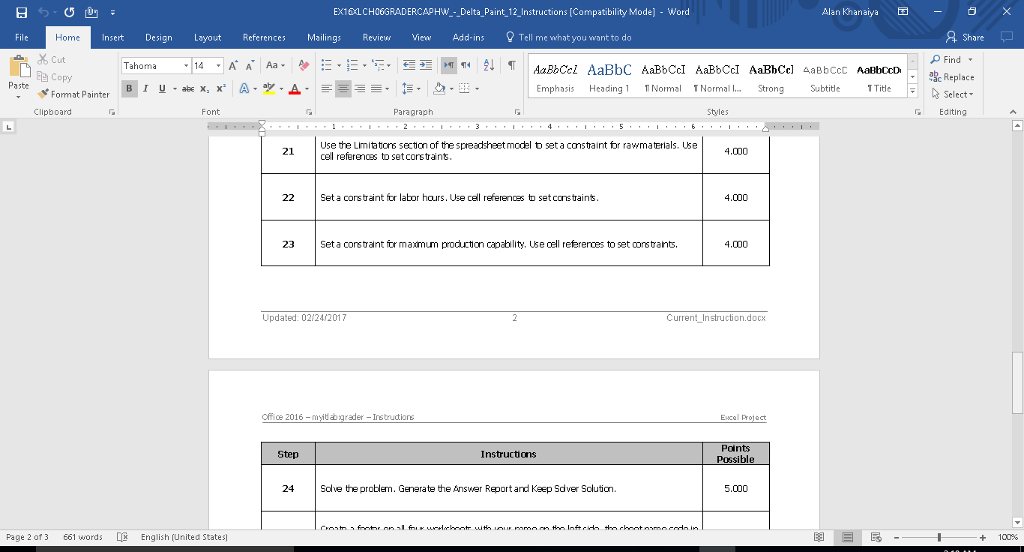
EX16LCHO6GRADERCAPHW - Delta Paint 12 Instructions [Compatibility Mode) - Word Alan Khanaiya Insert Design Layout References Mailings Review View Add-ins Tell me what you want to do Share Home Cut Copy Fomat Painter File Find Tahoma c Replace Emphasis Heading1 TN Norma Strong Subtitde iteSelect T Title | Clipboard Font Paragraph Styles G Editing Create apprcpriate range names for Total Prodction Cast (ell B18) and Cross rofit (cell B21) by selection, using te values in te left mn. 3.000 Edt theeisting name range Emrloe Haurly wace b Hourly_Wages2018. 3.000 Use the nenly created range names tocreate a frmuda to calalate NetProfit (in cell B22). 4.000 Create a new worksheet labeled Range Names, pasthe newy created range name informaton in cell A1, and resie the columns as needad for proper dsplay. 5.000 On te Forecast sheet, start in oel E3 Cplete te series of subsitution values ranging from 10 D 00 at increments of 10 calms vertically down lumn E 2.000 Enter references the otal Producticm Cost, Gross_Profit, and Net Profit cells in the correct locators (FZ, G2, and H2 respecIvey) tr a one-variable data ble. Use range remes where indi caed. 3.000 Complete the oe-yariable data table in the range F3:H22 sing cel B4 as the cclumn irput cel, and then fomat the results wth Aaunting Number Fomat wth tuo decimal places 5.000 Apply cus tm rumber fomats to make the formda references appear as descriptve column heedings. In F2, Total Costs; in 2, Gross Profit, in H2, Net Profit. Bld and center the headings and subs itution values 3.000 Page 1 of 3 English (United States +100% EX16LCHO6GRADERCAPHW - Delta Paint 12 Instructions [Compatibility Mode) - Word Alan Khanaiya Insert Design Layout References Mailings Review View Add-ins Tell me what you want to do Share Home Cut Copy Fomat Painter File Find Tahoma c Replace Emphasis Heading1 TN Norma Strong Subtitde iteSelect T Title | Clipboard Font Paragraph Styles G Editing Create apprcpriate range names for Total Prodction Cast (ell B18) and Cross rofit (cell B21) by selection, using te values in te left mn. 3.000 Edt theeisting name range Emrloe Haurly wace b Hourly_Wages2018. 3.000 Use the nenly created range names tocreate a frmuda to calalate NetProfit (in cell B22). 4.000 Create a new worksheet labeled Range Names, pasthe newy created range name informaton in cell A1, and resie the columns as needad for proper dsplay. 5.000 On te Forecast sheet, start in oel E3 Cplete te series of subsitution values ranging from 10 D 00 at increments of 10 calms vertically down lumn E 2.000 Enter references the otal Producticm Cost, Gross_Profit, and Net Profit cells in the correct locators (FZ, G2, and H2 respecIvey) tr a one-variable data ble. Use range remes where indi caed. 3.000 Complete the oe-yariable data table in the range F3:H22 sing cel B4 as the cclumn irput cel, and then fomat the results wth Aaunting Number Fomat wth tuo decimal places 5.000 Apply cus tm rumber fomats to make the formda references appear as descriptve column heedings. In F2, Total Costs; in 2, Gross Profit, in H2, Net Profit. Bld and center the headings and subs itution values 3.000 Page 1 of 3 English (United States +100%
Step by Step Solution
There are 3 Steps involved in it

Get step-by-step solutions from verified subject matter experts
 Study Help