







Question: please I need help with steps 2e-2j. 2. Create a nested INDEX and MATCH function to display the number of responses from a city. a.
please I need help with steps 2e-2j.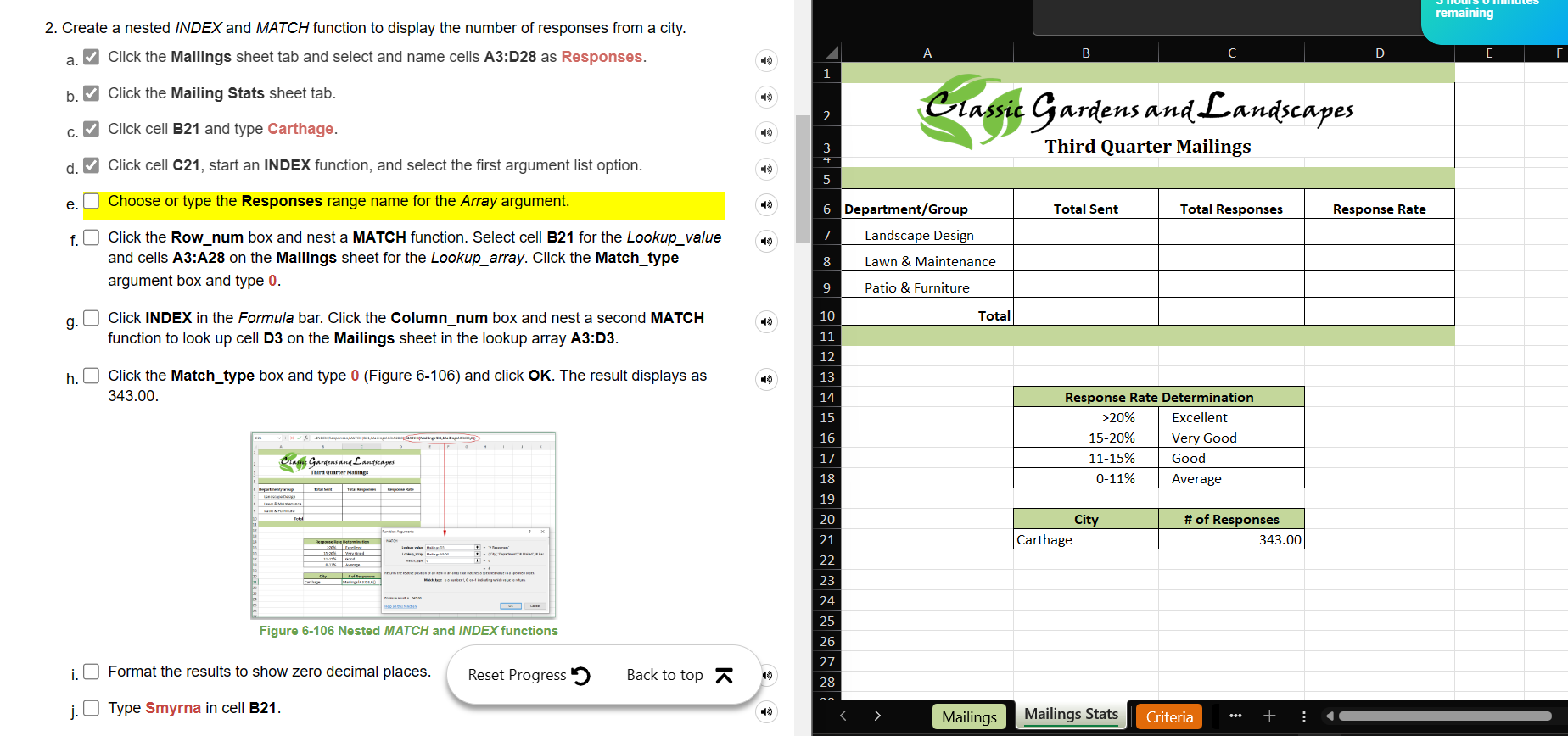
2. Create a nested INDEX and MATCH function to display the number of responses from a city. a. Click the Mailings sheet tab and select and name cells A3:D28 as Responses. b. Click the Mailing Stats sheet tab. c. Click cell B21 and type Carthage. d. V Click cell C21, start an INDEX function, and select the first argument list option. e. Choose or type the Responses range name for the Array argument. f. Click the Row_num box and nest a MATCH function. Select cell B21 for the Lookup_value and cells A3:A28 on the Mailings sheet for the Lookup_array. Click the Match_type argument box and type 0 . g. Click INDEX in the Formula bar. Click the Column_num box and nest a second MATCH function to look up cell D3 on the Mailings sheet in the lookup array A3:D3. h. Click the Match_type box and type 0 (Figure 6-106) and click OK. The result displays as 343.00. Figure 6-106 Nested MATCH and INDEX functions i. Format the results to show zero decimal places. 2. Create a nested INDEX and MATCH function to display the number of responses from a city. a. Click the Mailings sheet tab and select and name cells A3:D28 as Responses. b. Click the Mailing Stats sheet tab. c. Click cell B21 and type Carthage. d. V Click cell C21, start an INDEX function, and select the first argument list option. e. Choose or type the Responses range name for the Array argument. f. Click the Row_num box and nest a MATCH function. Select cell B21 for the Lookup_value and cells A3:A28 on the Mailings sheet for the Lookup_array. Click the Match_type argument box and type 0 . g. Click INDEX in the Formula bar. Click the Column_num box and nest a second MATCH function to look up cell D3 on the Mailings sheet in the lookup array A3:D3. h. Click the Match_type box and type 0 (Figure 6-106) and click OK. The result displays as 343.00. Figure 6-106 Nested MATCH and INDEX functions i. Format the results to show zero decimal places
Step by Step Solution
There are 3 Steps involved in it

Get step-by-step solutions from verified subject matter experts
 Study Help