







Question: Please I need help with this assignment Log into Coivcenter and start your VM, log in as Student, cd to ~/FILES. You will use the
Please I need help with this assignment
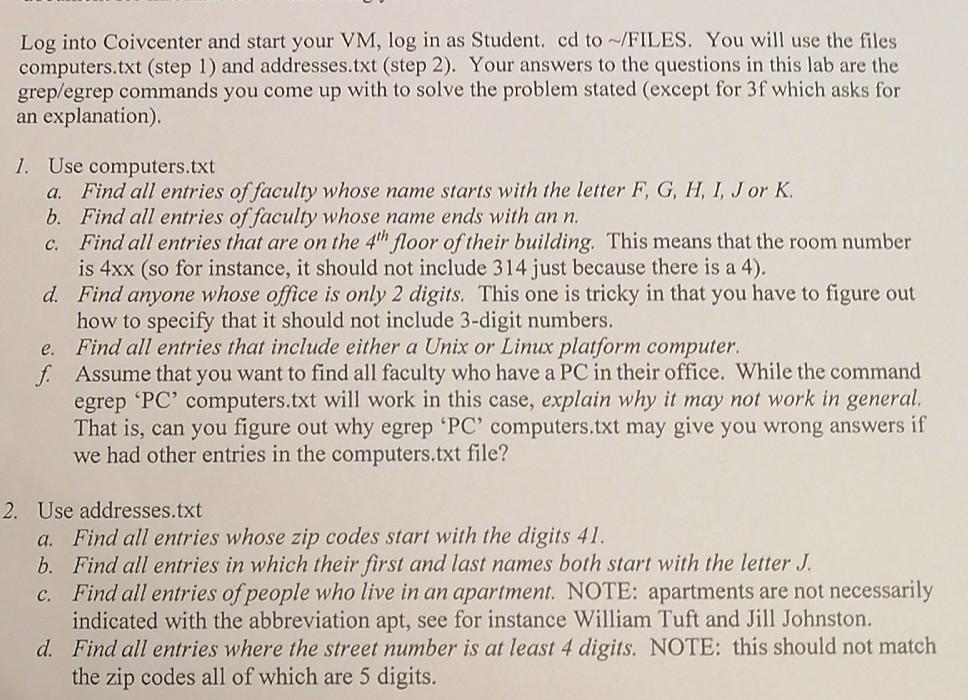
Log into Coivcenter and start your VM, log in as Student, cd to ~/FILES. You will use the files computers.txt (step 1) and addresses.txt (step 2). Your answers to the questions in this lab are the grep/egrep commands you come up with to solve the problem stated (except for 3f which asks for an explanation). 1. Use computers.txt a. Find all entries of faculty whose name starts with the letter F, G, H, I, J or K. b. Find all entries of faculty whose name ends with an n. c. Find all entries that are on the 4th floor of their building. This means that the room number is 4xx (so for instance, it should not include 314 just because there is a 4). d. Find anyone whose office is only 2 digits. This one is tricky in that you have to figure out how to specify that it should not include 3-digit numbers. Find all entries that include either a Unix or Linux platform computer. f. Assume that you want to find all faculty who have a PC in their office. While the command egrep 'PC' computers.txt will work in this case, explain why it may not work in general. That is, can you figure out why egrep 'PC' computers.txt may give you wrong answers if we had other entries in the computers.txt file? e. 2. Use addresses.txt a. Find all entries whose zip codes start with the digits 41. b. Find all entries in which their first and last names both start with the letter J. C. Find all entries of people who live in an apartment. NOTE: apartments are not necessarily indicated with the abbreviation apt, see for instance William Tuft and Jill Johnston. d. Find all entries where the street number is at least 4 digits. NOTE: this should not match the zip codes all of which are 5 digits
Step by Step Solution
There are 3 Steps involved in it

Get step-by-step solutions from verified subject matter experts
 Study Help