







Question: PLEASE I NEED THIS, IT'S DUE MONDAY THE 27TH. CS 112 - Spring 2023 - Programming Assignment 2 Branching with Functions Due Date: Monday, Feb
PLEASE I NEED THIS, IT'S DUE MONDAY THE 27TH.
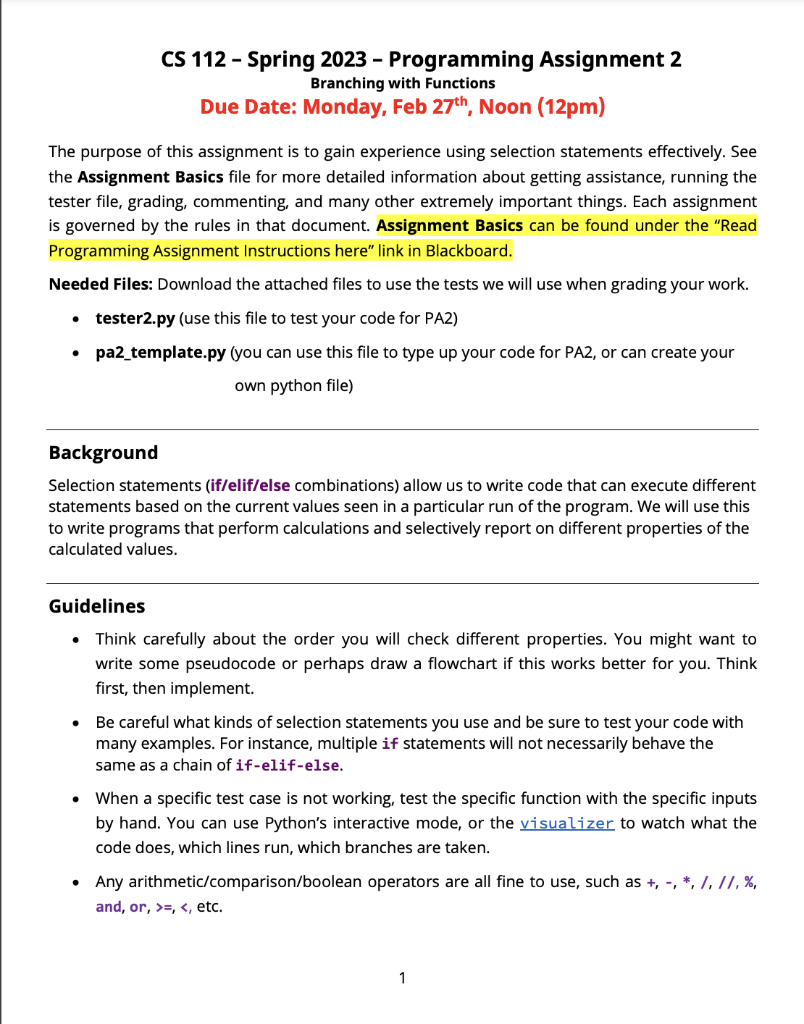
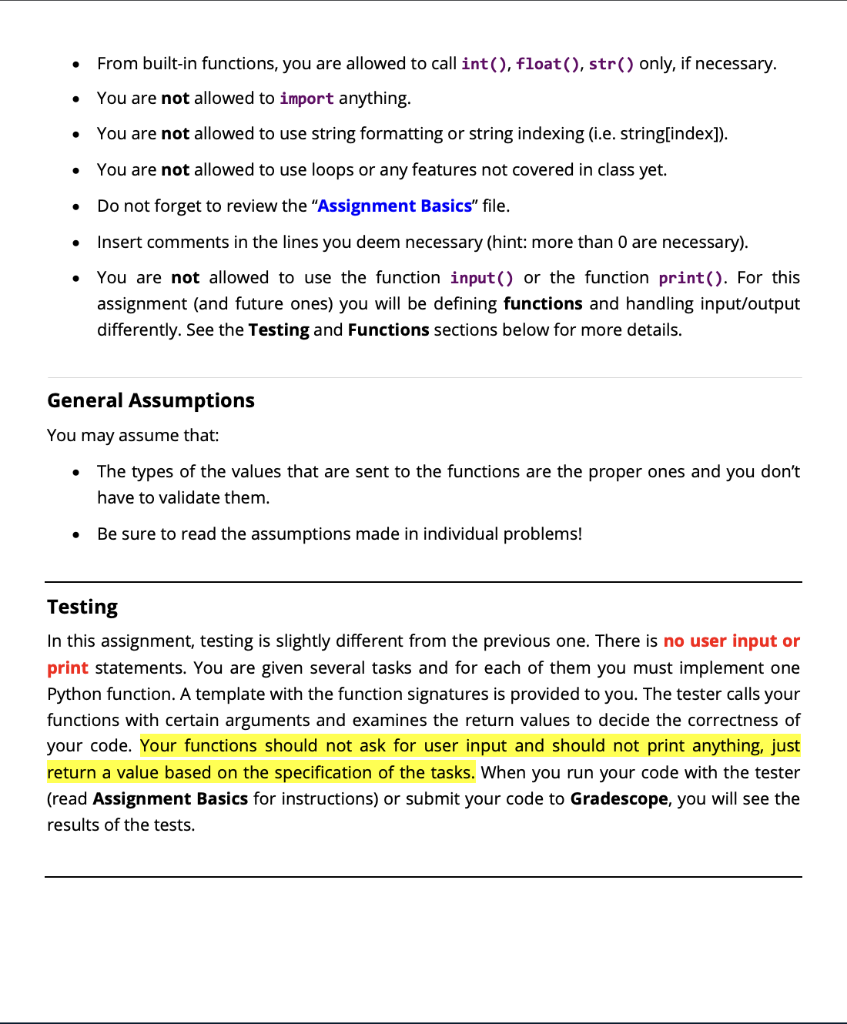
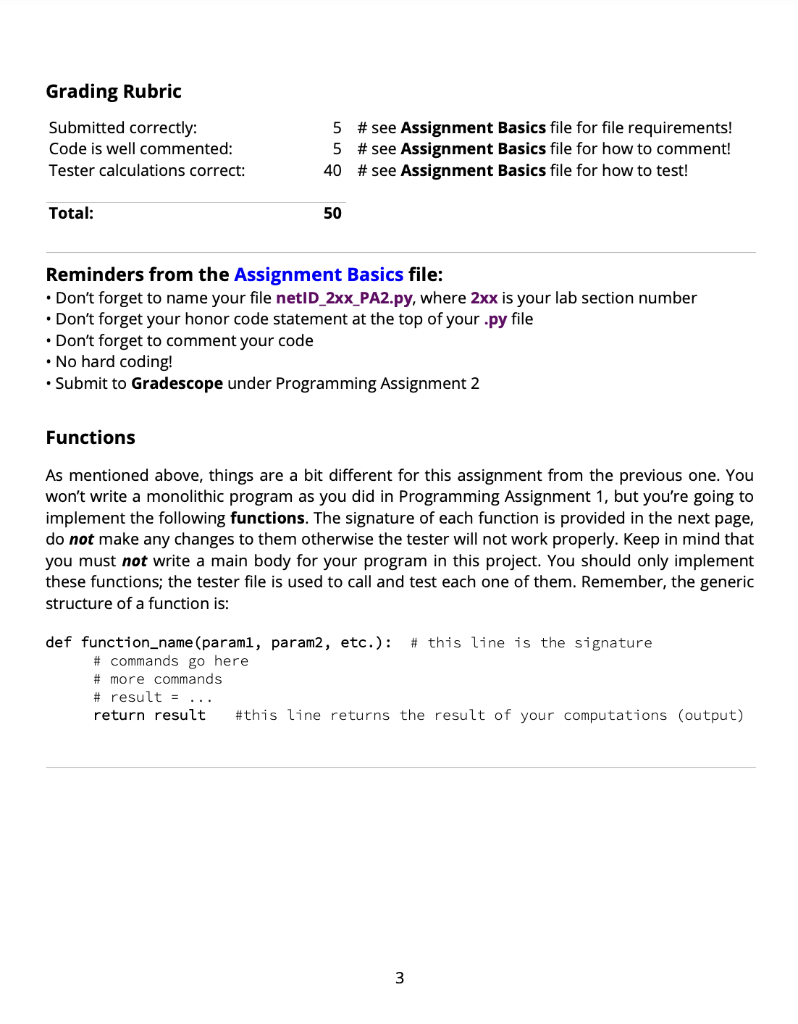
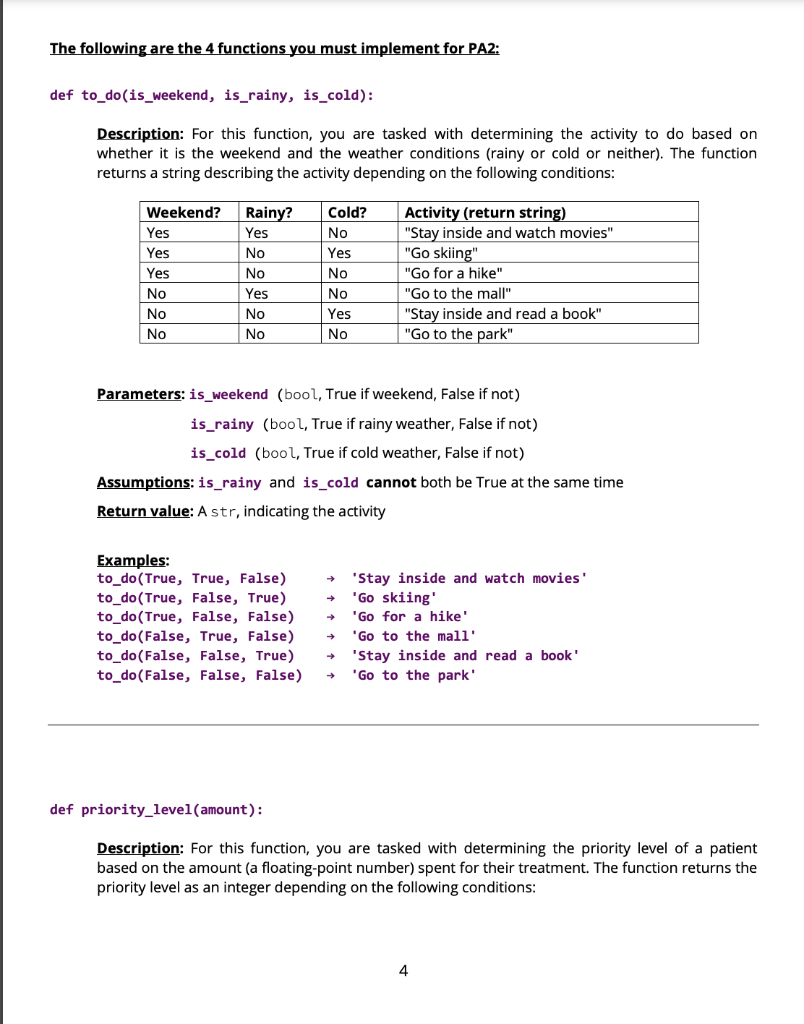
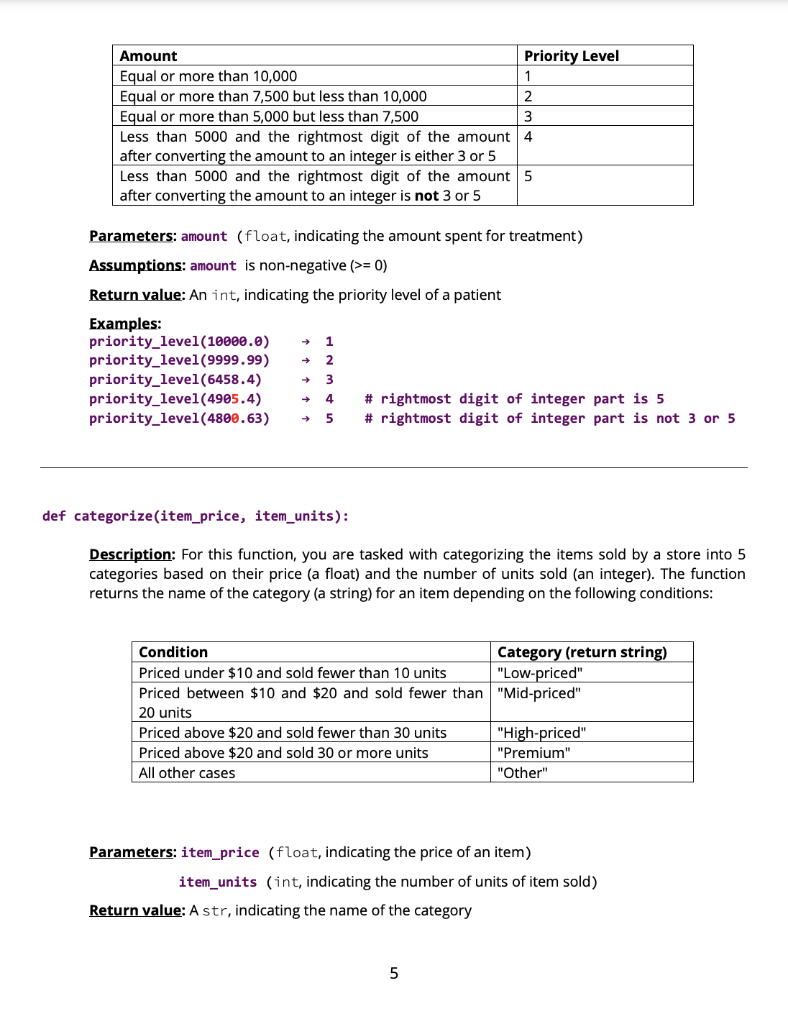
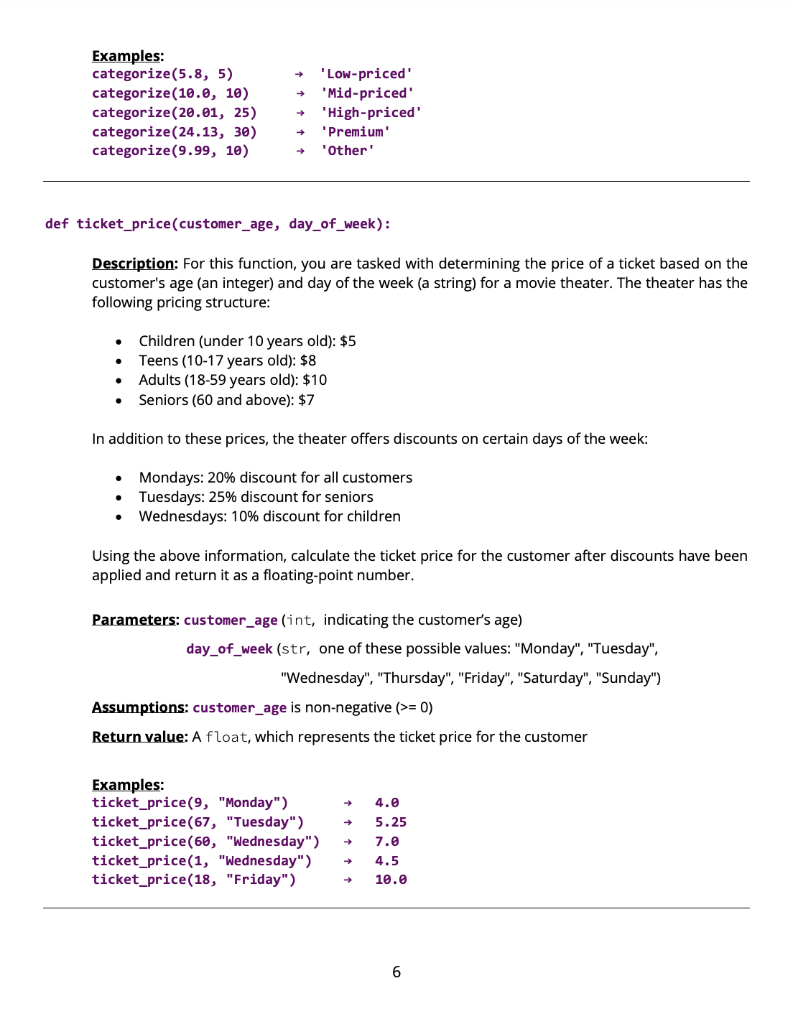
CS 112 - Spring 2023 - Programming Assignment 2 Branching with Functions Due Date: Monday, Feb 27th, Noon (12pm) The purpose of this assignment is to gain experience using selection statements effectively. See the Assignment Basics file for more detailed information about getting assistance, running the tester file, grading, commenting, and many other extremely important things. Each assignment is governed by the rules in that document. Assignment Basics can be found under the "Read Programming Assignment Instructions here" link in Blackboard. Needed Files: Download the attached files to use the tests we will use when grading your work. - tester2.py (use this file to test your code for PA2) - pa2_template.py (you can use this file to type up your code for PA2, or can create your own python file) Background Selection statements (if/elif/else combinations) allow us to write code that can execute different statements based on the current values seen in a particular run of the program. We will use this to write programs that perform calculations and selectively report on different properties of the calculated values. Guidelines - Think carefully about the order you will check different properties. You might want to write some pseudocode or perhaps draw a flowchart if this works better for you. Think first, then implement. - Be careful what kinds of selection statements you use and be sure to test your code with many examples. For instance, multiple if statements will not necessarily behave the same as a chain of if-elif-else. - When a specific test case is not working, test the specific function with the specific inputs by hand. You can use Python's interactive mode, or the to watch what the code does, which lines run, which branches are taken. - Any arithmetic/comparison/boolean operators are all fine to use, such as +,,,1,//,%, and, or, >=,=0) Return value: An int, indicating the priority level of a patient Examples: \( \begin{array}{lll}\text { priority_level(10000.0) } & ightarrow 1 \\ \text { priority_level(9999.99) } & ightarrow 2 \\ \text { priority_level(6458.4) } & ightarrow 3 \\ \text { priority_level(4905.4) } & ightarrow 4 \quad \text { \# rightmost digit of integer part is } 5 \\ \text { priority_level(4800.63) } & ightarrow 5 \quad \text { \# rightmost digit of integer part is not } 3 \text { or } 5\end{array} \) ef categorize(item_price, item_units): Description: For this function, you are tasked with categorizing the items sold by a store into 5 categories based on their price (a float) and the number of units sold (an integer). The function returns the name of the category (a string) for an item depending on the following conditions: Parameters: item_price (float, indicating the price of an item) item_units (int, indicating the number of units of item sold) Return value: A str, indicating the name of the category Examples: categorize(5.8,5)categorize(10.0,10)categorize(20.01,25)categorize(24.13,30)categorize(9.99,10)High-pricedPremiumOtherLow-pricedMid-priced f ticket_price(customer_age, day_of_week): Description: For this function, you are tasked with determining the price of a ticket based on the customer's age (an integer) and day of the week (a string) for a movie theater. The theater has the following pricing structure: - Children (under 10 years old): $5 - Teens (10-17 years old): $8 - Adults (18-59 years old): $10 - Seniors (60 and above): $7 In addition to these prices, the theater offers discounts on certain days of the week: - Mondays: 20\% discount for all customers - Tuesdays: 25\% discount for seniors - Wednesdays: 10% discount for children Using the above information, calculate the ticket price for the customer after discounts have been applied and return it as a floating-point number. Parameters: customer_age (int, indicating the customer's age) day_of_week (str, one of these possible values: "Monday", "Tuesday", "Wednesday", "Thursday", "Friday", "Saturday", "Sunday") Assumptions: customer_age is non-negative (>=0 ) Return value: A float, which represents the ticket price for the customer Examples: ticket_price(9, "Monday") 4.0 ticket_price(67, "Tuesday") 5.25 ticket_price(60, "Wednesday") 7.0 ticket_price(1, "Wednesday") 4.5 ticket_price(18, "Friday") 10.0 6
Step by Step Solution
There are 3 Steps involved in it

Get step-by-step solutions from verified subject matter experts
 Study Help