







Question: ((((((((((Please include comments and javadoc comments!! ))))))))) import java.util.ArrayList; import java.util.Arrays; import java.util.Collections; public class DirectorySortDemo { public static void main(String[] args) { String[] dirNames
((((((((((Please include comments and javadoc comments!! )))))))))
import java.util.ArrayList; import java.util.Arrays; import java.util.Collections;
public class DirectorySortDemo { public static void main(String[] args) { String[] dirNames = {"dir12", "dir5", "dir9", "dir1", "dir4", "lab10", "lab2", "lab7", "lab17", "lab8", "quiz8", "quiz10", "quiz11", "quiz12", "dir11", "dir8", "dir7", "dir15", "dir3"}; ArrayList
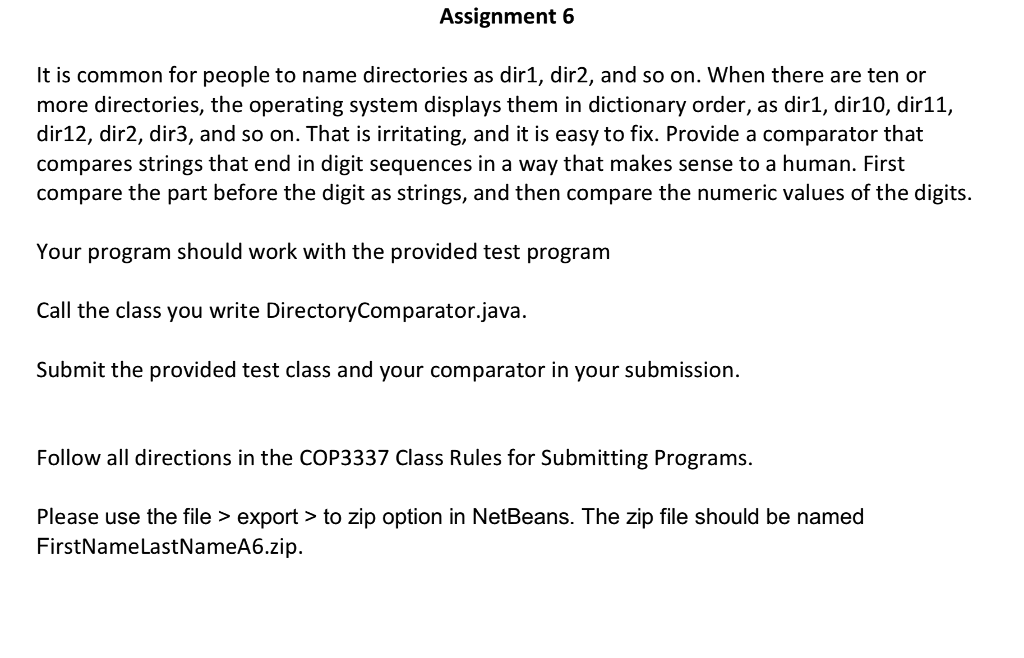
Assignment 6 It is common for people to name directories as dir1, dir2, and so on. When there are ten or more directories, the operating system displays them in dictionary order, as dir1, dir10, dir11, dir12, dir2, dir3, and so on. That is irritating, and it is easy to fix. Provide a comparator that compares strings that end in digit sequences in a way that makes sense to a human. First compare the part before the digit as strings, and then compare the numeric values of the digits. Your program should work with the provided test program Call the class you write DirectoryComparator.java. Submit the provided test class and your comparator in your submission. Follow all directions in the COP3337 Class Rules for Submitting Programs. Please use the file> export>to zip option in NetBeans. The zip file should be named FirstNameLastNameA6.zip
Step by Step Solution
There are 3 Steps involved in it

Get step-by-step solutions from verified subject matter experts
 Study Help