







Question: Please include detailed steps, formulas, where to put formulas, etc.. 1. In the R03_ROOM_MIX worksheet, setup placeholder cells for the Rental Quantities of all room
Please include detailed steps, formulas, where to put formulas, etc..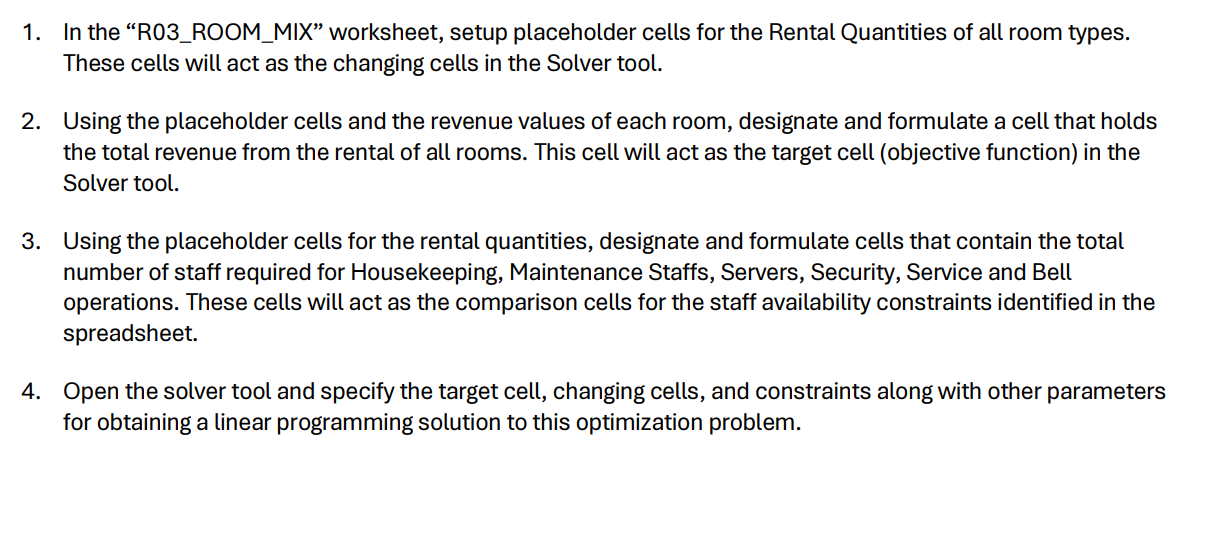
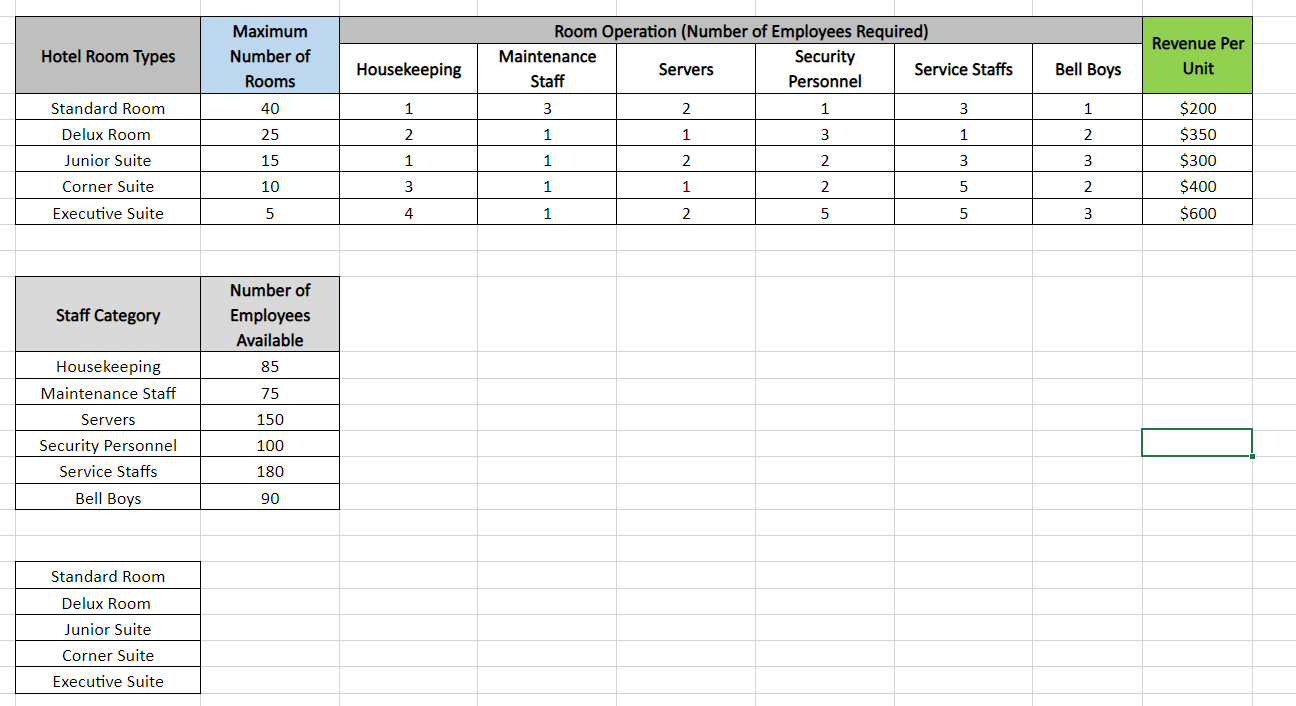
1. In the "R03_ROOM_MIX" worksheet, setup placeholder cells for the Rental Quantities of all room types. These cells will act as the changing cells in the Solver tool. 2. Using the placeholder cells and the revenue values of each room, designate and formulate a cell that holds the total revenue from the rental of all rooms. This cell will act as the target cell (objective function) in the Solver tool. 3. Using the placeholder cells for the rental quantities, designate and formulate cells that contain the total number of staff required for Housekeeping, Maintenance Staffs, Servers, Security, Service and Bell operations. These cells will act as the comparison cells for the staff availability constraints identified in the spreadsheet. 4. Open the solver tool and specify the target cell, changing cells, and constraints along with other parameters for obtaining a linear programming solution to this optimization problem. \begin{tabular}{|c|c|} \hline Staff Category & NumberofEmployeesAvailable \\ \hline Housekeeping & 85 \\ \hline Maintenance Staff & 75 \\ \hline Servers & 150 \\ \hline Security Personnel & 100 \\ \hline Service Staffs & 180 \\ \hline Bell Boys & 90 \\ \hline \end{tabular} \begin{tabular}{|c|} \hline Standard Room \\ \hline Delux Room \\ \hline Junior Suite \\ \hline Corner Suite \\ \hline Executive Suite \\ \hline \end{tabular}
Step by Step Solution
There are 3 Steps involved in it

Get step-by-step solutions from verified subject matter experts
 Study Help