



Question: Please include pictures of the code. Thanks! Hands-On Project 3-3 In this project, you will create and populate an array. You will also write a
Please include pictures of the code. Thanks!
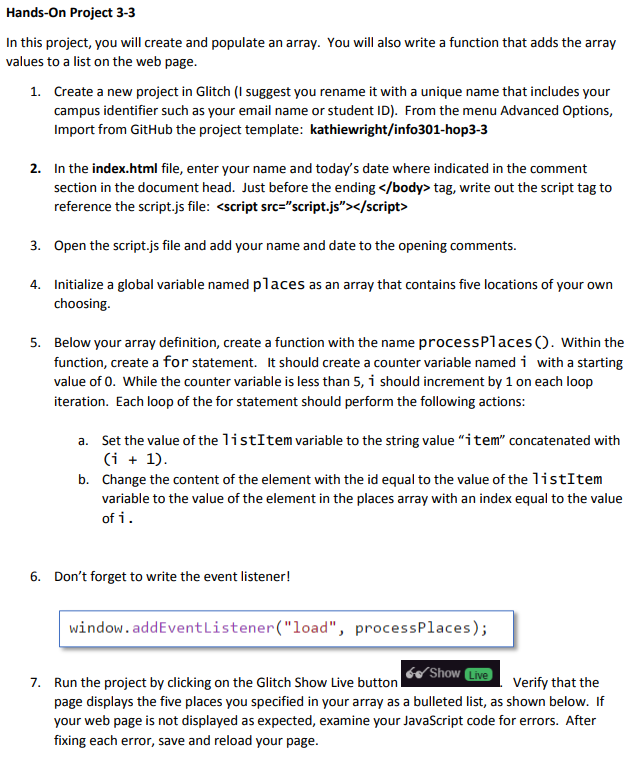
Hands-On Project 3-3 In this project, you will create and populate an array. You will also write a function that adds the array values to a list on the web page 1. Create a new project in Glitch (I suggest you rename it with a unique name that includes your campus identifier such as your email name or student ID) From the menu Advanced Options, Import from GitHub the project template: kathiewright/info301-hop3-3 2. In the index.html file, enter your name and today's date where indicated in the comment section in the document head. Just before the endingtag, write out the script tag to reference the script.js file: 3. Open the script.js file and add your name and date to the opening comments. Initialize a global variable named places as an array that contains five locations of your own choosing 4. 5. Below your array definition, create a function with the name processPlaces O. Within the function, create a for statement. It should create a counter variable named i with a starting value of 0. While the counter variable is less than 5, i should increment by 1 on each loop iteration. Each loop of the for statement should perform the following actions a. Set the value of the listItem variable to the string value "item" concatenated with Change the content of the element with the id equal to the value of the 1istItem variable to the value of the element in the places array with an index equal to the value of i b. 6. Don't forget to write the event listener! window. addEventListener("load", processPlaces); Show Live 7. Verify that the Run the project by clicking on the Glitch Show Live button page displays the five places you specified in your array as a bulleted list, as shown below. If your web page is not displayed as expected, examine your JavaScript code for errors. After fixing each error, save and reload your page
Step by Step Solution
There are 3 Steps involved in it

Get step-by-step solutions from verified subject matter experts