







Question: Please include the commands and codes. Thank you Write a simple menu-based file manager using bash scripts. After starting the file manager repeatedly shows the
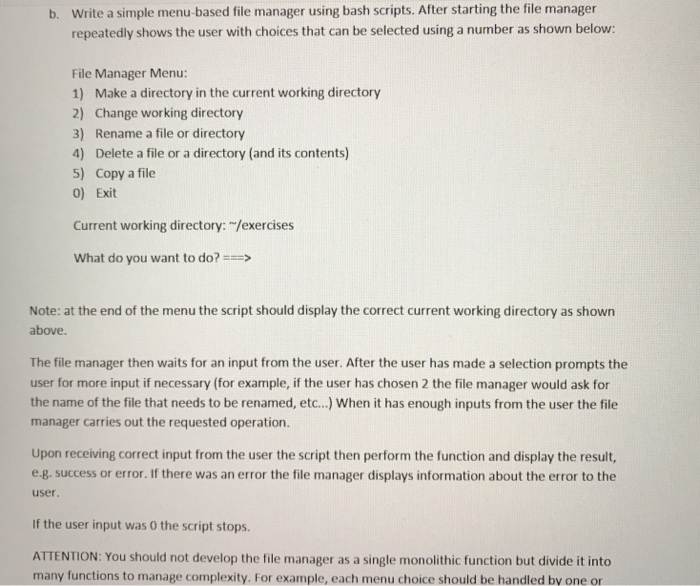
Write a simple menu-based file manager using bash scripts. After starting the file manager repeatedly shows the user with choices that can be selected using a number as shown below: b. File Manager Menu: 1) Make a directory in the current working directory 2) Change working directory 3) Rename a file or directory 4) Delete a file or a directory (and its contents) 5) Copy a file 0) Exit Current working directory: "/exercises What do you want to do? Note: at the end of the menu the script should display the correct current working directory as shown above. The file manager then waits for an input from the user. After the user has made a selection prompts the user for more input if necessary (for example, if the user has chosen 2 the file manager would ask for the name of the file that needs to be renamed, etc...) When it has enough inputs from the user the file manager carries out the requested operation. Upon receiving correct input from the user the script then perform the function and display the result, e g. success or error.If there was an error the file manager displays information about the error to the user If the user input was 0 the script stops ATTENTION: You should not develop the file manager as a single monolithic function but divide it into many functions to manage complexity. For example, each menu choice should be handled by one or
Step by Step Solution
There are 3 Steps involved in it

Get step-by-step solutions from verified subject matter experts
 Study Help