







Question: please incluse Exel functions !!! value 10.00 points S&P Enterprises has provided data from the first three months of the year. The Controller has asked
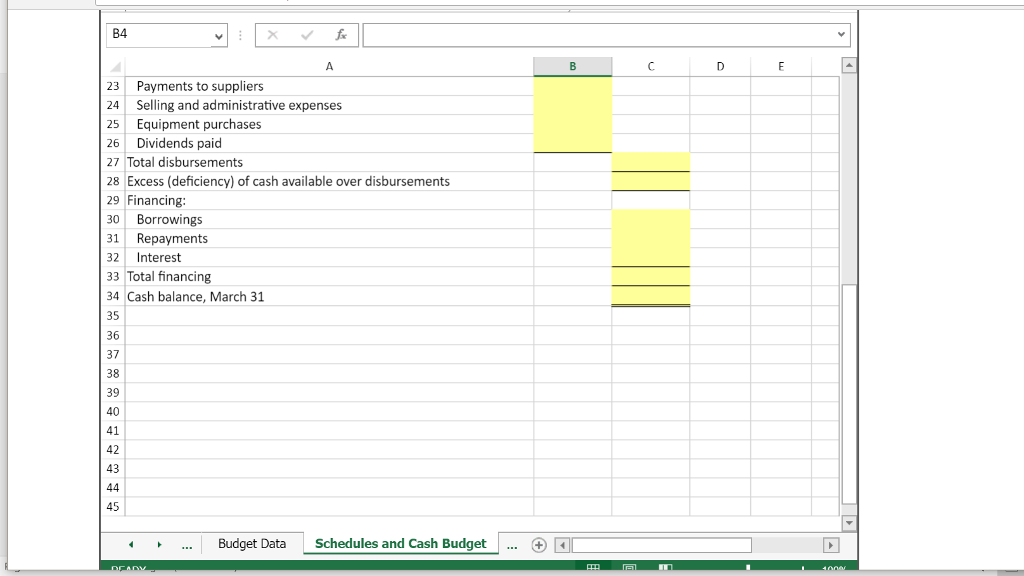
please incluse Exel functions !!!
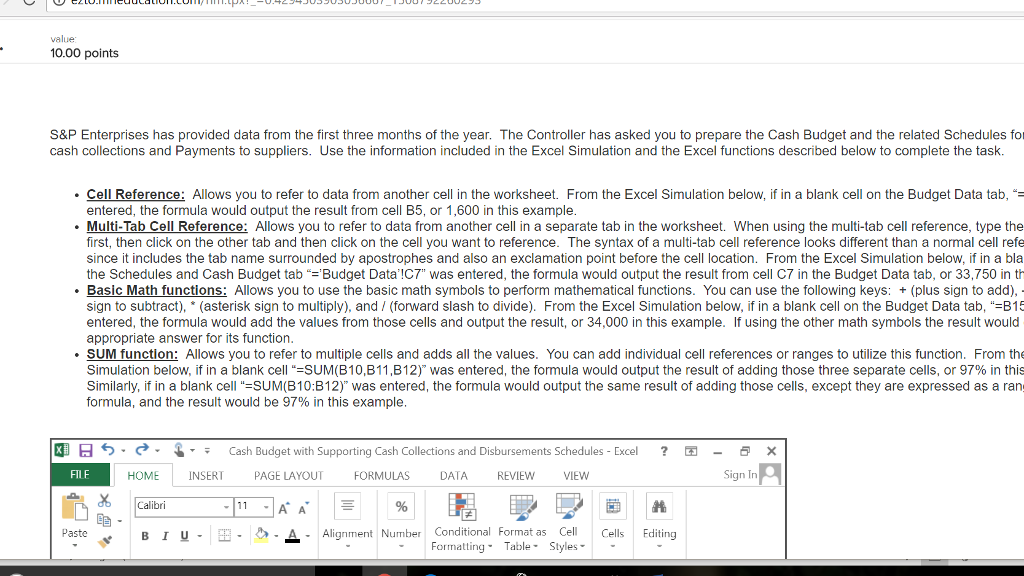
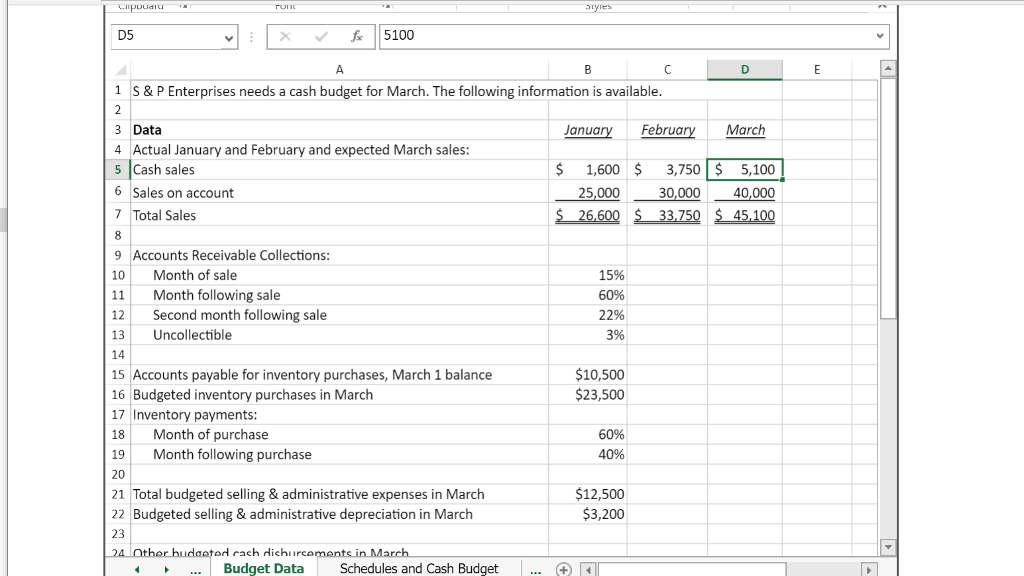
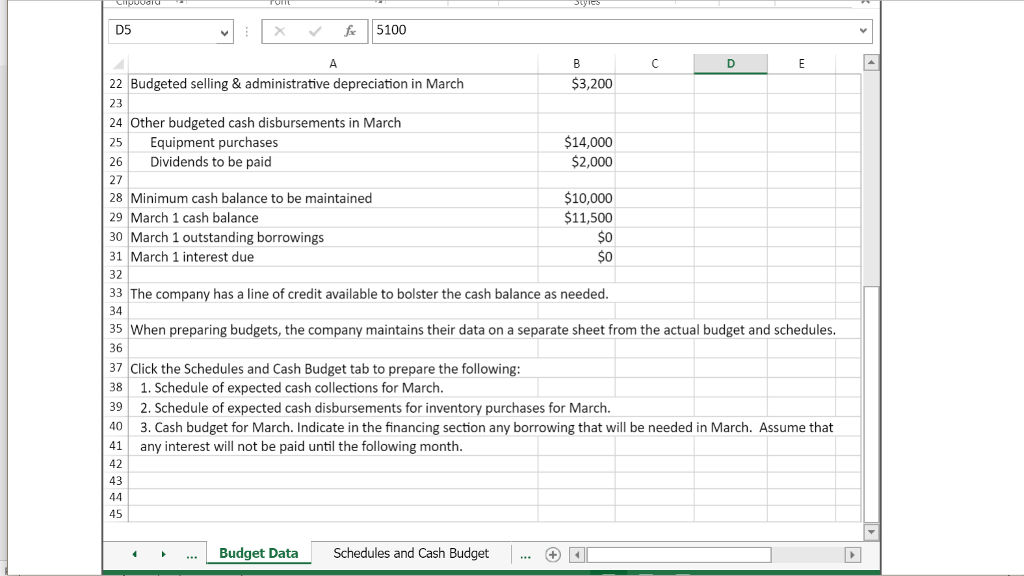
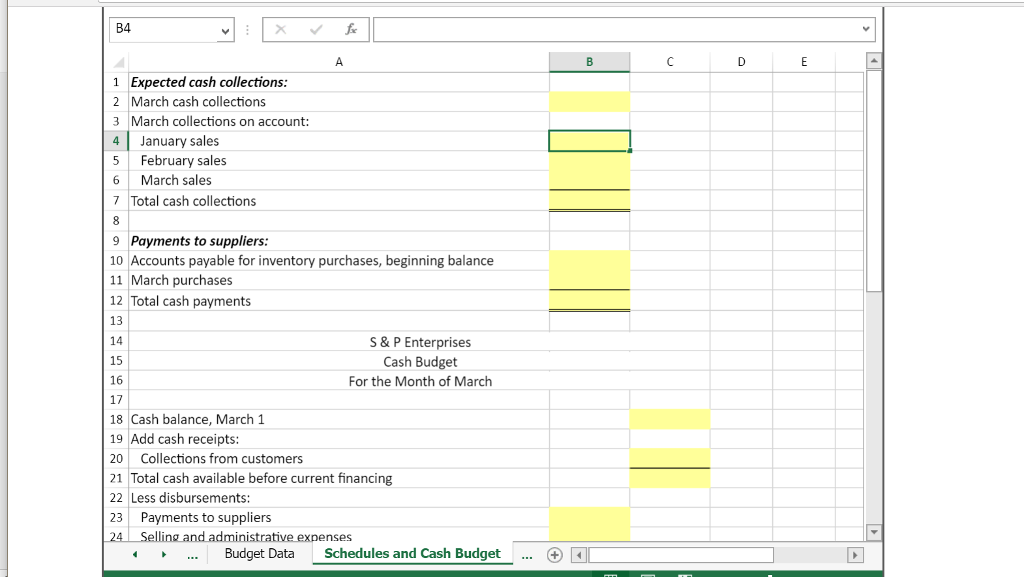
value 10.00 points S&P Enterprises has provided data from the first three months of the year. The Controller has asked you to prepare the Cash Budget and the related Schedules for cash collections and Payments to suppliers. Use the information included in the Excel Simulation and the Excel functions described below to complete the task Cell Reference: Allows you to refer to data from another cell in the worksheet. From the Excel Simulation below, if in a blank cell on the Budget Data tab,- entered, the formula would output the result from cell B5, or 1,600 in this example Multi-Tab Cell Reference: Allows you to refer to data from another cell in a separate tab in the worksheet. When using the multi-tab cell reference, type the first, then click on the other tab and then click on the cell you want to reference. The syntax of a multi-tab cell reference looks different than a normal cell refe since it includes the tab name surrounded by apostrophes and also an exclamation point before the cell location. From the Excel Simulation below, if in a bla the Schedules and Cash Budget tab -Budget Data'!C7" was entered, the formula would output the result from cell C7 in the Budget Data tab, or 33,750 in t Basic Math functions: Allows you to use the basic math symbols to perform mathematical functions. You can use the following keys: + (plus sign to add) sign to subtract), (asterisk sign to multiply), and / (forward slash to divide). From the Excel Simulation below, if in a blank cell on the Budget Data tab,"B15 entered, the formula would add the values from those cells and output the result, or 34,000 in this example. If using the other math symbols the result would appropriate answer for its function t and aiso an exclamation posimtbelofea multi-tab cell reference one Basie Math funct SUM function: Allows you to refer to multiple cells and adds all the values. You can add individual cell references or ranges to utilize this function. From the Simulation below. if in a blank cell "-SUM(B10,B11,B12)" was entered, the formula would output the result of adding those three separate cells, or 97% in this Similarly, if in a blank cell " SUM(B10:B12)" was entered, the formula would output the same result of adding those cells, except they are expressed as a rans formula, and the result would be 97% in this example . & , ; Cash Budget with Supporting Cash Collections and Disbursements Schedules-Excel ? - FILF HOME INSERT PAGE LAYOUT FORM ULAS DATA REVIEW VIEW Sign In Calibri B 1 u . -. AAlignment Number Conditional Format as Cel Cells Editing Number Paste FormattingTableStyles value 10.00 points S&P Enterprises has provided data from the first three months of the year. The Controller has asked you to prepare the Cash Budget and the related Schedules for cash collections and Payments to suppliers. Use the information included in the Excel Simulation and the Excel functions described below to complete the task Cell Reference: Allows you to refer to data from another cell in the worksheet. From the Excel Simulation below, if in a blank cell on the Budget Data tab,- entered, the formula would output the result from cell B5, or 1,600 in this example Multi-Tab Cell Reference: Allows you to refer to data from another cell in a separate tab in the worksheet. When using the multi-tab cell reference, type the first, then click on the other tab and then click on the cell you want to reference. The syntax of a multi-tab cell reference looks different than a normal cell refe since it includes the tab name surrounded by apostrophes and also an exclamation point before the cell location. From the Excel Simulation below, if in a bla the Schedules and Cash Budget tab -Budget Data'!C7" was entered, the formula would output the result from cell C7 in the Budget Data tab, or 33,750 in t Basic Math functions: Allows you to use the basic math symbols to perform mathematical functions. You can use the following keys: + (plus sign to add) sign to subtract), (asterisk sign to multiply), and / (forward slash to divide). From the Excel Simulation below, if in a blank cell on the Budget Data tab,"B15 entered, the formula would add the values from those cells and output the result, or 34,000 in this example. If using the other math symbols the result would appropriate answer for its function t and aiso an exclamation posimtbelofea multi-tab cell reference one Basie Math funct SUM function: Allows you to refer to multiple cells and adds all the values. You can add individual cell references or ranges to utilize this function. From the Simulation below. if in a blank cell "-SUM(B10,B11,B12)" was entered, the formula would output the result of adding those three separate cells, or 97% in this Similarly, if in a blank cell " SUM(B10:B12)" was entered, the formula would output the same result of adding those cells, except they are expressed as a rans formula, and the result would be 97% in this example . & , ; Cash Budget with Supporting Cash Collections and Disbursements Schedules-Excel ? - FILF HOME INSERT PAGE LAYOUT FORM ULAS DATA REVIEW VIEW Sign In Calibri B 1 u . -. AAlignment Number Conditional Format as Cel Cells Editing Number Paste FormattingTableStyles
Step by Step Solution
There are 3 Steps involved in it

Get step-by-step solutions from verified subject matter experts
 Study Help