







Question: PLEASE LINK DOWNLOADABLE FILE. MUST BE INVENTOR VERSION 2019. !!! Any mechanism, you can choose a robotic leg or arm or anything prosthetic related. Mechanism
PLEASE LINK DOWNLOADABLE FILE. MUST BE INVENTOR VERSION 2019. !!! Any mechanism, you can choose a robotic leg or arm or anything prosthetic related. 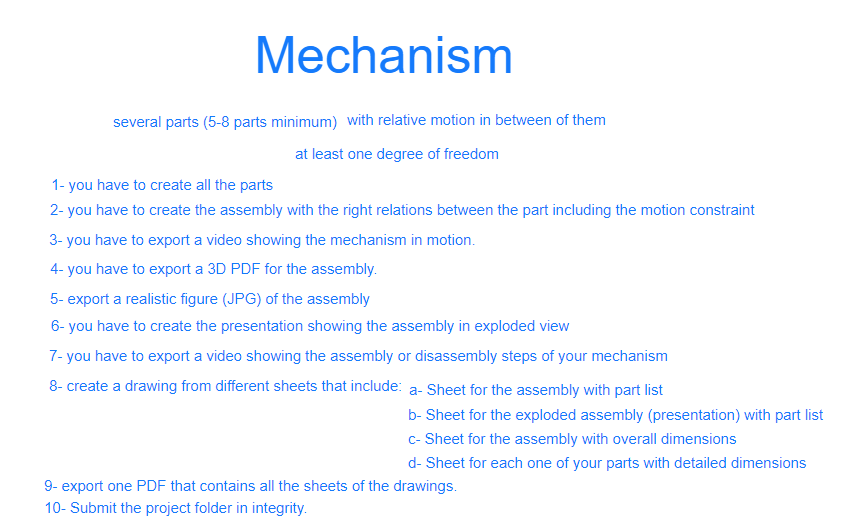
Mechanism several parts (5-8 parts minimum) with relative motion in between of them at least one degree of freedom 1- you have to create all the parts 2- you have to create the assembly with the right relations between the part including the motion constraint 3- you have to export a video showing the mechanism in motion. 4- you have to export a 3D PDF for the assembly. 5- export a realistic figure (JPG) of the assembly 6- you have to create the presentation showing the assembly in exploded view 7- you have to export a video showing the assembly or disassembly steps of your mechanism 8- create a drawing from different sheets that include: a-Sheet for the assembly with part list b-Sheet for the exploded assembly (presentation) with part list C-Sheet for the assembly with overall dimensions d-Sheet for each one of your parts with detailed dimensions 9- export one PDF that contains all the sheets of the drawings. 10- Submit the project folder in integrity. Mechanism several parts (5-8 parts minimum) with relative motion in between of them at least one degree of freedom 1- you have to create all the parts 2- you have to create the assembly with the right relations between the part including the motion constraint 3- you have to export a video showing the mechanism in motion. 4- you have to export a 3D PDF for the assembly. 5- export a realistic figure (JPG) of the assembly 6- you have to create the presentation showing the assembly in exploded view 7- you have to export a video showing the assembly or disassembly steps of your mechanism 8- create a drawing from different sheets that include: a-Sheet for the assembly with part list b-Sheet for the exploded assembly (presentation) with part list C-Sheet for the assembly with overall dimensions d-Sheet for each one of your parts with detailed dimensions 9- export one PDF that contains all the sheets of the drawings. 10- Submit the project folder in integrity
Step by Step Solution
There are 3 Steps involved in it

Get step-by-step solutions from verified subject matter experts
 Study Help